
Day 1-15: You're Not Installing a Tool. You're Pouring a Foundation.
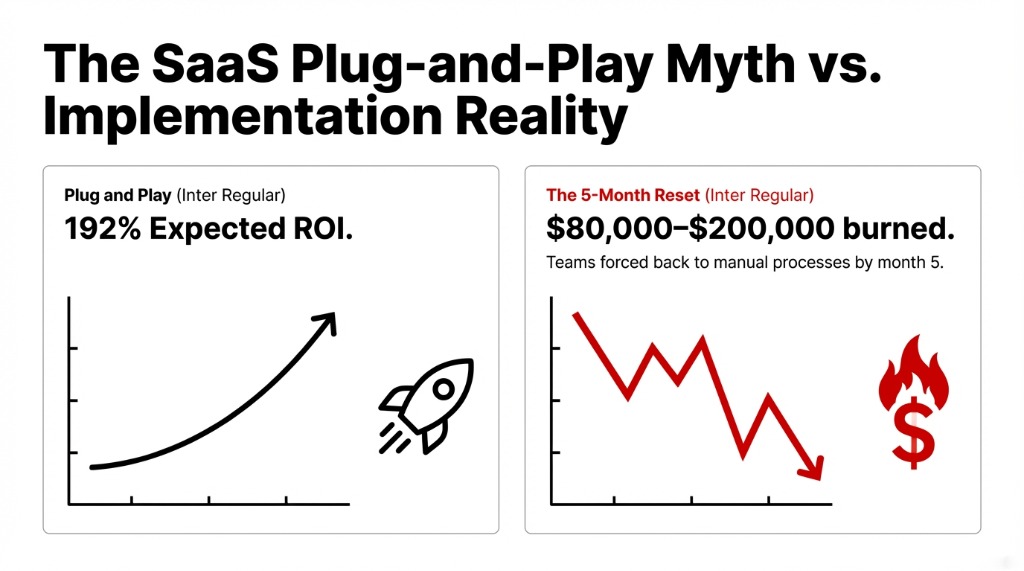
Most teams treat AI agent deployment like a SaaS subscription. Download the app, flip the switch, watch the results roll in. That is exactly the wrong mental model.
Before your agent handles a single customer query, your developers will spend 11 to 17 days on one thing: connecting the agent to your existing systems. That means your CRM, your ERP, your support platform (Zendesk, Intercom, Freshdesk), your internal databases, and every third-party integration in your stack.
Every single connection runs through APIs.
The Day 3 Wall
What happens: Your agent calls a REST API expecting a structured JSON response and gets a 502 HTML error page instead. We see this happen on Day 3. Not Day 30. Day 3.
Why It Happens
Most organizations have never run a proper API audit on their own internal infrastructure.
Every endpoint inconsistency surfaces immediately at scale.
This is why any serious AI agent deployment requires your developers to be working with API testing tools from day one. Teams that are serious about developing an API-connected AI agent use tools like Postman — the industry-standard API testing platform — to validate every endpoint before the agent touches it in production.
Whether your team uses the Postman API platform directly, does a Postman download for the desktop app, or opts for a Postman alternative open source solution like Bruno or Hoppscotch, the discipline matters — not the specific tool.
Day 1-15 Practical Setup
▸ Map every external and internal API your agent needs to call and document RESTful API examples for each expected response format
▸ Run endpoint testing on each API using a REST API testing tool — Postman's interface or any solid online API tester will expose broken endpoints in minutes
▸ Set up a mock API server to simulate responses before live integrations go live; this saves 6-12 days of debugging downstream
▸ Configure API automation testing to run nightly regression checks
▸ For Mac-based teams, Postman for Mac is available directly from the Postman website
Austin, Texas Client: $31,400 Saved
During this exact phase, proper API automation testing tools helped them discover 3 undocumented internal API endpoints returning inconsistent data formats depending on server load.
The Fix
▸ Time to fix: 4 days
▸ Without testing: 6 weeks of contaminated agent training data
$31,400 in rework avoided
Day 16-45: The Agent Works. Now Make It Work Reliably.
By Day 30, your agent should resolve 60% or more of test cases without human escalation. If it's not hitting that number, you have a structural problem, not a technology problem.
This is where teams shift from initial integration work to actual agent training, conversation design, and performance tuning. And here's the piece most API testing tutorials won't tell you: testing volume changes everything. An API that performs fine under 10 requests per minute behaves differently under 500.
The $14,200 SLA Penalty
A $9.3M ARR SaaS client in Chicago skipped Postman load testing entirely.
When they pushed their AI agent live, peak traffic crashed their webhook endpoints within 37 minutes.
Three days of manual recovery. $14,200 in SLA penalties. Entirely avoidable.
Performance testing with Postman — or using any comparable API automation tool — should be a non-negotiable checkpoint between Day 30 and Day 45. Run test REST API with Postman workflows at 3x your expected peak load before you ever expose the agent to real users.
If Postman prices are a concern at this stage, lean into open-source API testing tools — Bruno covers REST and GraphQL testing for free, HTTPie is excellent for curl API testing in terminal-first environments, and Hoppscotch provides a clean Postman online-style interface without any installation required.
The controversial opinion we hold here: API reliability is more important than AI model accuracy in the first 45 days. A GPT-4-class model connected to unreliable endpoints gives worse results than a simpler model connected to stable ones.
Day 46-75: Real Users Break Things You Never Imagined
Your internal testing team is the worst possible group to find UX problems. Not because they're bad — because they know how the system works. Real users don't.
By Day 46, you should be rolling the agent out to 10-20% of your actual user base. Real users, real requests, real stakes. Not a demo environment. Not a sandbox.
Track These Numbers Obsessively
Resolution Rate
Target: 65%+ by Day 60, 70%+ by Day 75
Users getting answers without escalating
Abandonment Rate
If this exceeds 22%, conversation design is broken
Users closing conversations mid-flow
API Error Rate
Pull from your API testing platform dashboard daily
If more than 3.7% of API calls fail = infrastructure problem disguised as AI problem
Average Handling Time
For escalations only
If human agents spend longer on AI-escalated tickets = agent is extracting wrong data from your website APIs
This phase often surfaces integrations your team forgot to map — third-party review platforms, loyalty program APIs, subscription billing systems. Each one needs to be treated like a new integration: use your REST testing tool to validate the sample REST API URL, document the API endpoint example response schema, and confirm data format alignment before connecting.
Organizations that maintain disciplined API testing throughout this phase hit resolution rates above 70% by Day 75. Those that don't hit 54% — and spend the next two months troubleshooting problems that are fundamentally infrastructure issues, not AI issues.
Day 76-90: The One Number That Justifies Everything
By Day 90, your job is simple and brutal: produce one specific dollar figure that proves the agent is working.
Not "users seem happier." Not "ticket volume is trending down." A real number.
| Metric | Our Client Averages (Day 90) |
|---|---|
| Labor Cost Reduction | $18,300-$46,700 saved |
| First-Call Resolution Increase | 43% improvement |
| Customer Response Time Reduction | 31% faster |
| Average Handling Time Decrease | 23.4% reduction |
Full ROI materializes between months 4 and 6, with complete payback typically at 8-14 months. But Day 90 is the proof of direction, not the proof of destination.
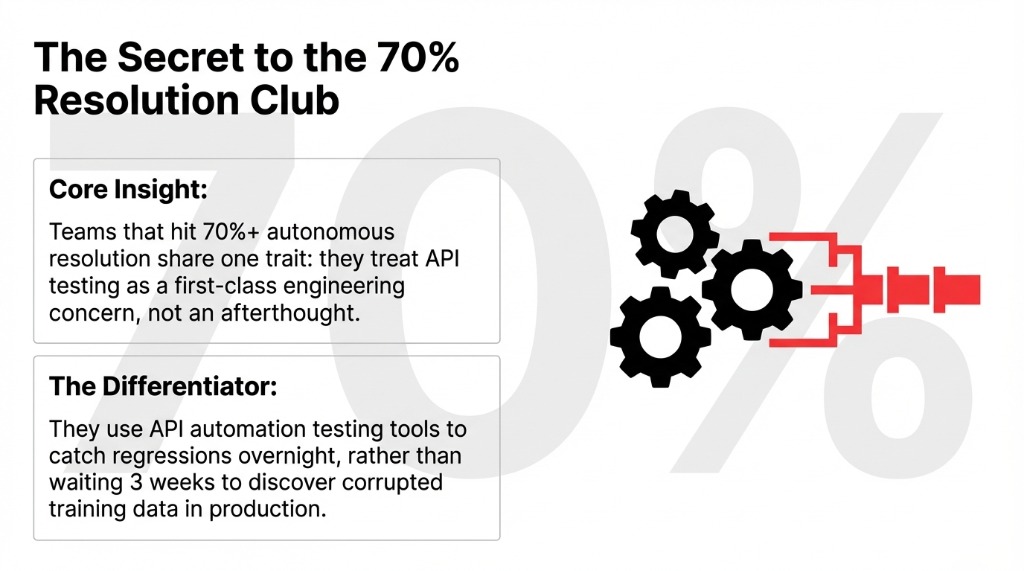
The teams that hit these numbers consistently share one discipline: they treated API testing as a first-class engineering concern alongside the AI work — not an afterthought. They ran REST API programming validations. They used API automation testing tools to catch regressions. They ran Postman performance testing before go-live. They configured ongoing Postman monitoring after go-live.
Why 40% of AI Agent Pilots Fail (And It Has Nothing to Do with the Model)
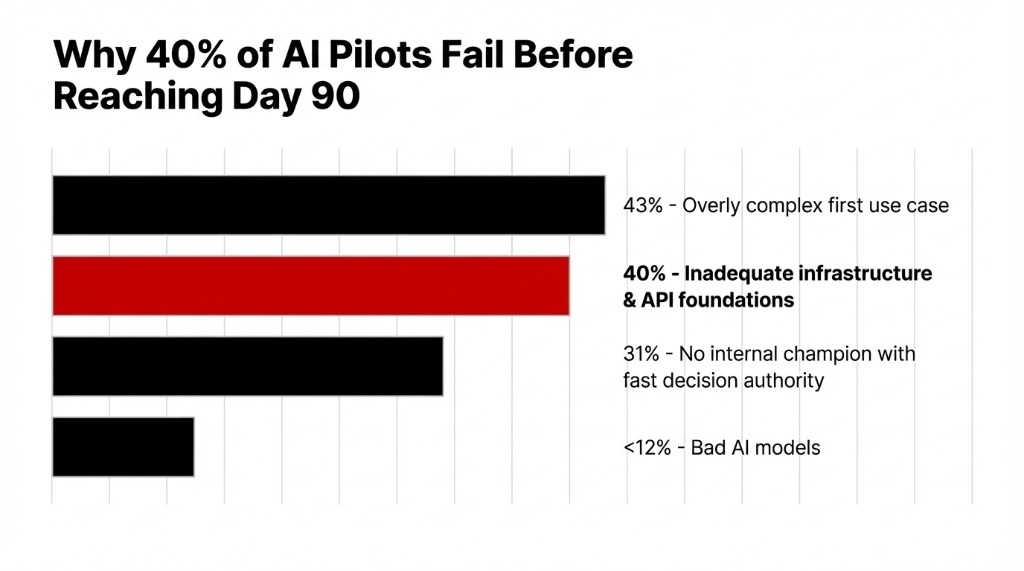
40% of AI agent projects fail due to inadequate infrastructure foundations. 43% fail because teams pick an overly complex first use case. 31% fail because there's no internal champion with authority to make fast decisions.
Frankly, almost none of them fail because the AI model was bad.
At Braincuber, we built an Agentic AI framework on LangChain and CrewAI that has powered agents across customer support, document processing, and predictive analytics workflows. What breaks deployments is always the same: disorganized API layers, undertested integrations, and teams that skipped the API testing tutorial phase because they were impatient.
| Milestone | Target Metric | What Failure Looks Like |
|---|---|---|
| Day 30 | 60%+ test resolution rate | Below 45% = structural redesign needed |
| Day 60 | 65%+ live resolution rate | Below 55% = API/data layer audit required |
| Day 75 | 0 critical API failure modes | Any unresolved error >3% = pre-launch blocker |
| Day 90 | 70%+ resolution, measurable $ saved | No documented ROI = scope was wrong from Day 1 |
If your team is currently in the pre-deployment phase, stop and do the API audit first. Use a proper REST API for testing, map your API endpoint examples, run API automation testing against your full integration stack, and confirm your data layer is stable before you build the AI layer on top of it.
The Insight: Your AI Agent Is Only As Good As Your API Layer
The companies that hit 70%+ autonomous resolution and $18,300-$46,700 in labor savings by Day 90 all share one trait: they treated API testing as a first-class engineering concern. They ran REST API programming validations. They used API automation testing tools to catch regressions before they hit production. The AI part is only as good as the data layer underneath it.
Stop treating API testing as an afterthought. Start treating it as the foundation your entire AI investment sits on.
Frequently Asked Questions
How long does it take to see ROI from an AI agent?
Most US organizations see measurable ROI between months 4 and 6, with full cost payback at 8-14 months. By Day 90, you should have a resolution rate above 70%, API error rate under 4%, and at least one documented labor cost reduction.
Does my team need developers to deploy an AI agent?
You need developers for the first 30 days specifically. Wiring APIs, running REST API testing, configuring automation pipelines — this is not low-code work. After go-live with proper documentation, a non-technical champion can manage operations. Skipping technical foundation costs $40,000-$90,000 in rework.
What is the number one reason AI agents fail in 90 days?
Overly complex first use cases account for 43% of failures. Missing a decision-maker with authority accounts for 31%. Technical issues — bad AI models, wrong frameworks — account for fewer than 12%. Infrastructure and organizational problems break deployments far more than AI technology does.
Why does API testing matter for AI agent performance?
Your agent is only as reliable as the APIs it calls. If a REST API returns inconsistent JSON structures, your agent gives inconsistent answers and users stop trusting it within 3 days of go-live. Using API automation testing tools to validate every endpoint before production is how you protect the AI investment.
Can a limited-budget company run a successful AI agent pilot?
Yes. Use open-source API testing tools (Bruno, Hoppscotch, HTTPie) instead of paid platforms to cut $300-$800/month. Narrow the use case to one department and one workflow. Set a hard Day-90 resolution rate target. Teams following a structured 90-day plan hit 70%+ resolution even at lean budgets.
Skip the 6-Month Learning Curve
Book a free 15-Minute AI Operations Audit with Braincuber Technologies. We'll map your first AI agent use case, flag your API integration risks, and hand you a deployment roadmap on the first call — before you write a single line of code.
Book Free 15-Min AI Audit