
Why Your Current Setup Will Fail an FSSAI Recall
Here is the ugly truth most ERP vendors will not say out loud: a basic Odoo installation with default settings is not FSSAI recall-ready. Neither is any system where lot traceability is an afterthought.
FSSAI's Food Safety and Standards (Food Recall Procedure) Regulations, 2017 classify recalls into three classes:
FSSAI Recall Classification
Class I
Immediate health risk — you have 24 hours to notify FSSAI after deciding to recall
Class II
Unlikely to cause adverse health consequences — standard timelines apply
Class III
Violates labelling or quality standards but poses no immediate health risk
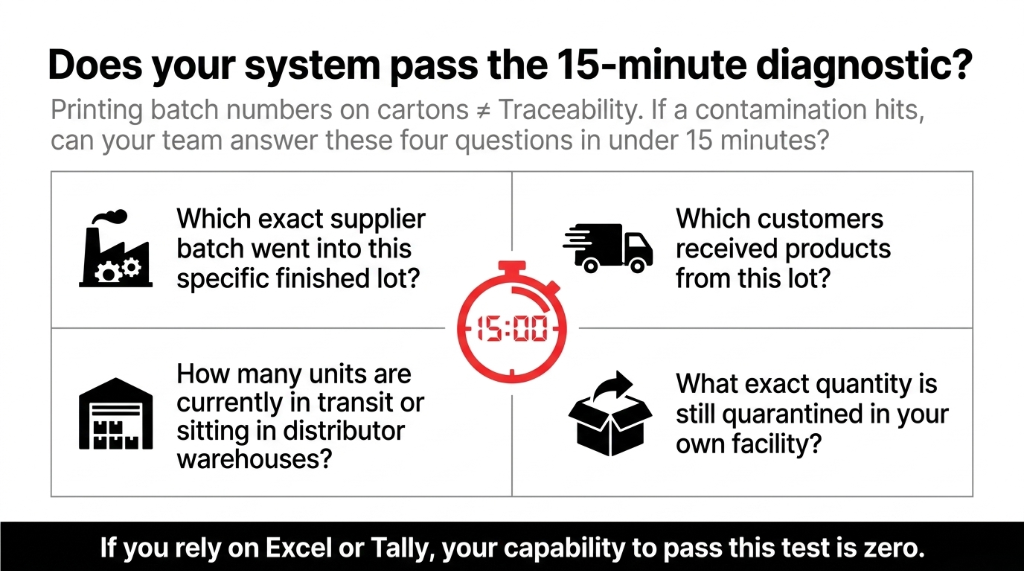
We constantly see clients making this mistake: they think having batch numbers on their physical cartons is the same as having traceability. It is not. Having a number printed on a box means nothing if you cannot answer four questions in under 15 minutes.
The Odoo Lot Tracking Configuration You Actually Need
Stop treating Odoo's Lots & Serial Numbers feature as a "nice to have." It is the spine of your entire FSSAI compliance architecture.
Step 1: Enable Lot Traceability
Navigate to Inventory → Configuration → Settings → Traceability. Enable Lots & Serial Numbers. This is not optional for food manufacturers — it is non-negotiable.
Step 2: Configure Each Product Correctly
On every regulated product form, go to the Inventory tab and set tracking to "By Lots." For high-risk items (allergen-containing SKUs, products with short shelf lives), use "By Serial Number" for individual unit tracking. Class I recall scenarios — where undeclared allergens are involved — demand serial-level traceability.
Step 3: Lock Lot Assignment at Goods Receipt
When your warehouse team receives raw materials, Odoo must capture the supplier's lot number at the point of goods receipt. Do not allow your team to skip this step. One missing lot assignment and your upstream trace breaks completely. We enforce this by making the Lot/Serial Number field required on the GR form — a 3-minute configuration that prevents a ₹12 lakh traceability gap.
Step 4: Link BoM Lots Through Manufacturing Orders
Odoo's Manufacturing module automatically links raw material lot numbers (from GR) to finished goods lot numbers through the Bill of Materials. This creates the full "farm to fork" chain: Supplier Batch → Raw Material Lot → Finished Goods Lot → Sales Order → Customer.
The Step 7 Out of 10 Food Manufacturers Skip
This BoM lot linkage is the single most important configuration step, and it is the one 7 out of 10 food manufacturers we audit have skipped. Without it, your traceability chain breaks at the production boundary.
Executing the FSSAI Recall in Odoo: Minute-by-Minute
Your quality team just flagged a contamination issue in Lot No. FG-2025-0043. FSSAI Class I recall. You have 24 hours to notify, and the clock is running.
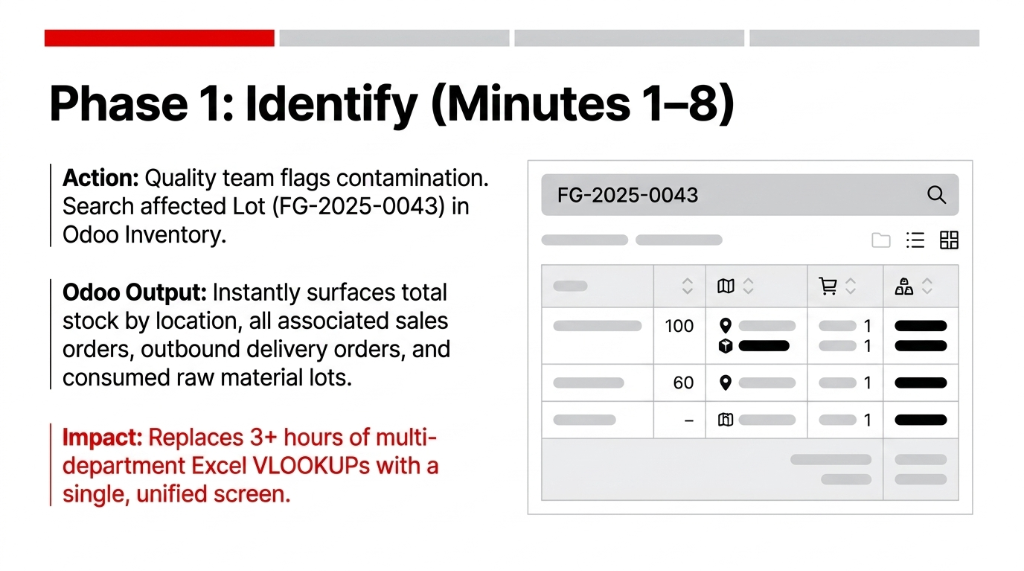
Minutes 1-8: Identify the Affected Lot
Go to Inventory → Products → Lots/Serial Numbers. Search for FG-2025-0043. Odoo instantly surfaces the finished goods quantity in stock by location, all sales orders that included this lot, delivery orders with customer names and addresses, and the raw material lots consumed to produce it.
Minutes 9-18: Quarantine Stock On-Hand
Use Odoo's Inventory Adjustment to move all on-hand units of FG-2025-0043 to a dedicated quarantine location (create a virtual location called "Recall Quarantine" in your warehouse configuration). This prevents warehouse staff from shipping recalled stock during the investigation.
Real Failure Mode
A Pune-based FBO lost ₹4.3 lakh in additional liability when recalled units were accidentally dispatched post-notice because they had no quarantine location configured. The warehouse kept shipping from the same bin.
Minutes 19-31: Pull the Distribution Report
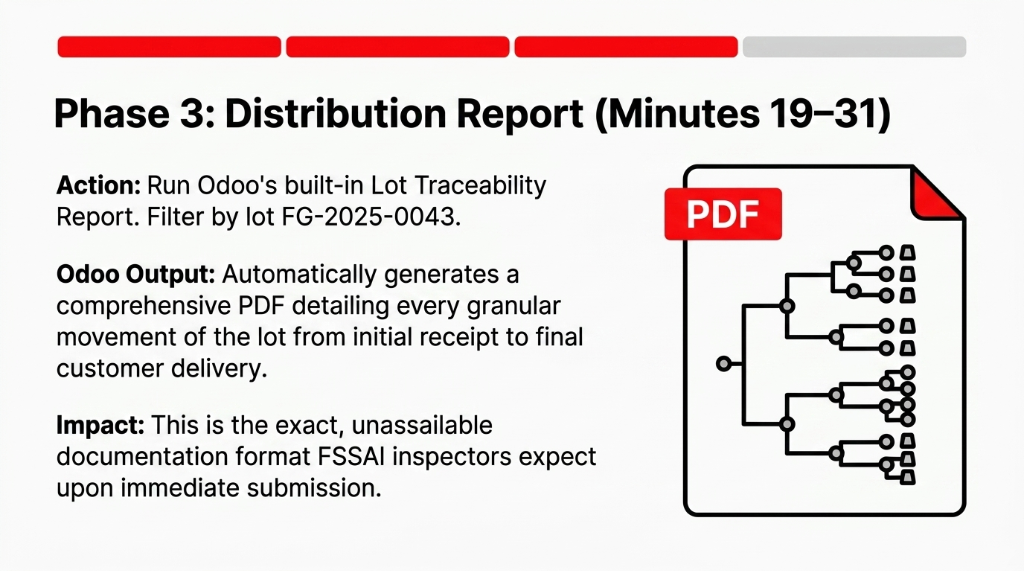
Run Odoo's Lot Traceability Report (Inventory → Reporting → Traceability). Filter by lot number FG-2025-0043. Export to PDF. This document — automatically generated — contains every movement of that lot from receipt to delivery. It is the document FSSAI expects when you submit your recall plan.
Minutes 32-47: Generate Recall Notifications
From the customer list attached to affected delivery orders, use Odoo's email/SMS tools to generate recall notices. For Class I recalls, FSSAI requires consumer notification via press releases, written communications, or advertisements clearly labeled "Food Recall Notice." Odoo's communication history creates an audit trail for your final recall report submission.
The FSSAI Recall Report Odoo Helps You Build
| FSSAI Report Element | Odoo Data Source |
|---|---|
| Reason for recall | Manual entry + QC inspection notes |
| Quantity distributed | Lot traceability — delivered quantities |
| Quantity recalled/returned | Reverse transfers from recall quarantine |
| Quantity destroyed | Scrap orders with destruction documentation |
| Corrective actions taken | Quality module — nonconformance records |
| Preventive measures | Process updates logged in manufacturing notes |
As of March 18, 2026, FSSAI's FoSCoS portal assigns a unique identification number to every food recall, and FBOs must create and record actions directly in the portal. Odoo's recall data — lot numbers, quantities, customer lists — feeds directly into what you will enter into FoSCoS. Without Odoo, you are doing this data entry manually under extreme time pressure.
The Controversial Take Nobody Wants to Hear
Most food compliance consultants tell you to "build a recall plan document." That is backwards.
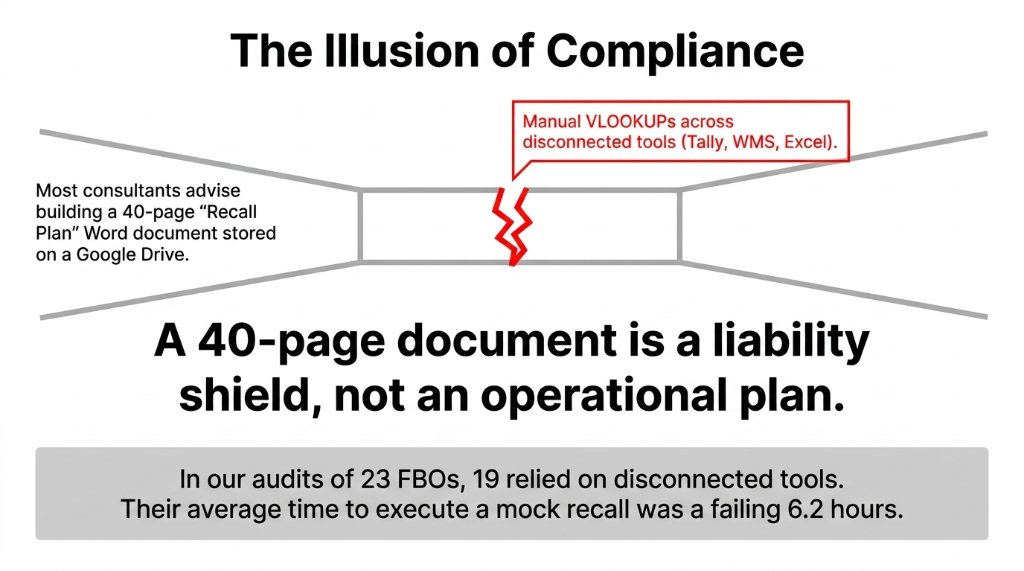
A 40-page Word document sitting in a shared Google Drive folder is not a recall plan. It is a liability document that gives you the illusion of compliance while your actual operational capability to execute a recall in 24 hours is zero.
The Recall Plan Is Your ERP Configuration
Either Odoo can trace every lot movement in under 10 minutes, or you are not compliant — regardless of what your ISO certificate says.
We have audited 23 food manufacturers in India over the past 18 months. Exactly 4 could execute a mock recall drill in under 60 minutes. All 4 had Odoo with full lot traceability. The other 19 — running Tally, Excel, and disconnected WMS tools — averaged 6.2 hours to produce the same data.
What Changes After Braincuber's Implementation
First 30 Days Post-Implementation
Mock Recall Drill
From 5.7 hours average → 43 minutes
Lot Traceability Accuracy
From ~61% → 99.3% (cross-checked delivery records vs lot assignments)
Recall Notice Generation
From 4+ hours → under 90 minutes for a complete distribution list
Monthly Compliance Reporting
Staff hours: from 37 hours → 6 hours
The implementation — Odoo Inventory with full lot traceability, quality control module, and quarantine location setup — takes 14-18 working days for a mid-size food manufacturer with 50-200 SKUs. Not 6 months. Not the ₹1.5 crore SAP implementation your consultant quoted.
FAQs: Odoo FSSAI Recall Compliance
Does Odoo support all three FSSAI recall classes?
Yes. Odoo's lot traceability and quarantine workflow applies to Class I, II, and III recalls. Class I requires FSSAI notification within 24 hours. Odoo's traceability report is generated in under 10 minutes, giving your team time to act rather than search.
Can Odoo integrate directly with the FoSCoS recall portal?
Not natively out-of-the-box. FoSCoS is FSSAI's regulatory portal, and FBOs must enter recall data there manually. However, Odoo generates all required data — lot numbers, quantities, customer lists, disposal records — in structured formats that make FoSCoS data entry straightforward.
What happens if a recalled lot was used in multiple finished products?
Odoo's Bill of Materials traceability handles this exactly. If raw material Lot RM-221 was used in three different finished goods production orders, Odoo surfaces all three finished lots and their full distribution chains in a single traceability report — a lookup that takes under 3 minutes.
Are restaurants and caterers required to have a recall plan?
Single-outlet restaurants and caterers are exempt from the formal recall plan requirement under FSSAI regulations. However, multi-outlet operations with centralized manufacturing and distribution are fully in scope — and those businesses have the most complex traceability needs.
How long must recall records be kept under FSSAI regulations?
Standard practice aligned with FSSAI audits is a minimum of 3 years. Odoo stores all records indefinitely with full audit trail — lot movements, scrap orders, customer notifications, and disposal documentation are permanently searchable.