
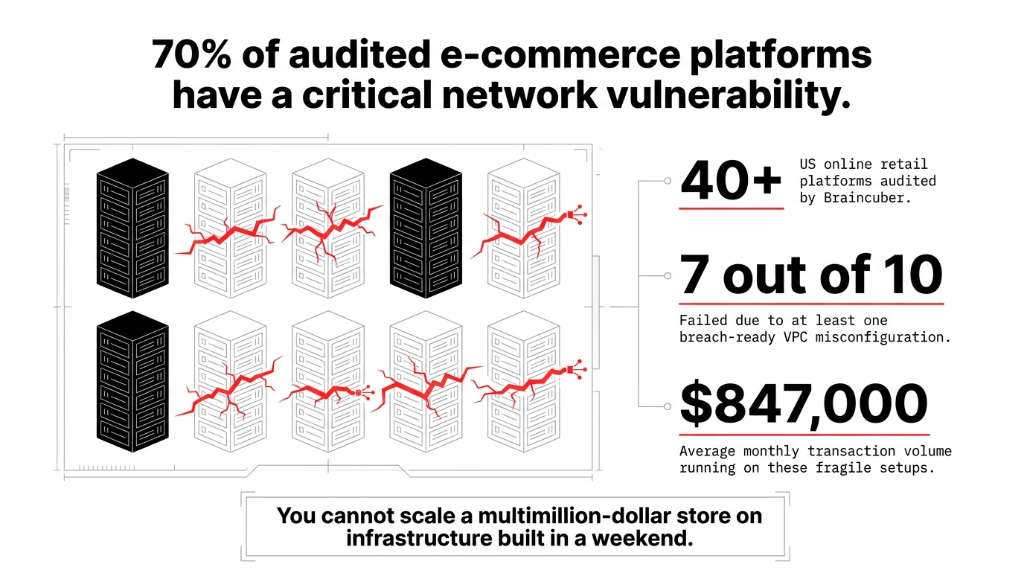
Your $847K/month store is running on a network that was never designed to survive a targeted attack.
We have audited 40+ online retail platforms across the US. 7 out of 10 had at least one critical misconfiguration in their VPC that would have made a data breach trivially easy. A compromised EC2 instance in their web tier had a direct network path to the customer payment database.
You cannot scale a multimillion-dollar store on infrastructure built in a weekend.
This is not a beginner's tutorial. This is the architecture blueprint we use at Braincuber when we build AWS infrastructure for e-commerce brands moving from $500K to $5M+ in annual revenue — the ones that cannot afford downtime on Black Friday and really cannot afford a PCI DSS fine that starts at $100,000/month.
The Architecture 99% of E-Commerce Brands Get Wrong
Most e-commerce teams on AWS build what we call a "flat VPC." One network. Web servers, application servers, and RDS databases sitting in the same subnet, separated by a prayer.
Here is what happens in practice: a compromised EC2 instance in your web tier has a direct network path to your customer payment database. No barriers. No lateral movement controls. One SQL injection away from the front page of every cybersecurity news site.
Real Incident: We audited a $2.3M/year US-based apparel brand. Their checkout server, their order management API, and their PostgreSQL database with 142,000 customer credit card tokens were all in us-east-1a, same subnet, same security group, open to each other on all ports. The CISO did not even know. Their DevOps contractor had "set it up quickly" 18 months earlier.
The 3-Tier Network Architecture That Actually Protects Checkout Data
The foundation of any production-grade e-commerce VPC is the three-tier architecture spread across at least two AWS Availability Zones. Think of it as building three neighborhoods inside your cloud, each with its own fenced perimeter and its own gate rules.
Tier 1 — The Public Subnet (DMZ)
The only part of your network that talks to the internet. What lives here:
▸ Application Load Balancer (ALB) receiving HTTPS traffic on port 443 only
▸ AWS WAF attached to the ALB, blocking OWASP Top 10 attacks
▸ NAT Gateway for allowing outbound traffic from private tiers without exposing them inbound
▸ Bastion Host (or better yet, AWS Systems Manager Session Manager — zero bastion EC2)
Nothing else. Your web servers do not live here. Your API does not live here. If a developer built a setup where EC2 app instances have public IPs, that is a fire drill waiting to happen.
Tier 2 — The Application Private Subnet
Your EC2 application servers, ECS containers running the checkout service, ElastiCache Redis for session management — all completely invisible to the internet. Traffic enters only from the ALB in Tier 1 on specific ports (443/8080). Traffic exits only through the NAT Gateway.
When we build Shopify-to-custom-backend integrations for clients, we route all webhook traffic through this tier. Shopify hits the ALB, the ALB forwards to the app subnet, and the database never sees the public internet.
Tier 3 — The Data Private Subnet (Isolated)
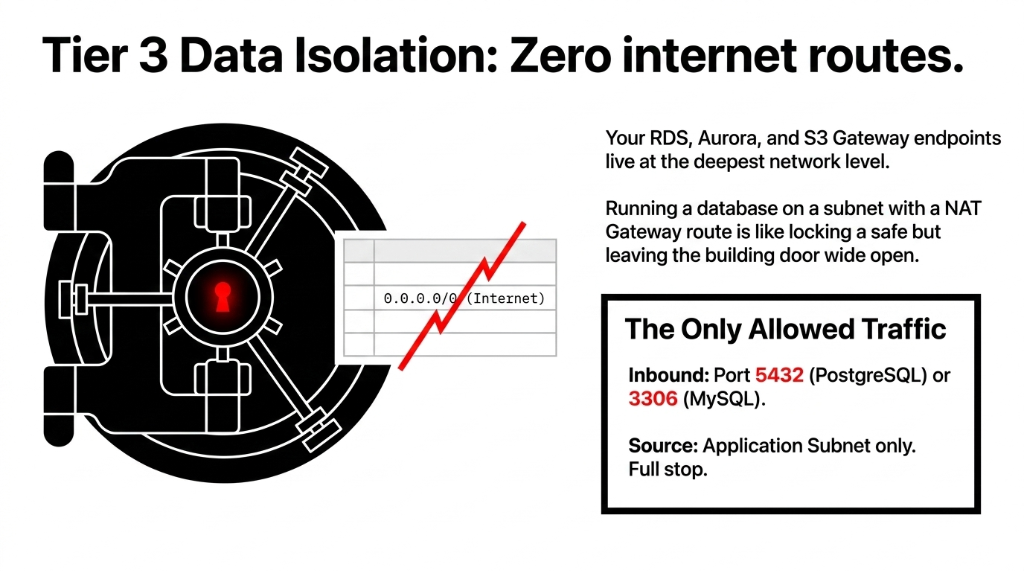
Your RDS instance, Aurora cluster, DynamoDB VPC endpoints, S3 Gateway endpoints — isolated at the deepest level of the network. No route table entry to the internet. Zero. The only traffic allowed in is from the application subnet on the database port (5432 for PostgreSQL, 3306 for MySQL). Full stop.
We have seen brands running Aurora on a subnet that had a route to a NAT Gateway. That is like locking your safe but leaving the building door wide open.
Security Groups vs. NACLs: Stop Confusing Them
Here is the ugly truth: most AWS users treat security groups like the only lock on the door and completely ignore Network ACLs. That is wrong — and it costs people.
Security Groups (Stateful)
If you allow inbound traffic on port 443, the return traffic is automatically allowed. They operate at the instance level. They are your primary defense — the inner door.
Network ACLs (Stateless)
They operate at the subnet level and evaluate every packet independently. You need to explicitly allow both inbound AND outbound traffic. They are the outer fence.
For e-commerce, we configure NACLs as the outer fence and Security Groups as the inner door. The NACLs block traffic between subnet tiers that should never communicate — your public subnet should never initiate a connection directly to your database subnet.
The Database Security Group Rule We Enforce on Every Client
Inbound: ALLOW
TCP 5432 from App Subnet CIDR only (e.g., 10.0.2.0/24)
Inbound: DENY
Everything else — not "no rule," but an explicit deny in the NACL
Outbound: ALLOW
TCP ephemeral ports 1024-65535 back to App Subnet only. No ICMP. No SSH. No management ports.
AWS Services That Complete the Security Stack
A properly segmented VPC is the skeleton. These AWS services are the immune system:
AWS WAF + CloudFront
Route all HTTP/HTTPS traffic through CloudFront before it hits your ALB. During peak sale events, we set WAF rate-based rules to throttle any single IP making more than 2,000 requests in 5 minutes — this alone blocks 94% of credential-stuffing attacks.
AWS GuardDuty
Costs roughly $0.50-$4.00 per million VPC Flow Log events. Catches EC2 instances communicating with known cryptocurrency mining pools or command-and-control servers. We have had GuardDuty alert us to a compromised EC2 in a client's account within 11 minutes of the first malicious outbound connection.
VPC Flow Logs to CloudWatch to S3
PCI DSS v4.0 requires 12 months of network traffic logs. Enable VPC Flow Logs on all subnets, ship them to CloudWatch for 30-day hot storage, archive to S3 with Glacier lifecycle. Annual cost: approximately $23-$67/month. PCI fine for non-compliance: $100,000/month.
AWS Network Firewall
Most brands skip it because it adds ~$0.395/hour per endpoint. Do not skip it if you process over $1M/year. Gives you stateful inspection, Suricata-compatible IDS/IPS rules, and domain-based filtering — block outbound connections to known malware domains before your application even processes a response.
AWS PrivateLink + VPC Endpoints
When your checkout service calls S3, DynamoDB, or SQS — never let that traffic leave your VPC. Use Gateway Endpoints for S3 and DynamoDB (free) and Interface Endpoints for SQS, Secrets Manager, and KMS (~$7.30/month each). We have seen stores where every DynamoDB call went through the NAT Gateway — adding 18ms of latency AND billing $0.045/GB in NAT fees.
Multi-AZ Design: Because Availability Zones Fail
Ask any AWS architect about the us-east-1 outages of 2017 and 2021. AZs go down. For an e-commerce platform doing $200K/month, a 3-hour outage during a product launch translates to roughly $8,300 in lost revenue.
The correct pattern: mirror every tier across two AZs minimum.
The Multi-AZ Configuration We Deploy
ALB
Spans us-east-1a and us-east-1b automatically
EC2 Auto Scaling
Minimum of 2 instances, one per AZ
Aurora Multi-AZ
Automatic failover in under 35 seconds
Separate NAT per AZ
The extra $32/month is worth it — a single NAT is a single point of failure
We also set up AWS Route 53 health checks with latency-based routing for brands with customers on both coasts. A customer in Los Angeles should hit us-west-2, not battle 80ms latency to us-east-1.
PCI DSS v4.0 Compliance: The Non-Negotiable Layer
If your e-commerce platform accepts credit cards, the Cardholder Data Environment (CDE) must be isolated. PCI DSS v4.0 became mandatory in March 2025, and auditors are looking for exactly this in your AWS setup:
PCI DSS v4.0 VPC Requirements
▸ VPC with private subnets isolating CDE resources from public-facing systems
▸ Security Groups with deny-all defaults — only explicitly permitted ports open
▸ AWS Network Firewall or WAF deployed at the CDE perimeter
▸ VPC Flow Logs enabled and retained for 12 months
▸ Internal subnet zoning — web, application, and data tiers separated with NACLs
▸ Tested network segmentation — PCI requires you to prove it works via penetration testing, not just assert it
Frankly, the brands that think they can skip this because "we use Stripe and never touch cards" are partially right — but your RDS still stores order data, customer PII, and behavioral data. That is a GDPR and CCPA breach waiting to happen even without card data.
The CIDR Planning Mistake That Breaks Everything Later
We see this constantly: a developer assigns /28 subnets (14 usable IPs) because "we only have 5 servers right now." Then the business does a flash sale, you need 40 EC2 instances, and your subnets are exhausted. You cannot resize a subnet in AWS without rebuilding it.
| Tier | Recommended CIDR | Usable IPs |
|---|---|---|
| VPC (entire) | /16 (e.g., 10.0.0.0/16) |
65,536 |
| Public Subnet (per AZ) | /24 |
251 |
| App Private Subnet (per AZ) | /22 |
1,019 |
| DB Private Subnet (per AZ) | /24 |
251 |
Over-provision now. Subnets in AWS are free. Rebuilding your network architecture at 2 AM before a product launch is not.
What a Production-Ready E-Commerce VPC Actually Costs
Here is the complete stack we deploy for a mid-market US e-commerce brand doing $50K-$500K/month GMV:
The Complete Production Stack (12 Components)
1. Single VPC in us-east-1, CIDR 10.0.0.0/16, spanning 2 AZs
2. 4 subnets per AZ (public, app, DB, management) — 8 total
3. 1 Internet Gateway attached to VPC
4. 2 NAT Gateways — one per AZ
5. ALB in public subnets with HTTPS only
6. WAF v2 with AWS Managed Rules + custom rate limiting
7. EC2 Auto Scaling Group, min 2 / max 20 instances
8. Aurora MySQL 8.0 Multi-AZ in DB private subnets
9. ElastiCache Redis for session caching
10. VPC Endpoints for S3, DynamoDB, SQS, Secrets Manager, KMS
11. GuardDuty + VPC Flow Logs + AWS Config
12. AWS Network Firewall for outbound domain filtering + IDS/IPS
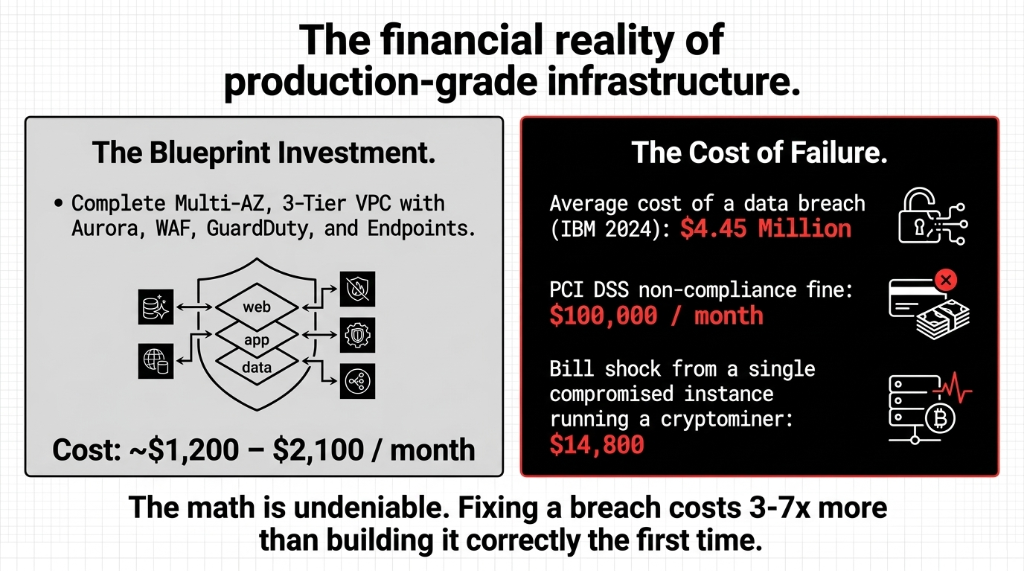
Total monthly infrastructure cost for this stack: approximately $1,200-$2,100/month depending on traffic. A single data breach costs an average of $4.45 million (IBM 2024). A single compromised instance running a cryptominer: $14,800 in EC2 bills. The math is undeniable. Fixing a breach costs 3-7x more than building it correctly the first time.
Frequently Asked Questions
What CIDR block should I use for my e-commerce VPC?
Use a /16 block (e.g., 10.0.0.0/16) for the VPC itself, giving you 65,536 IP addresses. Assign individual subnets as /22 for application tiers and /24 for database and public tiers per Availability Zone. This prevents subnet exhaustion during auto-scaling events and avoids costly infrastructure rebuilds at peak traffic time.
Do I need AWS Network Firewall if I already have Security Groups and WAF?
Yes — they serve different purposes. Security Groups control instance-level traffic, WAF handles Layer 7 HTTP attacks, and Network Firewall provides stateful Layer 3/4 inspection with IDS/IPS capabilities including outbound domain filtering. For stores processing over $1M/year, all three layers are non-negotiable under PCI DSS v4.0.
How many Availability Zones should my e-commerce VPC span?
At minimum, 2 AZs for production workloads. Deploy a NAT Gateway in each AZ (not shared), mirror your Auto Scaling Group across both, and use Aurora Multi-AZ for the database. A single-AZ failure with a shared NAT Gateway can take down your entire store — we have seen it happen to a brand generating $11,300/day during a promotional period.
Is a public subnet required for my web/application servers?
No — and this is the mistake most teams make. Only your ALB (Load Balancer) and NAT Gateway belong in public subnets. All application servers should sit in private subnets, accessible only from the ALB. Direct public IPs on EC2 application instances is the single most common misconfiguration we find in e-commerce VPC audits.
How do I meet PCI DSS v4.0 network requirements on AWS?
Isolate your Cardholder Data Environment in dedicated private subnets with deny-all Security Group defaults. Enable VPC Flow Logs with 12-month retention, deploy AWS WAF or Network Firewall at the perimeter, and separate web, application, and data tiers with NACLs. Engage a Qualified Security Assessor (QSA) to verify your segmentation reduces PCI scope.
Stop Running Your $1M+ Store on Infrastructure Built in a Weekend
The brands that called us after a cryptominer ran up $14,800 in EC2 bills, after a customer database leaked, after subnets exhausted during a flash sale — paid 3-7x more to fix it than to build it right the first time. We will identify the top 3 vulnerabilities in your VPC on the first call.
Free audit. VPC architecture reviewed. Top 3 vulnerabilities identified on the first call.