
Your Shopify store just processed $47,000 in orders during a flash sale. Then your RDS database crashes. Your last backup? 11 hours ago.
That is not a horror story. That is what happens when e-commerce teams treat backups as a "set it and forget it" checkbox instead of an engineered survival system. We have helped US-based e-commerce brands on AWS recover from incidents that cost their competitors $2.3 million in a single 3-hour outage.
The difference between a brand that survives and one that does not? Not luck — a deliberate AWS backup architecture built around order data, session state, and inventory.
The Real Cost of Getting This Wrong
A mid-sized e-commerce business doing $5M in annual revenue generates roughly $570 per hour. A 4-hour outage with no recoverable backup costs $2,280 in direct revenue. That is the optimistic number.
Factor in a 15% spike in cart abandonment and a 23% drop in repeat purchases in the following three months — as seen in a January 2025 outage incident — and the real bill climbs past $8.7 million.

77% of consumers abandon a retailer permanently after encountering errors. One bad restoration that surfaces corrupted order data can trigger that abandonment at scale.
And yet we see e-commerce teams on AWS relying on one daily RDS snapshot with a 7-day retention window. That is not a backup strategy. That is a backup hope.
Why "One Daily Snapshot" Is Already Broken
Here is the dirty truth about basic RDS snapshots: they only capture state once. If your order database gets hit with a corrupted write at 3:47 PM and your snapshot ran at 2:00 AM, you are recovering to data that is nearly 14 hours stale. Every order placed in that window — gone.
The standard AWS documentation advice of "automated backups + manual snapshots" is fine for a blog database. It is not fine for a transactional e-commerce engine processing 400 orders per hour during a Black Friday event.
The Silent Failure Nobody Catches
Do not even get us started on teams that back up only RDS but skip DynamoDB session tables, ElastiCache configurations, and S3 product image buckets. Restoring RDS without restoring the session store means every active customer cart disappears.
We have seen this exact failure mode cause a $63,000 support ticket backlog in a single afternoon
And the other thing nobody tells you: a backup stored in the same AWS region as your production environment is not a backup — it is a copy sitting next to the thing that could kill it.
The Architecture That Actually Protects Orders
An AWS backup strategy for e-commerce needs to cover four distinct data layers simultaneously, not just the database.
Layer 1: RDS with Continuous Point-in-Time Recovery
Amazon RDS automated backups support per-second PITR for up to 35 days. Configure your backup retention window at a minimum of 14 days for transactional order data, not the default 7.
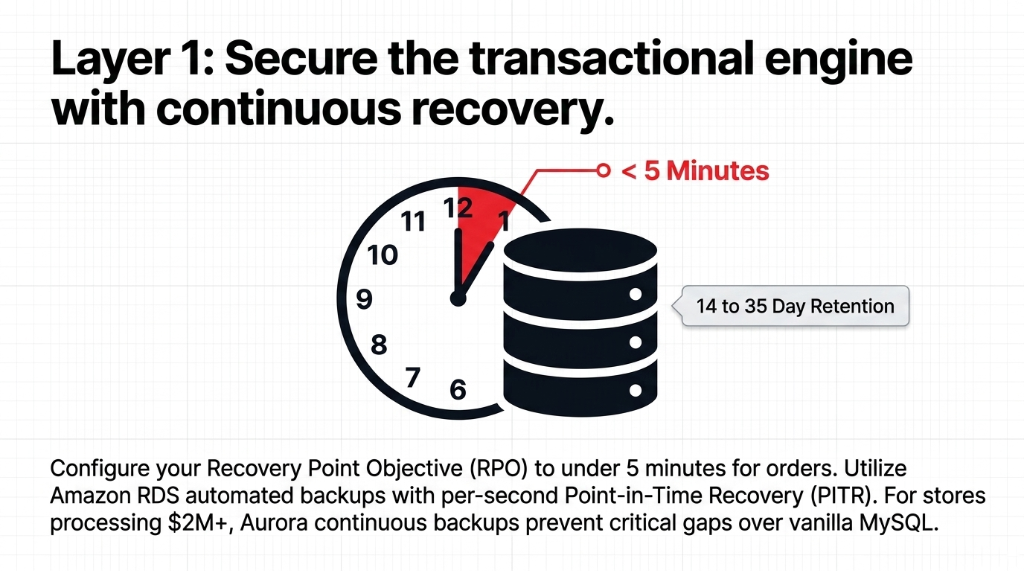
Set your Recovery Point Objective (RPO) to under 5 minutes for your orders table. That means enabling automated backups with a backup window during your absolute lowest traffic hour — typically 3:00 to 4:00 AM local time — and relying on transaction logs for continuous recovery between snapshots.
Insider Tip: Aurora vs. Vanilla MySQL
For Aurora specifically, backups are continuous and incremental by design, stored automatically to S3, and allow restoration to any point within your retention period. If you are still running vanilla MySQL on RDS instead of Aurora for a $2M+ revenue store, that decision is costing you recovery granularity.
Aurora continuous backups prevent critical gaps that vanilla MySQL snapshots miss entirely
Layer 2: DynamoDB Point-in-Time Recovery — Turn It On Yesterday
DynamoDB PITR backs up your table data with per-second granularity, restorable to any second within the preceding 35 days. This is not the default. You have to enable it.
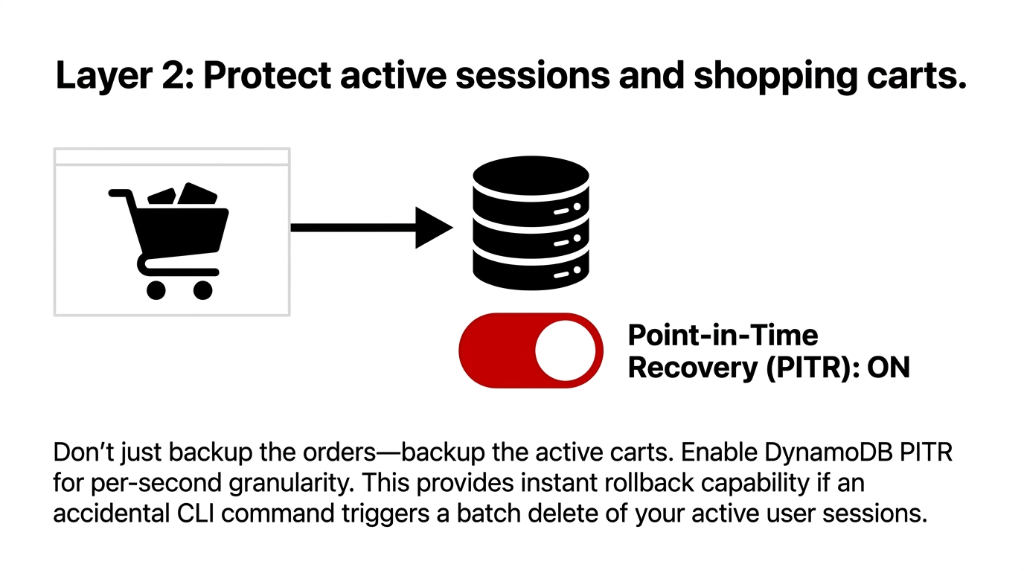
We cannot count the number of US e-commerce brands we have audited that run DynamoDB for session management, shopping carts, and user preference data — and have PITR sitting disabled because "the developer who set it up didn't turn it on."
One CLI Command Away From Catastrophe
One accidental batch delete on a cart table — something a junior developer can trigger with a single AWS CLI command — and you have lost active cart data for every live user on your platform. With PITR enabled, you recover to the second before that command ran. Without it, you are rebuilding manually from logs you probably do not have.
Layer 3: S3 Versioning + AWS Backup S3 Tiering
Your S3 buckets hold more than product images. Order confirmation templates, invoice PDFs, customer-uploaded content, and static site assets all live there.
Enable S3 versioning on every production bucket. Full stop. Then use AWS Backup S3 tiering to reduce long-term storage costs by up to 30% while keeping full point-in-time recovery and ransomware protection active.
S3 Storage Cost Math
Configure lifecycle policies to move backup data older than 30 days to S3 Glacier Instant Retrieval. The cost difference between S3 Standard and Glacier IR is approximately 68% per GB.
On a 500GB backup footprint, that is real money every month.
Layer 4: Cross-Region + Cross-Account Replication — Non-Negotiable
This is the one most teams skip because "it seems like overkill." It is not overkill. It is the only thing that saves you when an entire AWS region has a disruption.
AWS Backup now supports cross-region and cross-account backup copies natively. Set up a secondary backup vault in a different region — us-east-1 primary to us-west-2 secondary is a common US pattern — and enable automatic copy for your most critical resources: RDS, Aurora, DynamoDB, and EBS volumes.
The $10/Month Decision That Costs $228,000
Cross-Region Storage Cost
$0.05 per GB per month. For a 200GB production dataset, that is $10/month. That is the cost of one mediocre lunch.
Cost of Skipping It
$228,000 when us-east-1 goes down during a sales event. The decision to skip this to save $10/month is the decision you explain to the board later.
The AWS Backup Service: Stop Stitching Together Separate Policies
Here is an insider truth that saves e-commerce cloud teams 11+ hours per month in manual work: AWS Backup is a centralized orchestration service — not just another feature. It lets you define a single backup plan that governs RDS, DynamoDB, EBS, S3, EFS, EC2, and even EKS containers from one console.
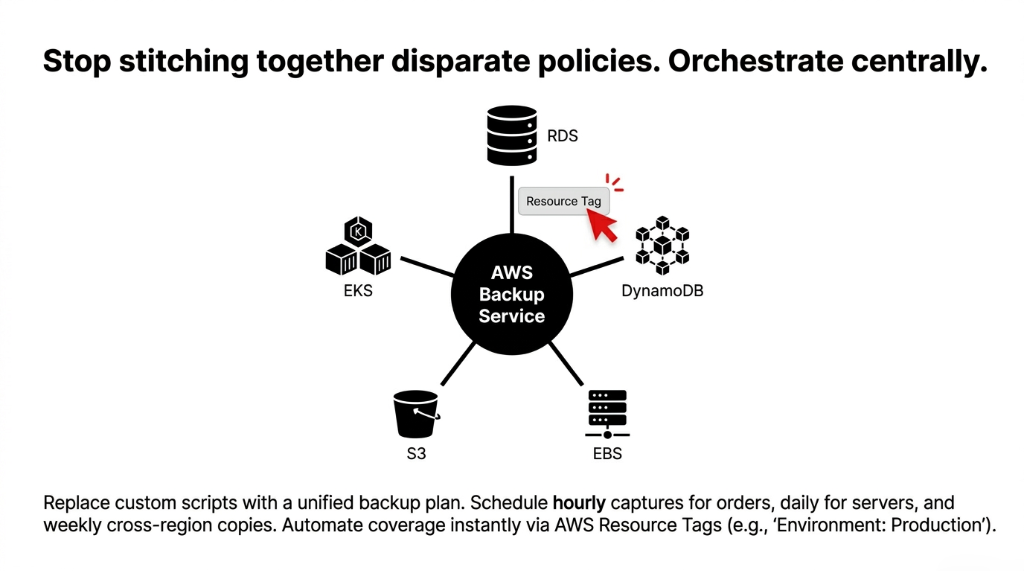
Instead of separate snapshot schedules for each service, you build one plan:
▸ Hourly backups for RDS order databases and DynamoDB cart tables
▸ Daily backups for EC2 application servers and EBS volumes
▸ Weekly full backups replicated cross-region, retained for 90 days
Then you assign AWS resource tags to automatically pull new resources into the plan. Launch a new RDS read replica? Tag it Environment: Production and it is automatically backed up without anyone touching the console.
AWS CloudTrail integration gives you a full audit log of every backup operation — critical if your store processes payments and needs to demonstrate data resilience for PCI-DSS compliance.
Test Your Restores or Your Backups Mean Nothing
We say this to every client and half of them do not do it until after the first incident: a backup you have never tested is not a backup.
Schedule a quarterly restore drill. Pick a non-production clone environment. Restore your RDS instance from a PITR timestamp, restore DynamoDB from backup, spin up an EC2 from snapshot. Measure your actual Recovery Time Objective (RTO) — not the theoretical one from the architecture diagram.
Assumed RTO vs. Actual RTO
What Teams Assume
20 minutes to full stack recovery. Based on the architecture diagram they drew 9 months ago and never tested.
Reality Without Prep
45 to 90 minutes. IAM permissions are wrong, restore runbook does not exist, the DBA is on vacation.
With Tested Runbooks
15 to 25 minutes. Pre-configured restore scripts, tested IAM roles, quarterly drills documented.
The difference on a $50M/year store: $285,000 in direct revenue
Write the runbook. Test it quarterly. Time yourself.
What a Real Implementation Looks Like: 18 Days, Not 3 Months
We set up a production-grade AWS backup strategy for a US-based direct-to-consumer apparel brand processing $3.2M annually in 18 business days. Here is what was actually involved:
Week 1: Audit + Enable
Audit all existing AWS resources, map data to RTO/RPO requirements, enable DynamoDB PITR across 7 tables, set RDS retention to 14 days, enable S3 versioning on 4 production buckets.
Week 2: Centralize + Replicate
Stand up AWS Backup centralized plan with hourly/daily/weekly schedules, configure cross-region replication to us-west-2, set up backup vault with AWS KMS encryption, test first full restore.
Week 3: Validate + Hand Off
Document recovery runbooks, configure CloudWatch alarms for backup failures, run a simulated database corruption drill, measure actual RTO (22 minutes for full stack), hand off to internal DevOps team.
Total monthly cost increase: $187/month. The brand had previously experienced one order-data loss incident that cost them $14,300 in refunds and 6 hours of manual reconstruction. Payback period on the backup investment: 12 weeks.
Stop Protecting Your Store the Way It Was Done in 2019
The e-commerce brands that bleed the most after an outage are not the ones with no backups. They are the ones with incomplete backups — an RDS snapshot here, an S3 bucket there, DynamoDB PITR disabled, no cross-region copy, and zero tested recovery runbooks.
Your AWS backup strategy for e-commerce is either engineered or it is a lottery ticket.
At Braincuber Technologies, we have designed AWS cloud infrastructure for e-commerce brands scaling from $500K to $15M ARR across the US. We find backup gaps in the first 30 minutes of every audit — every single time.
Frequently Asked Questions
How often should an e-commerce store back up its AWS RDS database?
For transactional order data, configure hourly automated backups with continuous PITR enabled on RDS or Aurora. This limits your data loss window to under 5 minutes. Daily snapshots alone expose you to up to 23 hours of recoverable order data — that is unacceptable for any store processing over 50 orders per day.
What is the difference between RPO and RTO in an AWS e-commerce backup plan?
RPO (Recovery Point Objective) is the maximum age of data you can afford to lose — for orders, target under 5 minutes. RTO (Recovery Time Objective) is how fast you need to be back online — target under 30 minutes for production e-commerce. Both metrics must be tested quarterly against your actual AWS restore process, not just documented in an architecture diagram.
Does AWS Backup cover DynamoDB, S3, and RDS in one plan?
Yes. AWS Backup is a centralized service that manages backup policies for RDS, Aurora, DynamoDB, S3, EFS, EC2, EBS, and EKS from a single console. You define one backup plan, assign resources via tags, and AWS Backup handles scheduling, retention, and cross-region replication across all covered services automatically.
How much does a proper AWS e-commerce backup strategy cost per month?
For a mid-sized store with 200GB of production data, a complete strategy — including hourly RDS/DynamoDB backups, S3 versioning, and cross-region replication — typically runs $150 to $300 per month. Using AWS Backup S3 warm tiering reduces long-term storage costs by up to 30%, and Glacier lifecycle policies cut archival costs by approximately 68% per GB compared to S3 Standard.
What happens to our order data if an entire AWS region goes down?
Without cross-region backup replication, you lose access to all data stored in that region until AWS restores service — which can take hours. With cross-region backups enabled through AWS Backup, you restore from a secondary vault in a different region (e.g., us-west-2) and bring your stack back online independently. This is the single most important protection against large-scale regional outages.
Your Backup Strategy Is Either Engineered or a Lottery Ticket
Open your AWS console right now. Check your RDS backup retention — if it says 7 days, you are losing. Check your DynamoDB PITR — if it is disabled, you are one CLI command away from losing every active cart. We find backup gaps in the first 30 minutes of every audit. Every single time.
Free audit. Backup gaps identified. Recovery runbook reviewed on the first call.