
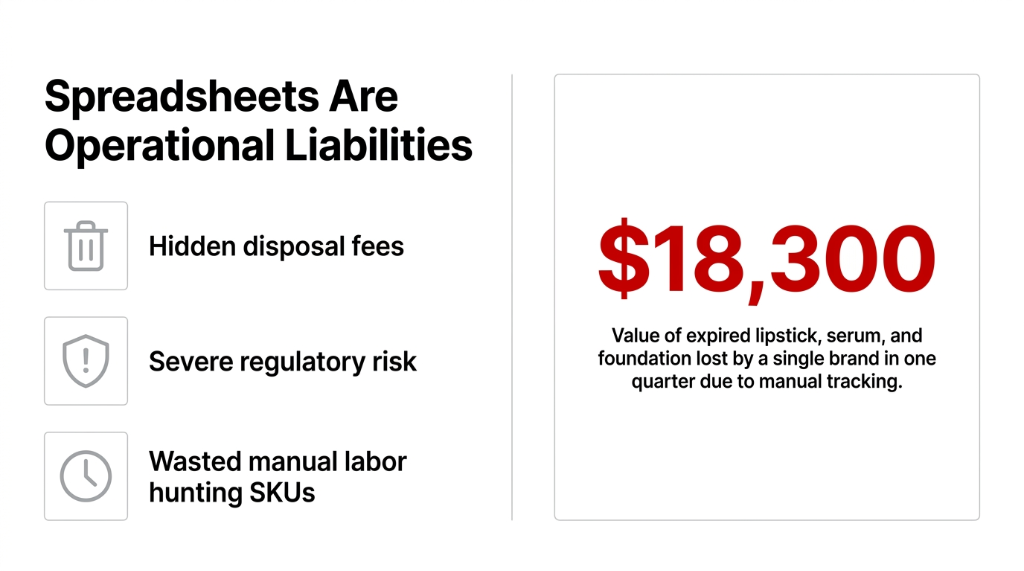
The Mess That Is Already Happening in Your Warehouse
Let us paint the picture we see in 9 out of 10 cosmetics operations that come to us.
A batch of 500 units of vitamin C serum hits the warehouse in January. The lot has a 12-month shelf life — expiry: December 31. Nobody sets an automated flag. By October, 237 units are still sitting in bin location B-14, mixed with fresh stock from the new batch that came in August.
Where It Gets Expensive
Your picker pulls from B-14 because the system has no FEFO enforcement configured. An expired batch gets shipped to a customer. The customer — or worse, a regulatory inspector — notices the product is 2 months past expiry.
Now you are looking at a product recall, a refund, a brand-reputation hit, and potentially an FDA or EU Cosmetics Regulation notice depending on your market.
Real Client: $4.2M Skincare Brand (US + UAE)
Faced exactly this scenario. They absorbed $31,700 in recall-related costs in a single incident because their ERP was not enforcing expiry logic on picking operations.
Their "system" was WooCommerce + QuickBooks + a Notion database their ops manager had built themselves. That is not a technology failure. That is an architecture failure. And it is 100% preventable with Odoo.
Why "Implement FIFO" Is the Wrong Advice for Cosmetics
Everyone tells you to "implement FIFO." Do not let that advice fool you into thinking FIFO solves the cosmetics problem. It does not.
FIFO means First In, First Out. But cosmetics do not behave like commodity goods. A product that came in first may have a longer shelf life than a product that came in six months later if there was a bad manufacturing batch, a supplier switch, or a temperature-control issue in transit.
The Rule That Matters: FEFO, Not FIFO
FEFO = First Expired, First Out. Most ERPs, including older versions of NetSuite and SAP Business One SME configurations, do not enforce this at the picking level by default.
Odoo does. Out of the box. But only if configured correctly — and most implementations we walk into have Lot/Serial tracking turned on but expiry date enforcement turned off because the implementer did not understand cosmetics-specific requirements. That misconfiguration alone costs brands $7,000-$22,000 per year in avoidable write-offs.
How Odoo Scrap Management Actually Works for Expired Cosmetics
This is the operational mechanics. Not marketing language — actual workflow logic.
Step 1: Enable Lots, Serial Numbers & Expiry Dates
In Odoo 17, go to Inventory → Configuration → Settings. Enable Lots & Serial Numbers, then enable Expiration Dates. Without this, every lot in your cosmetics warehouse is invisible to the scrap module from an expiry perspective.
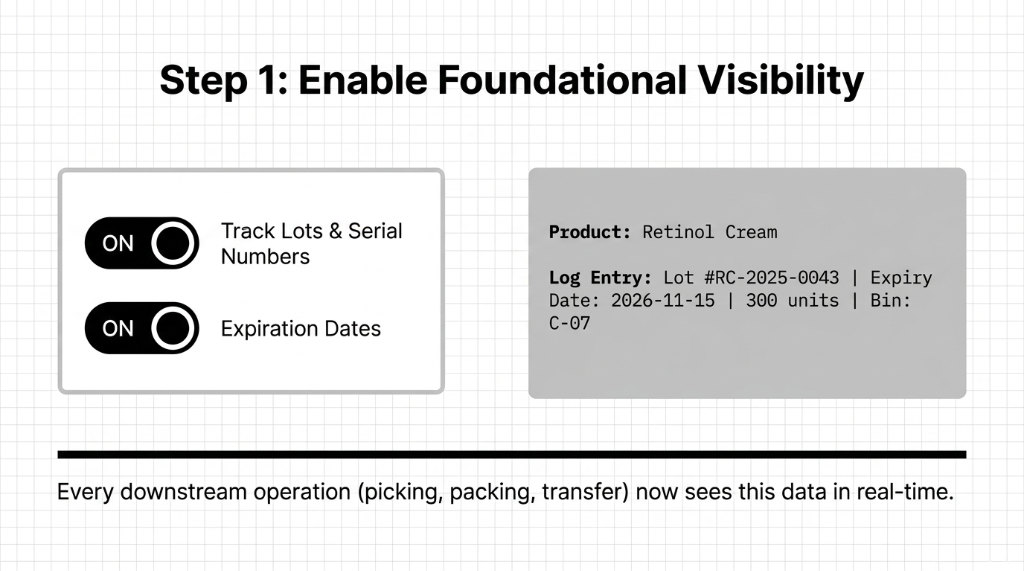
Once enabled, every product can have an expiry date assigned at the lot level during receipt. When your warehouse manager receives 300 units of retinol cream, they log: Lot #RC-2025-0043, Expiry Date: 2026-11-15, 300 units, Bin: C-07. Now that data is live in the system. Every downstream operation — picking, packing, transfer — can see this.
Step 2: Set Up Removal Dates (Not Just Expiry Dates)
Here is what most Odoo users miss, and it is the insider detail that changes everything.
Odoo has two separate date fields per lot: the Expiry Date (printed on the product) and the Best Before Date / Removal Date (internal trigger date after which you pull the product from available stock). For cosmetics, the industry standard — followed by Sephora-tier brands — is to set a removal date that is 30-60 days before the printed expiry date.
What Happens When Removal Date Is Crossed
The lot automatically gets flagged with a red warning in the inventory dashboard. The product stops appearing in available quantities for sales orders.
It does not get shipped. It gets quarantined in the system. This alone would have saved our client that $31,700 recall.
Step 3: Creating the Scrap Order in Odoo
Navigate to Inventory → Operations → Scrap. Create a new Scrap Order, select the product, the specific lot number, enter the quantity, and choose the scrap location (a virtual "destroyed goods" bin).
What Odoo Does Automatically on Scrap Validation
1. Stock Removal
Removes the quantity from on-hand stock — your inventory value drops in real time
2. Journal Entry
Posts a stock valuation journal entry — debits Inventory Write-Off, credits Inventory Valuation. No manual accounting needed.
3. Audit Trail
Lot number, expiry date, scrap reason, date, and responsible user are permanently logged. Pull it for regulators in 4 minutes.
Step 4: Scrap Reason Codes for Compliance Reports
Odoo scrap orders support custom reason codes. We configure these for cosmetics clients as: Expired - Past Removal Date, Expired - Customer Return, Damaged in Transit, Regulatory Recall, and Quality Control Rejection. These feed into a monthly Scrap Analysis Report filterable by product category, warehouse, lot, or date range.
First 90 Days Impact
For brands doing $2M-$8M in annual revenue, this report typically surfaces $8,000-$19,000 in preventable waste within the first 90 days — just by making the data visible for the first time.
The FEFO Enforcement on Picking: Closing the Loop
Scrap management only works if bad stock is caught before it goes out the door. And that is where FEFO picking comes in.
In Odoo, go to Inventory → Configuration → Warehouses, select your warehouse, and configure the removal strategy as FEFO. From this point forward, when a picker opens a delivery order for a moisturizer SKU, Odoo automatically selects the lot with the nearest expiry date — not the nearest bin, not the largest batch. The soonest-to-expire stock moves first.
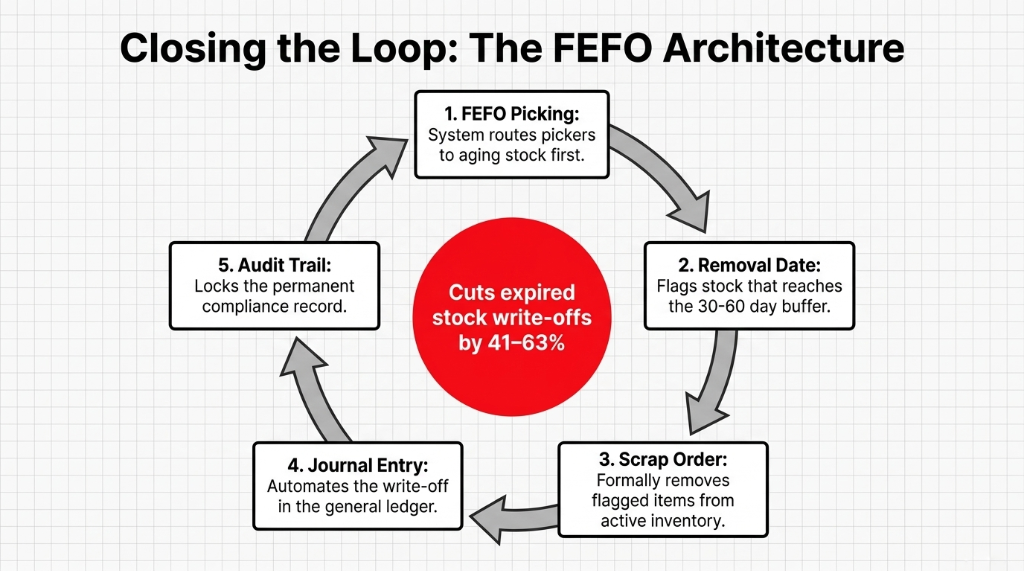
The Full Loop
FEFO moves aging stock first → Removal date flags expired stock → Scrap order formally removes it from inventory → Journal entry documents the write-off → Audit trail is complete. That full loop, configured correctly in Odoo, cuts expired stock write-offs by 41-63% within two financial quarters.
What the Numbers Look Like After 90 Days
One of our cosmetics clients — a 7-person D2C brand scaling from $1.3M to $2.9M ARR — had zero formal scrap tracking when they came to us. Their accountant was doing manual inventory adjustments in Xero every quarter. Expired product cost was classified as "misc. loss" in the P&L.
90-Day Results After Braincuber's Odoo Setup
Write-Off Recovery
Expired stock write-offs dropped from $6,200/month to $1,800/month — a $4,400/month recovery
Audit Prep Time
Compliance audit preparation time dropped from 3.5 days to 4 hours per quarter
Zero Expired Shipments
0 expired products shipped in 90 days post-implementation (vs. 3 incidents in the prior quarter)
Supplier Compensation
Scrap analysis identified 2 supplier batches with abnormally high expiry rates — leading to $12,000 in compensation from the supplier
Frankly, the supplier compensation alone paid for the entire Odoo implementation.
The Implementation Reality
| Task | Time Required |
|---|---|
| Lot-level expiry tracking setup (200-400 SKUs) | 12-18 hours |
| Migrating existing lot history (Cin7, Fishbowl, TradeGecko) | 8-12 hours |
| FEFO picking configuration | Under 2 hours |
| Custom scrap reason codes + report setup | 3-4 hours |
| Total: Go-Live | 3-5 working days |
Not 3 months. Not a $200,000 implementation bill like you would get trying to retrofit SAP for this. The moment the first removal date flag fires automatically — that is the moment your ops team stops babysitting expiry dates in a Google Sheet.
FAQs: Odoo Scrap Management for Expired Cosmetics
Does Odoo automatically scrap expired cosmetics or does someone have to do it manually?
Odoo does not auto-create scrap orders — that would bypass the required human verification and audit trail. What it does automatically is flag expired lots, remove them from available stock, and block them from being picked. A warehouse manager then validates and processes the scrap order, which takes under 3 minutes per lot.
Can we track which supplier batch had the most expiry-related scraps?
Yes. Odoo's scrap analysis report filters by lot, product, and vendor. If a lot from Supplier X shows a 23% scrap rate vs a 4% industry norm, that data is visible in your inventory dashboard. We use this to build supplier scorecards and renegotiate quality SLAs.
What happens to the accounting when a scrap order is created?
Odoo posts an automatic journal entry that debits your Inventory Write-Off expense account and credits the Inventory Valuation account. The exact amount is based on your product costing method (FIFO, average, or standard cost). Your accountant sees it instantly in the P&L — no manual Xero or QuickBooks journal needed.
Can Odoo handle cosmetics with multiple expiry components like a kit?
Yes, but this requires product kit configuration at the BoM (Bill of Materials) level. Each component in the kit gets its own lot tracking and expiry date. Odoo evaluates the earliest expiry date across all components and flags the kit accordingly. This matters enormously for gift sets and bundled products.
How does Odoo scrap management help during a regulatory inspection?
Odoo generates a full traceability report per lot in under 30 seconds — showing receipt date, supplier, expiry date, removal date, scrap date, scrap reason, and the user who processed it. For EU Cosmetics Regulation Article 10 or FDA compliance, this single report covers 80% of what an inspector asks for.