
Your Stock Count Is Already Lying to You
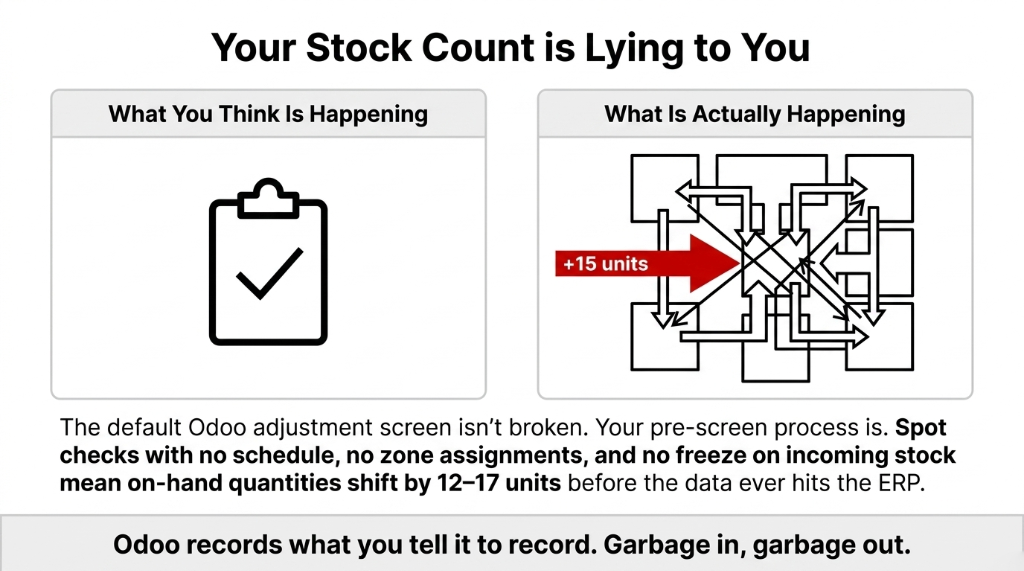
Here is the ugly truth most Odoo consultants will not tell you: the default Odoo inventory adjustment screen is not the problem. Your process before you touch that screen is.
We constantly see mid-market brands — scaling between $1M and $15M ARR — running what they think is an "inventory audit" but is actually a random spot-check that their warehouse manager does every third Friday when he is not too busy. No schedule. No zone assignments. No freeze on incoming stock movements during the count.
The Data Conflict Nobody Catches
By the time the count sheet hits Odoo, the actual on-hand quantity has already shifted by 12-17 units because three receipts and two delivery orders were processed during the count window. Odoo records what you tell it to record. Garbage in, garbage out.
The Actual Workflow (Step by Step from 150+ Implementations)
This is not how the documentation says it works. This is how it actually works when your warehouse team has six forklifts running and 400 SKUs to count.
Step 1: Create a Physical Inventory in Odoo
Navigate to Inventory → Operations → Physical Inventory. Odoo 17 consolidates what was previously split between "Physical Inventory" and "Inventory Adjustments" into one unified screen. Click "New Inventory Count." Assign a date, a responsible user, and — critically — a product filter. Do not count everything at once. (Yes, your operations manager will push back on this. Ignore him.)
Why Full-Warehouse Counts Backfire
Time drain: A full-warehouse count takes 37-72 hours depending on SKU count. During that window, if you keep receiving goods, you are creating a live data conflict. That conflict costs roughly 4.5 hours of reconciliation time per 1,000 SKUs from what we have seen across US and UK warehouse clients.
Step 2: Set the Inventory Date (Accounting Freeze Point)
This is where 78% of brands get it wrong. Odoo allows you to set a Scheduled Date on the inventory count. This date controls the accounting valuation date — meaning Odoo uses this timestamp to separate "movements before count" from "movements after count."
If you skip this and leave it at the default (today's live date), every stock move that happens during your count gets blended into your adjustment entry. Your accountant will hate you. (And honestly, rightfully so.) Set the scheduled date to the moment your count team puts hands on the first product. Lock it there.
Step 3: Print or Assign Count Sheets by Location
Odoo lets you filter the inventory count by Storage Location. Use it. Print count sheets per aisle, per bin, per rack. This is non-negotiable in any warehouse above 250 SKUs.
Client Result: Singapore Apparel Brand
When they assigned Zone A to Person 1, Zone B to Person 2, and Zone C to Person 3, total count time dropped from 37 hours to 14 hours. Saved 23 man-hours per quarterly count.
Step 4: Enter Counted Quantities and Review Discrepancies
Back in Odoo, your team enters the physical count quantities. Once entered, Odoo automatically highlights discrepancy lines — products where the counted quantity does not match the system quantity. Three types:
Discrepancy Types in Odoo
Positive Variance
Counted more than expected. Could mean unposted receipts, mis-picked returns, or theft recovery.
Negative Variance
Counted less than expected. Most expensive type — usually shrinkage, mis-shipped orders, or outright theft.
Zero Variance
Process is working, or your team is rounding to avoid paperwork. We have seen both.
Insider Move: Discrepancy Threshold
Do not validate immediately. Set a Discrepancy Threshold under Inventory Settings. Odoo 16 and 17 both support this. Any variance above X% or above $Y in value triggers a mandatory review before the adjustment is validated.
For a brand moving $500K/month in inventory, we set this threshold at 3 units or $150 in value — whichever triggers first.
Step 5: Investigate Before You Validate
A $4,200 negative variance on your premium SKU does not just get "adjusted away." That is real money. Before clicking Validate, your warehouse manager needs to answer three questions:
1. Was there an open delivery order or receipt that was not confirmed yet?
2. Did any stock move happen in that location in the last 48 hours that might explain the gap?
3. Is the product tracked by lot or serial number — and if so, did the wrong lot get picked?
Odoo's Inventory History report answers all three. Pull it before you validate. In 63% of cases we investigate, the discrepancy has a paper trail — an unconfirmed PO, a mislabeled return, or a delivery done but not validated in the system.
Step 6: Validate the Inventory Adjustment
Once discrepancies are investigated and cleared (or escalated to finance for write-off), click Validate Inventory. Odoo creates a stock move entry and — if you are using Automated Inventory Valuation (perpetual costing) — simultaneously creates a journal entry that debits or credits your stock valuation account.
This is the moment your accountant either trusts the ERP or does not. If you did Steps 1-5 correctly, this journal entry is clean, auditable, and requires zero manual correction. Skip the Scheduled Date or validate before investigating? You are getting a phone call at 11 PM on month-close day.
Why "Just Do a Full Annual Count" Is a $47,000 Mistake
Every mid-market ops team we have walked into has the same playbook: shut down the warehouse once a year, count everything, reconcile. That is a relic from the pre-ERP era.
Full Annual Counts Cost $47,000+ for Brands Over $5M Revenue
▸ You lose 2-3 days of warehouse operations (average loss: $8,000-$14,000 in delayed shipments and overtime)
▸ You find discrepancies that are 11 months old and completely unrecoverable
▸ You have zero idea when the variance appeared, so you cannot fix the root cause
▸ The reconciliation entry in Odoo is so large that your auditors flag it every year without fail
The Fix: Cycle Counting in Odoo
Break your SKU list into 4-6 segments. Count each segment on a rotating monthly basis. At no point does your warehouse stop moving. Odoo supports cycle count scheduling natively — go to Inventory Settings → enable "Annual Inventory Day" and set the frequency per product category.
A $2.7M UK wholesale client cut their year-end reconciliation entry from $31,400 to $3,200 within two quarters of switching to monthly cycle counts. That is their actual Odoo journal entry comparison.
The Costing Method Changes Everything
Here is something 9 out of 10 Odoo users do not realize until mid-implementation: the financial impact of a physical inventory adjustment is completely different depending on your costing method.
| Costing Method | What Happens on Adjustment | Risk Level |
|---|---|---|
| Standard Price | Adjusts quantity using fixed standard cost. No surprises, but no accuracy for fluctuating supplier costs. | Low |
| Average Cost (AVCO) | Reflects current weighted average. A +10 unit adjustment at $22.40 creates a $224 debit to stock valuation. Live Balance Sheet impact. | Medium |
| FIFO | Each lot carries its own historical cost. Same product, two adjustments = two completely different financial entries ($18.70 vs $31.20 per unit). | High |
If your finance team does not know which costing method is active in Odoo before the physical inventory starts, you will be manually correcting journal entries for the next 6 weeks. We have seen it. (Twice, with the same client, because they did not listen the first time.)
After the Adjustment: What Odoo Does to Your Stock Valuation Report
Once you validate, run the Stock Valuation Report (Inventory → Reporting → Inventory Valuation) immediately. Before the next delivery or receipt is processed.
This is your control point. The report shows the before-and-after valuation, which products moved, the dollar delta, and which account absorbed the adjustment. If you are on perpetual costing, your Stock Interim Account should be zero or near-zero after the adjustment posts — if it is not, you have unconfirmed stock moves floating in limbo.
Multi-Location Warning
For brands running multi-location warehouses (US + UK fulfillment centers), run this report per warehouse. A $6,800 discrepancy in your UK location will not show up in the total if it is masked by a $6,800 positive variance in the US. Odoo rolls them up. You need to look at them individually.
What Changes in the First 30 Days with Braincuber's Odoo Implementation
First 30 Days After Proper Setup
Month-Close Time
Drops by 6.5 hours because stock accounts reconcile on their own
Customer Service
Refund rate drops because phantom stock SKUs are eliminated
Staff Accountability
Count responsibility assigned by zone with a named user in Odoo's audit trail
Auditor Flags
Inventory adjustment entry variance drops below materiality threshold — no more annual flags
What does not get easier immediately: getting your warehouse team to stop counting by memory and start actually scanning. That behavioral change takes 45-60 days and requires your warehouse manager to enforce it. Odoo cannot do that part for you.
FAQs: Odoo Physical Inventory Adjustments Workflow
How often should we run a physical inventory adjustment in Odoo?
Stop doing one big annual count. Run cycle counts monthly per product category. Odoo's inventory scheduling lets you assign count frequency per category. Brands above $3M in annual inventory value should count their top 20% of SKUs (by value) every 30 days and the rest every 60-90 days.
Can we run a physical inventory adjustment without stopping warehouse operations?
Yes — if you use Odoo's location-based count feature. Freeze only the zone being counted, not the entire warehouse. Other zones keep receiving and shipping. This cuts count-related operational downtime from 2-3 days to under 4 hours per zone per count cycle.
What happens to open delivery orders during an Odoo physical inventory count?
Odoo does not auto-freeze open stock moves. Any delivery or receipt confirmed during the count updates the expected quantity in real time. Set your Scheduled Date before the count starts and investigate all moves logged between that date and the Validate moment — that window is where ghost variances are born.
Does validating a physical inventory adjustment affect our accounting automatically?
Only if you are on Automated (perpetual) inventory valuation. If you are on manual/periodic valuation, Odoo adjusts stock quantity only — your accountant must post the journal entry manually. Most brands above $2M in inventory value should be on perpetual costing; if you are not, that is the first thing we change on any Braincuber implementation.
Can Odoo physical inventory adjustments be done by lot or serial number?
Yes — and for brands in pharma, food, or electronics, this is non-negotiable. When serial/lot tracking is active, Odoo's count screen shows each lot separately. A -5 on Lot A and a +5 on Lot B are not the same thing even if the net is zero — different expiry dates, different costs under FIFO, different compliance implications.