
The Real Cost of Dead Stock Nobody Talks About
Most founders look at dead stock as a storage inconvenience. That's the wrong frame entirely.
Dead stock carries a holding cost of roughly 20–35% of its value per year, depending on your warehouse lease, insurance, and opportunity cost. If you have $63,000 in dead SKUs, you are burning between $12,600 and $22,000 a year just to keep that stock breathing.
That's before you account for the cash you can't redeploy into fast-moving SKUs because it's locked in product that won't sell.
Dead Stock: The Silent Cash Killer
$74,200
Dead stock found in one Dubai home-goods brand across 3 warehouses — invisible to procurement for 11 months
20–35%
Annual holding cost as a percentage of inventory value — warehouse lease, insurance, opportunity cost combined
8–17%
Average percentage of total inventory value sitting in non-moving SKUs — found across 47 warehouse audits in 2 years
We worked with a home-goods brand in Dubai that had $74,200 in dead stock across 3 warehouses. Their procurement team kept re-ordering active SKUs on 30-day cycles but had zero visibility into the graveyard accumulating in rack D3. When we ran Odoo's inventory aging report for the first time in their implementation, the operations director went pale.
Frankly, most ERP consultants gloss over this module because it's not glamorous. We don't. Fixing dead stock is where the real money is recovered.
How Odoo Actually Defines "Dead Stock" — And Why Your Current Setup Is Probably Wrong
Here's the ugly truth: Odoo doesn't come pre-configured with a dead stock threshold that makes sense for your business. Out of the box, it tracks stock. It doesn't judge it.
The default Odoo setup will happily let a SKU sit at 400 units with zero demand for 180 days and never raise a flag. No alert. No report. Nothing. Your warehouse team just keeps scanning around it.
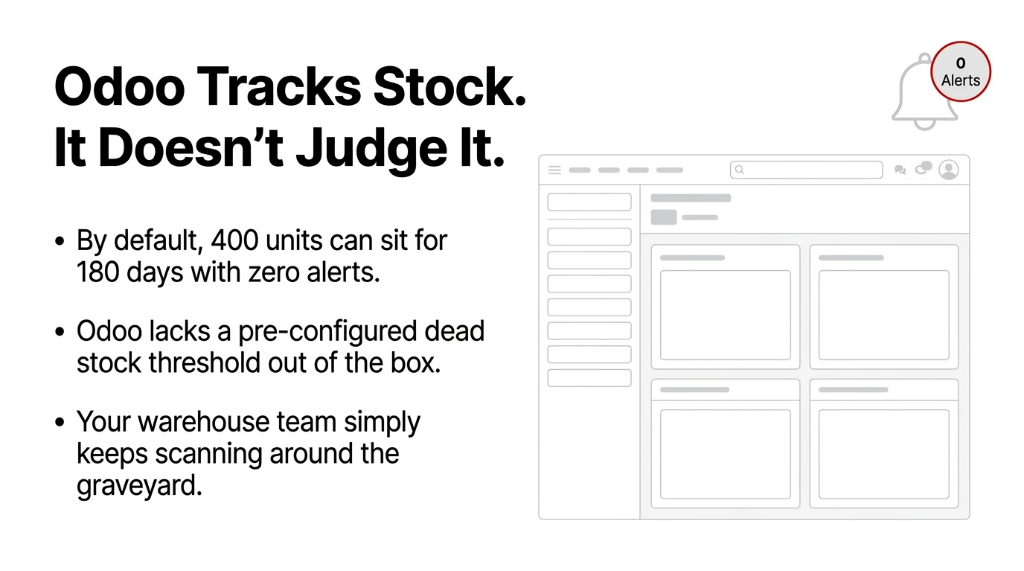
You need to manually define what "dead" means in your context. In our implementations, we typically establish three tiers:
The Three Tiers of Dying Inventory
- Slow-moving: 0 orders in the past 60–90 days, still has demand history in prior quarters
- Dead stock: 0 orders in the past 91–180 days, low demand history
- Obsolete stock: 0 orders in 180+ days, product is discontinued or superseded by a new variant
Why the tiers matter:
Your liquidation strategy for each tier is completely different. You don't bundle an obsolete SKU the same way you'd flash-sale a slow mover.
*(Yes, your purchasing manager will argue the thresholds. That argument is worth having once. Make a decision and enforce it in the system.)*
The Odoo Dead Stock Identification Workflow — Step by Step
This is where most blogs give you vague guidance. We won't.
Step 1: Pull the Inventory Aging Report in Odoo
Navigate to Inventory → Reporting → Inventory Valuation and cross-reference with the Stock Move history. In Odoo 16 and 17, you can filter stock moves by product and date range directly from the product form. For Odoo 15 and below, you will need a custom filter or the Inventory Turnover report from a third-party module.
The report you're looking for shows: current on-hand quantity, last sales order date, and current stock value. If your Odoo instance doesn't surface "last sales order date" per SKU as a native column, add it. It takes a developer about 2 hours to expose that field in the list view. This is non-negotiable.
Step 2: Build a Dead Stock Product Category
Don't just flag products mentally. In Odoo, create a product category called "Dead Stock — Review" and reassign identified SKUs to this category. This does two things: it instantly filters these products in all reports, and it allows you to apply a different valuation method or write-down rule specifically to this category.
We use this category flag as the trigger for a separate accounting entry at month-end — a partial inventory write-down that your CFO can see in the P&L without digging through warehouse reports.
Step 3: Set Up Automated Alerts Using Odoo Scheduled Actions
The Automation That Saves 4–6 Hours Per Week
Go to Settings → Technical → Automation → Scheduled Actions and create an action that runs weekly.
The logic: Find all products where last_move_date < today - 90 days AND qty_on_hand > 0 AND product_categ_id != 'Dead Stock — Review'. Auto-assign them to the review category and trigger an email to the inventory manager.
Hidden cost without this: 4–6 hours/week wasted doing this manually in Excel
*(We know you're doing it in Excel. The VLOOKUP file with the tab called "OLD DO NOT USE" is a dead giveaway.)*
Step 4: Calculate the True Carrying Cost Per SKU
In Odoo, stock valuation uses either Standard Price or Average Cost (AVCO) or First In First Out (FIFO). Pull the cost per unit from the Product → Cost field and multiply by quantity on hand. Then apply your warehouse holding cost percentage (if you don't know yours, use 25% as a conservative baseline).
Stop counting units. Start counting dollars.
A product showing 2,000 units sounds bad. A product showing $31,400 in tied capital at 25% carrying cost = $7,850 burning per year is a number a board meeting will act on.
If your Odoo inventory management system hasn't been configured to surface these numbers, that's a setup failure — not a software limitation.
The Liquidation Workflow — Four Paths, Not One
Once you've identified dead stock in Odoo, you have exactly four liquidation paths. Picking the wrong one costs you additional margin. Here's how we rank them by recovery rate:
| Liquidation Path | Avg. Recovery Rate | Odoo Module Used | Best For |
|---|---|---|---|
| Bundle with Fast Movers | 65–80% of cost | Sales → Pricelists | Slow movers with brand equity |
| Flash Sale / Discount Pricing | 40–65% of cost | Website / eCommerce Pricelists | Dead stock with remaining demand |
| B2B Bulk Sell / Clearance Buyers | 20–40% of cost | Purchase → RFQ (reverse) | High-volume obsolete SKUs |
| Donation / Write-Off | 0% recovery, tax benefit | Inventory Adjustment + Journal Entry | Truly unsellable product |
Path 1: Bundle Dead Stock With Fast Movers
In Odoo's Sales module, create a new product of type "Bundle" (or use the kit BOM in Manufacturing). Pair 1 dead SKU with 1 fast-moving SKU and price the bundle at a 15–22% discount vs. buying both individually. Customers perceive value. You move dead stock without screaming "CLEARANCE."
Real Result: $26,300 Recovered in 31 Days
A US-based supplements brand had 1,840 units of an unflavored protein variant sitting dead for 5 months. We bundled it with their #1 flavored SKU at a $4 discount. Cleared in 31 days.
Path 2: Flash Sale via Odoo eCommerce Pricelists
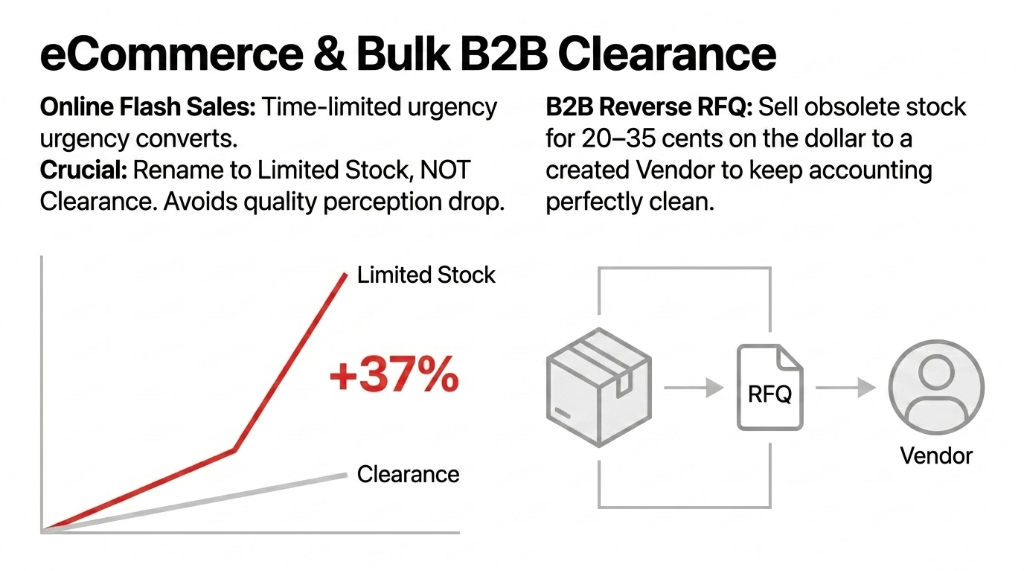
Navigate to Sales → Configuration → Pricelists and create a time-limited pricelist specifically for dead stock SKUs. Apply it to your Odoo Website or your Shopify store via the Odoo-Shopify connector. Set an end date — urgency is the only thing that converts clearance stock online.
Insider Tip That's Worth $10,000+
Do NOT put the word "clearance" in your product name. Rename the product to "Limited Stock" in the pricelist variant. Clearance triggers a quality perception drop that further kills conversion. We've seen 37% better clearance conversion just by changing that one label.
Path 3: Bulk B2B Clearance via Odoo Purchase Module (Reverse RFQ)
For obsolete stock — product that's been discontinued or superseded — your best move is finding a bulk buyer and selling at 20–35 cents on the dollar. In Odoo, create a Vendor (who is actually your buyer here), issue a sales order with the discounted unit price, and document the transaction cleanly. This keeps your accounting clean for tax purposes.
Path 4: Inventory Write-Off in Odoo
When a product genuinely cannot be sold — expired, damaged beyond repair, regulatory change — you do an Inventory Adjustment in Odoo to zero the quantity, and your accountant posts a Journal Entry debiting "Inventory Write-Down Expense" and crediting the inventory asset account. Clean, auditable, done.
Do this quarterly, not annually.
Annual write-offs create $40,000–$80,000 P&L surprises. Quarterly write-offs of $8,000–$12,000 are manageable and expected.
Your Odoo ERP integration needs to connect inventory adjustments directly to your accounting journal — otherwise write-offs become a reconciliation nightmare every quarter.
What Happens After You Run This Workflow Once
The first time you run a structured dead stock audit using Odoo, expect to find 8–17% of your total inventory value sitting in non-moving SKUs. That's not a guess — that's the average we've found across 47 warehouse audits in the past two years.
After the first cleanup, the real benefit kicks in: your purchasing accuracy improves by default. When your team sees the write-down figure in the monthly P&L, they start questioning re-order decisions more carefully. The dead stock report becomes a forcing function for better procurement behaviour, not just a cleanup tool.
UK Apparel Brand: 14.3% → 3.1% Dead Stock in 9 Months
One apparel brand we work with in the UK reduced their dead stock from 14.3% of inventory value down to 3.1% within 9 months of implementing this workflow. That freed up $51,000 in working capital that went directly into a new category launch.
The Braincuber Odoo Dead Stock Audit — What We Actually Do
When a client brings us in for an inventory deep dive, we don't spend week one building dashboards. We spend day one pulling the raw stock move data and running the aging analysis manually in Python against the Odoo database.
Why? Because Odoo's native reports can miss edge cases where products were moved between warehouses without proper transfer documentation — and those products look "active" in the UI but are functionally dead.
The Gap Most Implementations Miss
This kind of nuance is the difference between a $9,000 dead stock number and a $38,000 one. The gap is almost always in poorly documented inter-warehouse transfers.
$29,000 gap. Hidden in transfer paperwork your team forgot to process.
After the data pull, we build the automated scheduled action, the product category rules, and the liquidation pricelists — all in a single 3-day sprint. Most clients start seeing dead stock movement within the first 2 weeks.
This is the same methodology we apply across all our Odoo implementation services — fix the data first, automate the rules second, and let the system enforce discipline that humans won't.
Don't Let Another Quarter Pass With $40,000+ in Dead Inventory
Book our free 15-Minute Operations Audit. We'll identify your dead stock exposure in the first call and tell you exactly which liquidation path recovers the most cash fastest. No fluff. No sales pitch. Just a real number.
Get Your Free Dead Stock Audit