
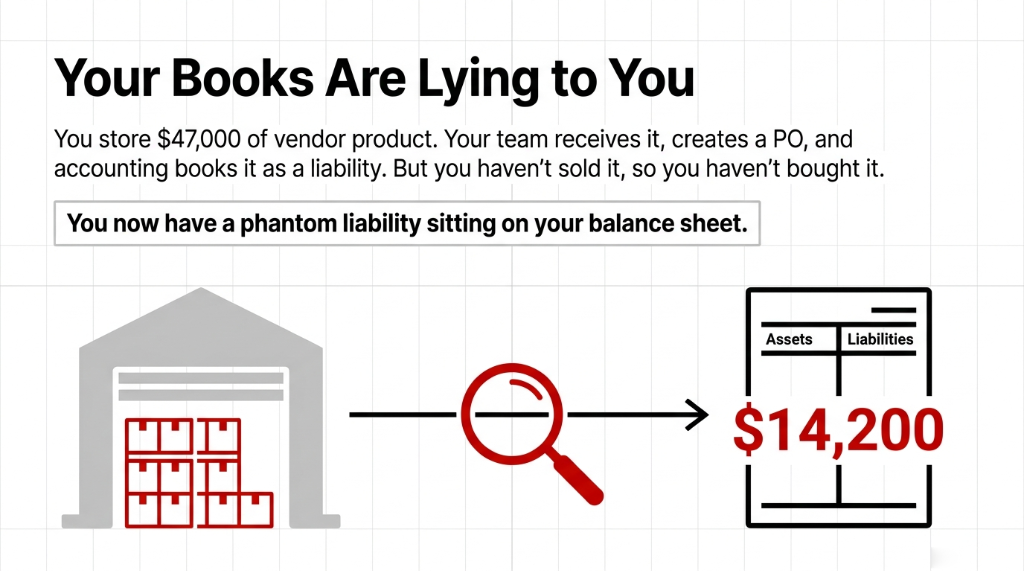
We've implemented Odoo consignment workflows for brands scaling from $800K to $9M ARR. The same mistake shows up every single time: people treat consignment stock like regular purchased inventory.
It isn't. And the moment you do that, your financials lie to you.
The ugly truth? Most ERP systems aren't built for consignment. NetSuite charges you an extra $18,000–$40,000 in customization just to handle vendor-owned stock properly. QuickBooks doesn't track stock ownership at all. And Excel-based systems collapse the moment you have more than two vendor consignment agreements running simultaneously.
Why "Just Create a Separate Location" Is Dangerous Advice
Everyone in Odoo forums will tell you: "Just create a separate warehouse location for consignment stock, and you're done."
That's wrong. Partially wrong, to be precise — and the partial correctness is what makes it dangerous.
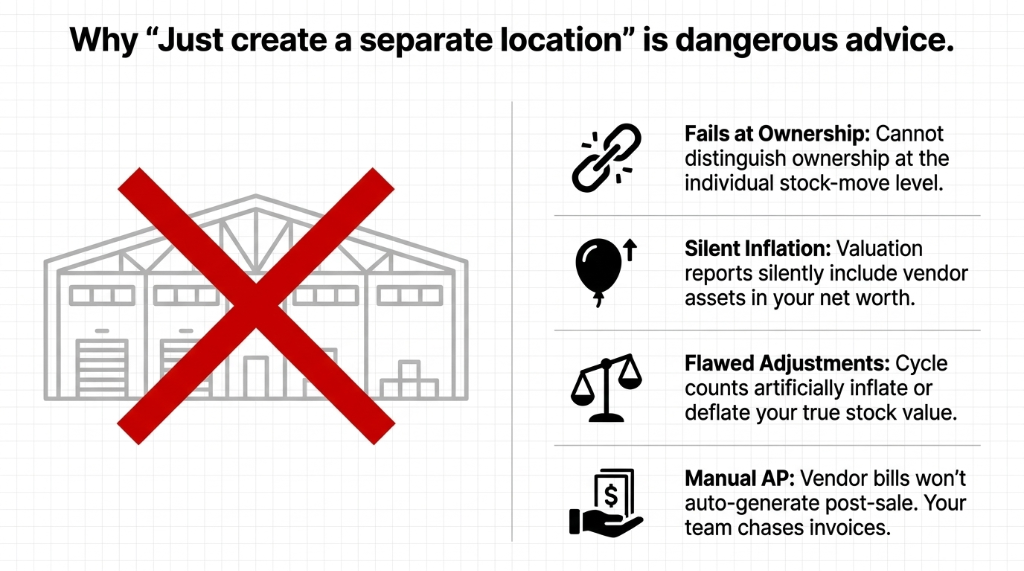
Yes, Odoo lets you create separate locations. But if you stop there, here is what breaks:
The real fix uses Odoo's native Consignment feature, which assigns ownership at the receipt level and keeps it tied to every stock move until the moment of sale.
How Odoo Consignment Stock Actually Works: The Full Flow
Step 1: Enable Consignment in Settings
Go to Inventory ▸ Configuration ▸ Settings ▸ Traceability section. Check the box next to Consignment, then click Save. That single checkbox changes everything downstream. It activates the Assign Owner field on receipts — the field 90% of people miss.
Step 2: Receive Vendor Stock Without Creating a Liability
Go to Inventory ▸ Operations ▸ Transfers ▸ Receipts ▸ Create. In the Receive From field, enter the vendor. Then in the Assign Owner field, enter the same vendor. This is the critical step.
By assigning the vendor as the owner, Odoo records the physical stock in your warehouse but does not create a financial entry. No debit to Stock Valuation. No credit to Accounts Payable. The goods exist in your system — visible, trackable, transferable — but they are not yours.
Step 3: Track, Move, and Count Vendor Stock Without Ownership Transfer
This is where Odoo earns its keep. Run inventory counts on consignment stock. Transfer products between internal locations. View consignment stock separately in Inventory ▸ Reporting ▸ Inventory At Date. Filter by owner to see exactly how many units belong to which vendor at any given moment.
None of these operations trigger accounting entries. The stock moves. The ledger doesn't. Exactly as consignment should work.
Step 4: Sell the Product — This Is Where Ownership Transfers
Create a Sales Order as normal. Confirm it. When you go to the delivery order and open Detailed Operations, you'll see a From Owner column. Set this to the vendor who owns the consigned goods.
The moment you validate the delivery, Odoo records the transfer of ownership. The stock exits your warehouse from the vendor's name. At this exact point — not before — you need to settle with the vendor.
(Yes, your accountant will love this. It's clean, it's traceable, and it matches IFRS and US GAAP treatment of consignment stock.)
Step 5: Generate the Vendor Bill After Sale, Not Before
Insider fact most implementations get wrong:
You should not create a Purchase Order before the sale for consignment goods. The bill comes after the sale. Creating a PO at receipt falsely records a liability before you've sold anything. The bill amount equals the cost of goods sold — not the goods received.
Step 6: Return Unsold Consignment Stock
If the vendor wants their stock back, go to Inventory ▸ Operations ▸ Transfers, select the original consignment receipt, and create a return. The products move back to the vendor's location. No financial entry is made for the return — because none was made for the receipt. The system stays clean.
The Accounting Reality Nobody Tells You
Under periodic inventory valuation (common in Europe), consignment goods never touch your P&L until sold — the cost flows directly into COGS at point of sale.
Under perpetual inventory valuation (standard in the US, UK, India, UAE), Odoo uses automated journal entries to post the COGS the moment delivery is validated. Consignment stock sits in a separate valuation account — not your main Stock Valuation account.
The Number That Should Wake You Up
$5M/year business
30% consignment stock mix
$410,000 overstated
Inventory assets on balance sheet
Auditors catch this
Banks catch it during credit reviews
Customer Consignment: The Reverse Flow
Vendor consignment (you hold their stock) is only one direction. The reverse — customer consignment — is equally important for FMCG distributors and manufacturers.
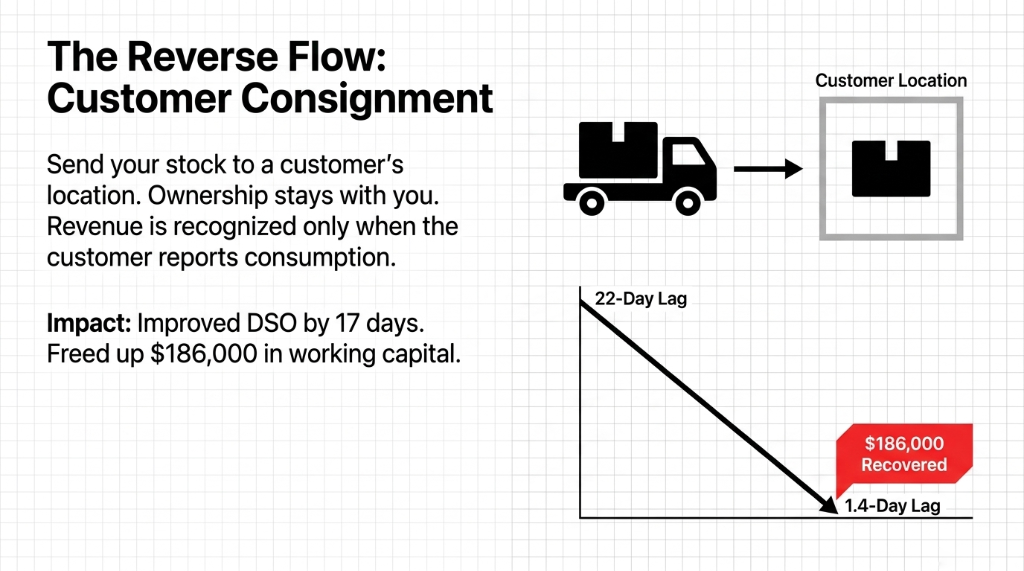
In this flow, you send your own stock to a customer's location. Ownership stays with you until the customer sells or consumes it. Odoo records the transfer as an internal move to a Customer Consignment Location — stock stays in your valuation. When the customer reports consumption, you create the Sales Order, deliver from that consignment location, and then revenue is recognized.
We implemented this exact model for a $3.7M/year beverage distributor in the UK. Before Odoo, they had a 22-day lag between customer consumption and invoice creation. After implementation, the lag dropped to 1.4 days, and DSO improved by 17 days. That freed up $186,000 in working capital. Not a typo.
What Breaks When You Skip the Configuration
In our last 40+ Odoo implementations involving consignment, here's what we consistently see when companies skip or misconfigure the setup:
| Mistake | Financial Impact |
|---|---|
| No "Assign Owner" field used | Vendor stock counted as company assets — balance sheet overstated |
| PO created before sale | False AP liability created — P&L distorted |
| No separate consignment location | Inventory valuation reports are meaningless |
| No post-sale vendor bill workflow | Vendor payments delayed 30–45 days, relationships damaged |
| Consignment returns not processed | Phantom stock triggers false purchase orders via reorder rules |
Worst case we've seen:
A $4.1M apparel brand in Singapore had $212,000 in vendor-owned stock counted as company inventory for 14 months. Their accountant only caught it during an annual audit — by which point, two rounds of bank financing had been secured against inflated asset values. That's not just bad operations. That's a legal exposure.
The Braincuber Implementation Approach
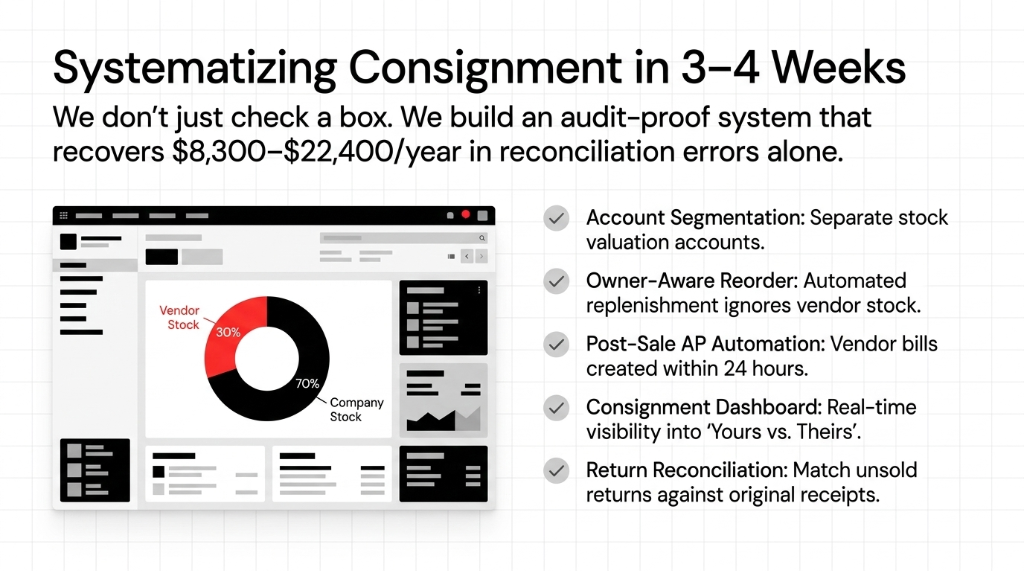
We don't just turn on a checkbox and call it a day. Here is exactly what our Odoo consignment implementation covers:
1. Valuation account segmentation — separate stock accounts for vendor-owned vs. company-owned goods, configured per product category
2. Owner-aware reorder rules — so your automated replenishment doesn't trigger on vendor-owned stock
3. Post-sale AP automation — vendor bills created within 24 hours of delivery validation, not 3 weeks later
4. Consignment reporting dashboard — real-time view of what's yours vs. what's theirs, by location, vendor, and product
5. Return workflow with reconciliation — unsold stock returns matched against the original receipt, so vendor account balances never drift
We roll this out in 3–4 weeks for brands with straightforward vendor agreements. Complex multi-vendor, multi-location consignment setups (think: 12 vendors, 3 warehouses, periodic reconciliation) take 6–8 weeks.
The ROI on proper consignment setup typically hits within 90 days. Across our implementations, clients recover an average of $8,300–$22,400/year in reconciliation errors alone.
Internal Links:
▸ Odoo Implementation Services — Full ERP deployment for D2C brands
▸ Inventory Management System — Multi-channel stock sync and automation
▸ Odoo ERP Integration Services — Connect Shopify, Amazon, and WMS to Odoo
Frequently Asked Questions
Does Odoo consignment stock affect my inventory valuation reports?
No — when you assign a vendor as the owner during receipt, Odoo does not book any accounting entry. The stock appears in physical inventory counts and location reports, but it is excluded from your stock valuation account. Your balance sheet stays accurate and only reflects goods you actually own.
Can I use Odoo consignment with both vendor-owned and company-owned stock in the same warehouse?
Yes. Odoo tracks ownership at the individual stock move level using the "Owner" field. You can store vendor-owned and company-owned products in the same physical location, and the system will correctly segregate them in valuation reports, reorder rules, and delivery operations.
When exactly should I create the vendor bill for consignment goods?
After the sale delivery is validated — not when you receive the goods. Creating a purchase order at receipt falsely records a liability before you've sold anything. The bill should be generated post-delivery to match COGS with the exact quantity sold.
Does Odoo support returning unsold consignment stock to the vendor?
Yes. Navigate to Inventory, Operations, Transfers, find the original consignment receipt, and create a return transfer. Products move back to the vendor's location with no financial entry generated, keeping your accounts clean and your vendor relationship reconciled.
Is Odoo consignment compatible with both periodic and perpetual inventory valuation?
Yes. Under perpetual valuation, COGS posts automatically when the delivery is validated. Under periodic valuation, the cost hits your P&L in the closing stock adjustment entry. Either way, consignment stock is excluded from your asset accounts until ownership formally transfers at the point of sale.