
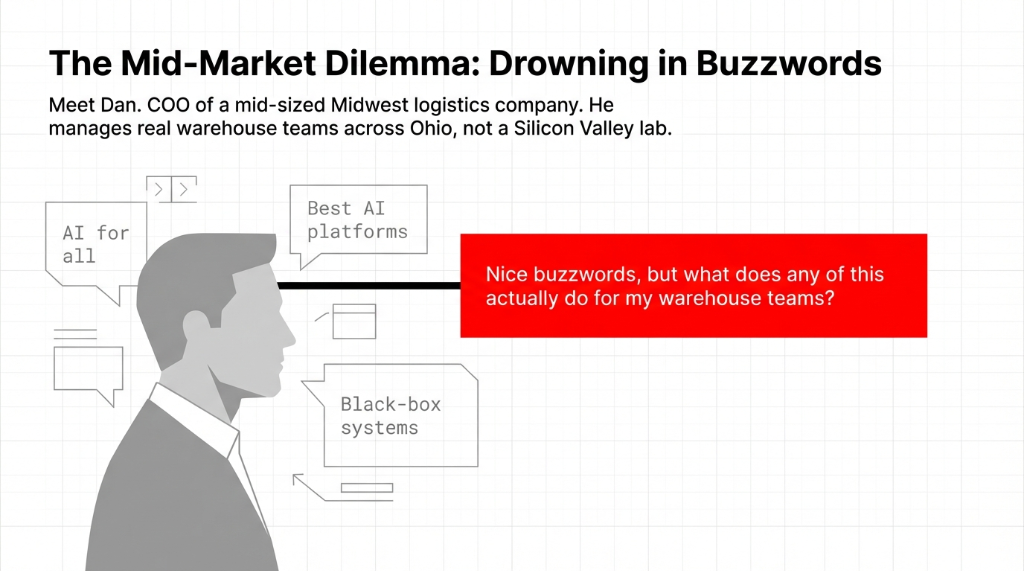
If you have ever looked at all the hype around "the best AI" tools and thought, "This is not for my business," this story is for you. It is about a US client who started out deeply skeptical about using artificial intelligence and ended up designing an AI strategy that now quietly powers parts of his company's daily work.
We are sharing this because Dan's journey is the same journey 80% of the mid-market COOs we talk to are on. Same fears. Same buzzword fatigue. Same eventual realization.
Dan's Real Fears (Not the Ones Vendors Want to Hear)
When we sat down, we did not pitch ourselves as an AI company or claim to be the best. We just asked: "What is your first reaction when someone says 'use AI in your business'?"
Dan laughed: "Honestly? I imagine some black-box AI system making random decisions, replacing humans, and me being responsible when it goes wrong."
Dan's Fear Inventory (Word for Word)
Accuracy and Trust
"Can I really rely on AI answers in areas like contracts, pricing, and logistics routing? What if it gets a route wrong and we miss a delivery window? That is $14,200 per missed SLA."
Legal Risk
"What about AI and law? What if AI for legal work gets something wrong and we end up in court? My general counsel will kill me before the plaintiff does."
Job Impact
"Will AI for companies just mean fewer jobs and more pressure on my teams? I have 340 people who trust me not to automate them into unemployment."
Signal vs Noise
"Every week, some new AI shows up. How do I know which are good AI tools and which are just AI making more noise? I do not have time to evaluate 47 platforms."
He had also experimented a bit. Colleagues showed him how to ask AI a question in a chat window, use ChatGPT as a tool, and even try a quick AI interview where a bot asked him questions. But to him, it still felt like a game, not something serious enough for operations.
The Turning Point: A Conversation, Not a Demo
Instead of debating, we proposed an experiment: "Let us do a live conversation with AI, right here, using artificial intelligence to answer your real business questions. You ask. We see how it responds."
We opened a ChatGPT-style interface designed for business users. Dan started by talking to the AI the way he would talk to a new analyst on his team. It was a real conversation with AI, not a vendor demo with pre-loaded answers.
What Dan Tested (In Real Time)
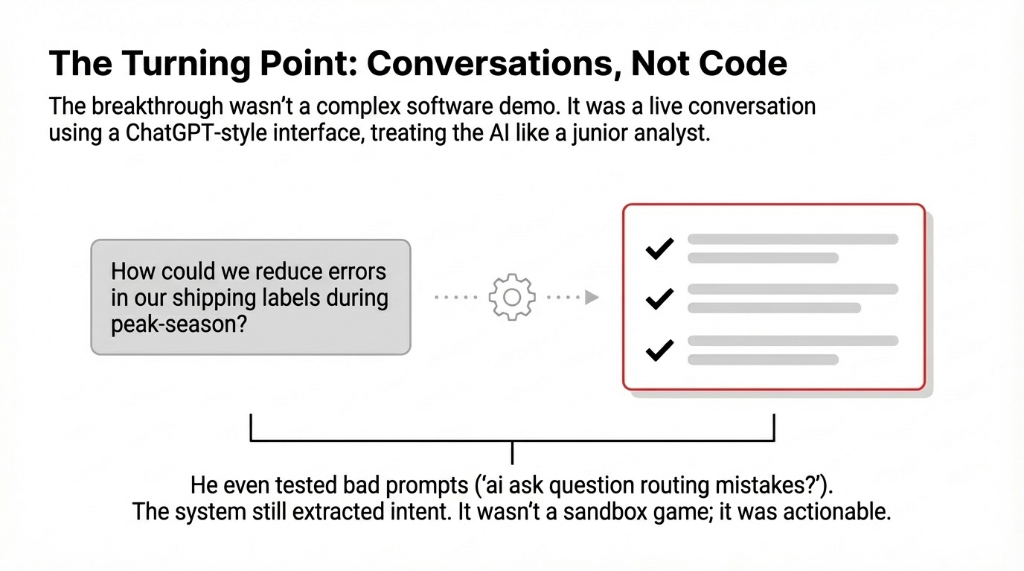
Real operational question: "How could we reduce errors in our shipping labels?" The AI answered with simple, structured suggestions. Not jargon. Steps.
Staffing scenario: He asked about peak-season staffing. The AI answered in clear steps with specific ratios, not buzzword soup.
Deliberately bad prompts: He typed "ai ask question routing mistakes?" to see if vague input broke it. The AI still extracted intent and responded usefully.
Messy data dump: He pasted bullet points and asked "Turn this into a simple report for my team." The AI formatted it, grouped action items, and flagged missing context. That was the moment Dan stopped smirking.
This was his first real taste of using artificial intelligence for work. Not a sandbox demo. Not a conference keynote. A real conversation about a real problem with a real answer he could act on.
Three Use Cases That Shipped in 30 Days
Once Dan realized he could have real conversations with AI, we moved from theory to practice. We framed it as: "Let us pick three places where AI for work could help in the next 30 days."
Use Case 1: Email and Report Drafting
Dan's managers spent hours each week writing status updates and customer emails. We set up a workflow where they could paste bullet notes and have AI write a first draft. Use AI writing tools to generate clean cover notes for customers when shipments were delayed. Turn messy meeting notes into AI-formatted reports with action items.
Result: 11.3 Hours Saved Per Week on Drafting Alone
The AI assist role was clear: the tool did the first draft, but a human always edited it. A real AI and human partnership. It was never "replace people." It was "let AI take the boring first pass so people can focus on judgment." At $67/hour loaded cost, that is $39,300/year recovered from one workflow.
Use Case 2: Checks, Testing, and Quality Control
Next, we showed Dan how AI checking and AI testing could catch obvious issues before they went live. Before sending a major client proposal, the system flags missing sections, inconsistent numbers, or unclear terms. For internal software, they use a small AI module for testing scenarios — "What happens if we double volume here?"
Dan's Mental Model: "AI as a Sharp Intern"
Good at spotting patterns. Needs supervision. Fast at the tedious stuff. Cannot be left alone on high-stakes decisions. That framing killed 90% of his team's resistance overnight because everyone has worked with a sharp intern before. They know exactly what that means.
Use Case 3: Legal and Compliance Review
Dan's biggest fear was AI in legal tasks. We did not propose AI to replace attorneys. Instead, we showed a narrow use: AI tools to summarize long contracts so his legal team could scan key points faster. AI assistants to highlight clauses worth sending to outside counsel.
This was the beginning of his comfort with legal AI: the human lawyers stayed in charge, but AI for companies gave them a faster first read. That is a realistic way to use AI in legal workflows without pretending AI is a lawyer. *(His general counsel went from "absolutely not" to "actually, can it summarize the renewal clauses in these 14 vendor contracts?" in about 9 days.)*
Under the Hood: How We Demystified the Technology
Dan had heard terms like "machine learning," "neural networks," and "rule-based systems," but nobody had connected these abstract categories to daily work. We clarified it in simple terms.
What We Told Dan (And What We Tell Every COO)
It is not a mysterious personality. It is a set of AI tools designed to understand language and suggest next steps. Like a calculator for text instead of numbers.
Prompting is half the battle. The instructions you give AI — artificial intelligence prompts — determine the quality of the output. Good prompting gets you 80% of the way. Bad prompting gets you gibberish. We teach prompt design, not just tool setup.
Different AI types are better for different jobs. Some excel at language. Some at routing. Some at anomaly detection. There will always be different AI options, not a single winner. That is why smart leaders ask "Which AI tool solves this one problem?" instead of "Which is the best AI?"
Dan liked that we did not claim to be "the best AI" for everything. We talked about top AI options for his specific needs: routing, communication, quality checks. That honesty is what built trust. *(Most vendors lose deals by overselling. We win them by underselling and overdelivering.)*
From 4-Week Pilot to AI Strategy
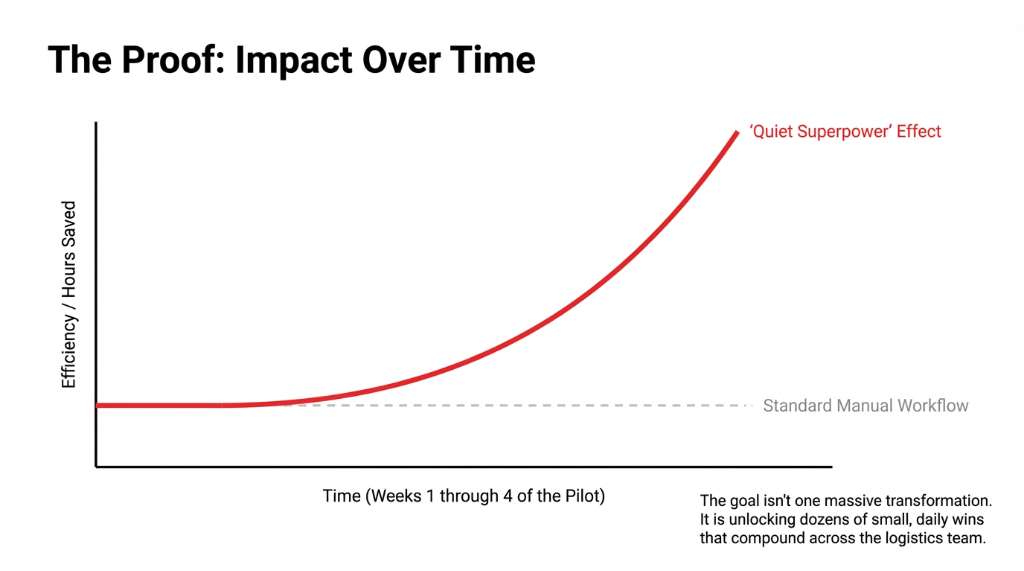
After the 4-week pilot, Dan's tune changed from "just AI hype" to "this is a quiet superpower." We moved from scattered experiments to a simple AI strategy.
Dan's AI Strategy (4 Principles)
AI for work, not for wow: Focus on places where AI automation saves hours — routing suggestions, report drafts, customer email templates. Skip the flashy demos.
Embed in existing workflows: Tools should feel like part of existing software, not separate "AI labs." If people have to open a new app, they will not use it.
AI-to-human handoffs: Any time AI is uncertain, it routes to a person. That reassured both staff and leadership. Clean handoffs, not blind automation.
Learning is ongoing: Train staff over time so learning about AI becomes part of onboarding. People start with simple, safe tasks first. Nobody is thrown into the deep end.
Along the way, his team discovered that simply asking AI a question — "How can we rephrase this more clearly?" or "What other metrics could we track?" — was enough to open up small daily wins that compounded across departments.
How This Changed Dan's View of AI and Business
At the end of the engagement, we asked Dan one last time: "So, what changed?"
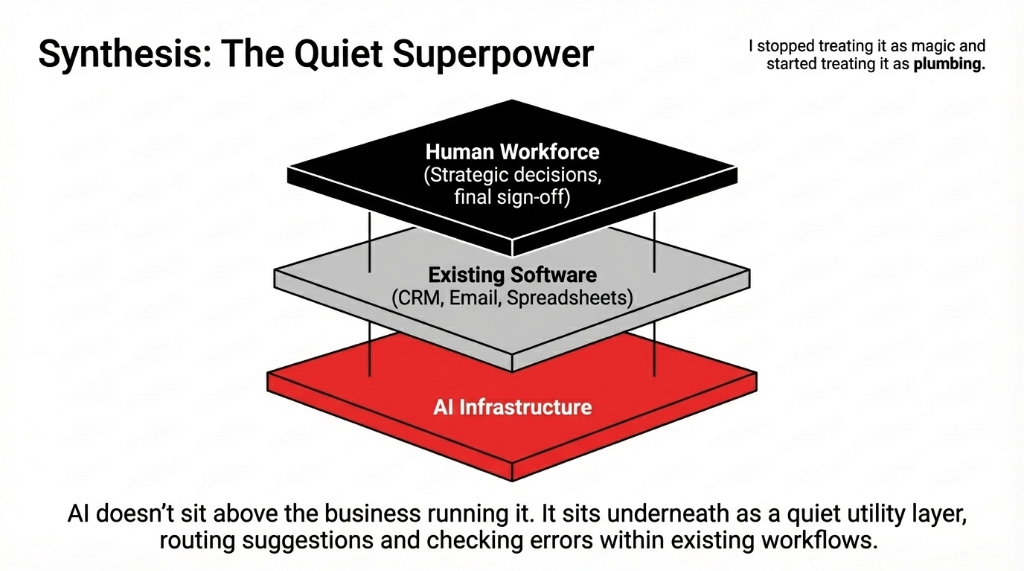
He said: "I stopped treating it as magic and started treating it as plumbing."
AI as Infrastructure
AI was not a product. It was plumbing inside his systems. A quiet business layer that routes suggestions, checks errors, and drafts responses underneath the tools his team already uses.
Use AI Selectively
He stopped searching blindly for "top AI" or "make your own AI." Instead he asks: "Where can we use AI today to cut waste or improve service?" One question. One workflow. Prove it. Then expand.
AI for All Sizes
He realized AI for companies is not only for Silicon Valley. Mid-market US firms can start small with simple AI tool deployments. You do not need a data science team. You need one champion and good guardrails.
Some staff were excited to build AI prompts, experiment with custom workflows, or create mini-assistants inside spreadsheets. Others just wanted AI help in drafting emails and checking contracts. That mix is normal. You do not need everyone to be an AI engineer. You only need a few champions plus good guardrails.
What This Means For You
If you are running or leading a US business and still skeptical, Dan's journey suggests a practical path we have now seen work at 19 different companies.
The 5-Step Path From Skeptic to Shipping
1. Start with conversations, not code. Sit down with your team and literally have a conversation with AI about real problems. Treat it like talking to a junior colleague, not a magic 8-ball.
2. Experiment with safe, narrow use cases. Try AI-generated summaries, let it draft email suggestions, use AI writing for first passes. Think of it as AI making the draft. You still sign off.
3. Use trusted vendors, not random freeware. Serious work should use vetted providers with strong security and compliance. That matters even more for legal or financial workflows.
4. Integrate with tools you already use. Many AI tools now plug into CRM, email, or LinkedIn workflows. This is AI in the background, making your existing stack smarter, not forcing a rip-and-replace.
5. Embrace human-in-the-loop. Whether you are checking documents, testing flows, or letting AI answer staff questions, always design for review by a person. That keeps AI and human collaboration safe and sane.
Where Prompts and Design Come In
Dan's team eventually saw that the big open up is not just the model. It is how you ask. Poor prompts lead to vague answers. Clear prompts with context, task, and format lead to better outcomes.
The Prompt Playbook They Built
Frame strong prompts: Include context (what the business situation is), task (what you want the AI to do), and format (how you want the output structured). The difference between a good prompt and a bad one is $23,000/quarter in rework time.
Build prompt recipes: Standard templates for recurring tasks like customer replies, routing exceptions, and internal memos. Staff reuse them for consistent AI output quality.
Create a shared library: Instead of everyone guessing how to ask AI questions, they built a shared playbook. Over time, this became part of their internal AI work culture. New hires get the playbook on day one.
The Bigger Picture: Beyond One Company
Dan's story is just one example of AI in company life. Across the US, startups are offering AI advice to niche industries. Enterprises are investing in AI strategy teams and human-AI collaboration frameworks. SaaS vendors are quietly adding AI features — routing suggestions, error checking, automatic cover letters, even simulation scenarios.
There is no single "answer AI" platform that rules them all. There are different AI systems, each aimed at its own domain. That is why smart leaders focus less on "Which is the best AI to use?" and more on "Which AI tool solves this one business problem for us?"
Dan even became a small internal champion: the person colleagues go to with their AI questions and experiments. He would not call himself a "leader in AI." But within his company, he is exactly that. *(And he still hates buzzwords.)*
FAQs
Is AI only for big tech companies?
No. AI for companies of all sizes is viable if you start with narrow, low-risk use cases like email drafting, report summarization, or document checking. Mid-market US firms can start small with simple AI tool deployments that plug into existing systems.
Can AI replace my legal team?
No. AI tools for legal work should support, not replace, qualified attorneys. Use AI to summarize long contracts so your legal team scans key points faster, or to highlight clauses worth sending to outside counsel. Human lawyers stay in charge.
Do I need to build my own AI?
Usually not. Configure existing tools like ChatGPT-style interfaces, AI writing assistants, or quality-checking modules. Building custom AI only makes sense after you have proven the business case with off-the-shelf tools.
How do I know if AI is actually working?
Track simple metrics: hours saved per week, errors reduced, response time improvements, and staff feedback. Frame results in dollars so finance sees the ROI. If you cannot show measurable improvement in 30 days, you picked the wrong use case.
Where do I start with AI today?
Pick one workflow where your team spends the most time on repetitive drafting, checking, or summarizing. Use a ChatGPT-style AI tool. Run a small, well-supervised 4-week pilot. Measure before and after. Start with conversations, not code.
Still Skeptical? Good. So Was Dan.
Pick one workflow. The one where your team wastes the most time on repetitive drafting, checking, or formatting. Bring it to a 15-minute call with us. We will do exactly what we did with Dan: a live conversation with AI, using your real data, answering your real questions. No slide deck. No vendor pitch. If the AI does not impress you in 15 minutes, you lose nothing. If it does, you just found $39,300/year hiding in your operations budget.