
Your storefront is showing the wrong products at the wrong time, and the stack behind it is slower and messier than anyone admits.
A shopper lands on a product page, clicks twice, adds nothing, and leaves. Then the team blames ads, seasonality, or pricing. Frankly, most of the problem is recommendation logic built on stale rules: "top sellers," a hard-coded carousel, or one intern's idea of cross-sell. That approach breaks the moment your catalog grows or a new collection lands.
Impact: $17,500/month in wasted ad spend acquiring intent you then throw away.
What AWS Personalize Actually Gives You
Amazon Personalize is AWS's managed recommendation service for real-time product suggestions, related-item feeds, and audience personalization across websites, apps, search, and marketing channels. It works when the event stream is clean, the catalog is usable, and the data you feed the model is governed before it starts shaping what shoppers see.
AWS has already packaged e-commerce recommendation patterns into domain use cases that map well to real storefront behavior. You are not starting from zero. You are choosing which customer moment you care about: discovery, product-page comparison, basket expansion, re-engagement, or homepage personalization. Different moments deserve different recommendation slots, and treating them as one problem is lazy architecture.
| Layer | What It Does |
|---|---|
| Recommender Intent | "Most Viewed," "Recommended for You," and "Customers who viewed X also..." map to common e-commerce placements. |
| Delivery Style | Recommendations served in real time, updating from recent shopper activity as new interactions are recorded. |
| Channel Reach | Websites, apps, search engines, and marketing channels, not only a single product carousel. |
| Control Layer | Promotional filters and business rules to control which items appear in recommendations. |
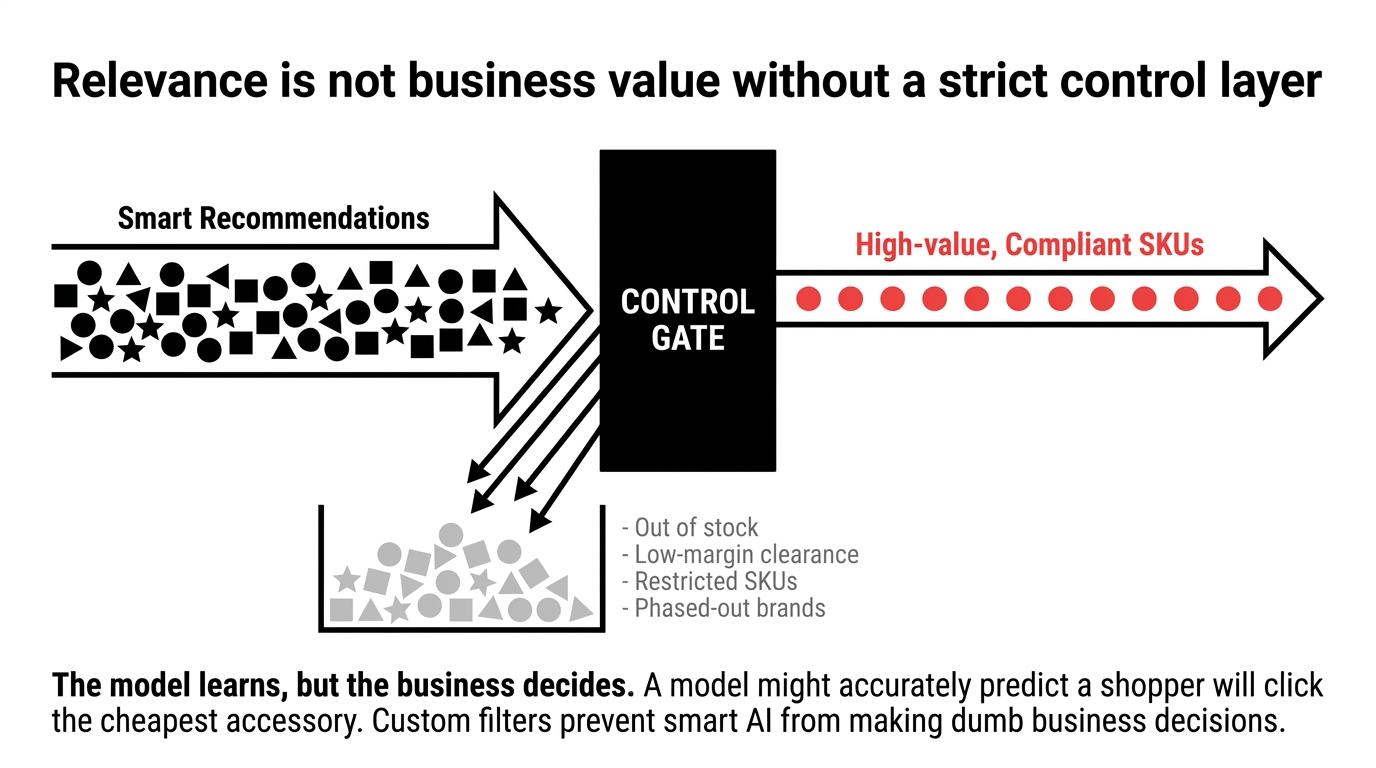
The control layer is where grown-up teams separate themselves from hobby projects. Yes, you want the model to learn. No, you do not want it recommending out-of-stock items, low-margin clearance goods, restricted SKUs, or products from a brand you are phasing out. AWS provides custom filters and business rules, which is exactly how you stop "smart" recommendations from making dumb business decisions.
Relevance Is Not Business Value
A model may correctly predict that a shopper will click the cheapest accessory in the category. That does not mean you should feature it everywhere. Recommendation quality needs guardrails from merchandising, inventory, margin, compliance, and security. Otherwise you are just automating randomness faster.
The Data It Lives On
Amazon Personalize generates recommendations primarily from interactions data, which AWS defines as event data between users and items. In practice, that means clicks, detail-page views, cart adds, purchases, and other behavior signals become the evidence the model uses to infer preference and intent.
For custom item-interaction datasets, AWS requires at minimum a user ID, item ID, and timestamp in Unix epoch format. AWS also supports reserved fields such as EVENT_TYPE, EVENT_VALUE, and IMPRESSION, plus contextual metadata fields like LOCATION and DEVICE. The combined count of optional interaction metadata fields and distinct event types is capped, and the maximum number of metadata fields excluding reserved fields like IMPRESSION is five.
The Ugly Truth in Plain English
If your event taxonomy is sloppy, your recommendation output will be sloppy too. If one team logs "view," another logs "product_view," and a third forgets to send timestamps correctly, you are teaching the system with broken sentences.
Garbage in. Expensive garbage out.
Bad titles, duplicate SKUs, inconsistent category labels, bloated descriptions, and dead products hanging around for months will all weaken the quality of what gets recommended.
Item metadata matters just as much. AWS says Personalize can use numerical item data such as price, categorical metadata such as color, creation timestamps, and unstructured text like product descriptions. That is powerful, but it is also where many catalogs embarrass themselves.
So before anyone talks about models, do the boring work. Standardize event names. Remove duplicate products. Decide which user traits belong in the system and which do not. Trim useless text. Stop sending mystery fields that nobody can explain. The fastest way to waste an ML budget is to treat data preparation like a side task.
Security Decisions Nobody Wants to Make
A recommendation engine can become a quiet data-risk engine if nobody owns boundaries. AWS allows contextual metadata such as LOCATION and DEVICE in interaction schemas, and it can also use unstructured text metadata from items. That means teams can feed the service rich context, but it also means they need discipline about what should never be sent in the first place.
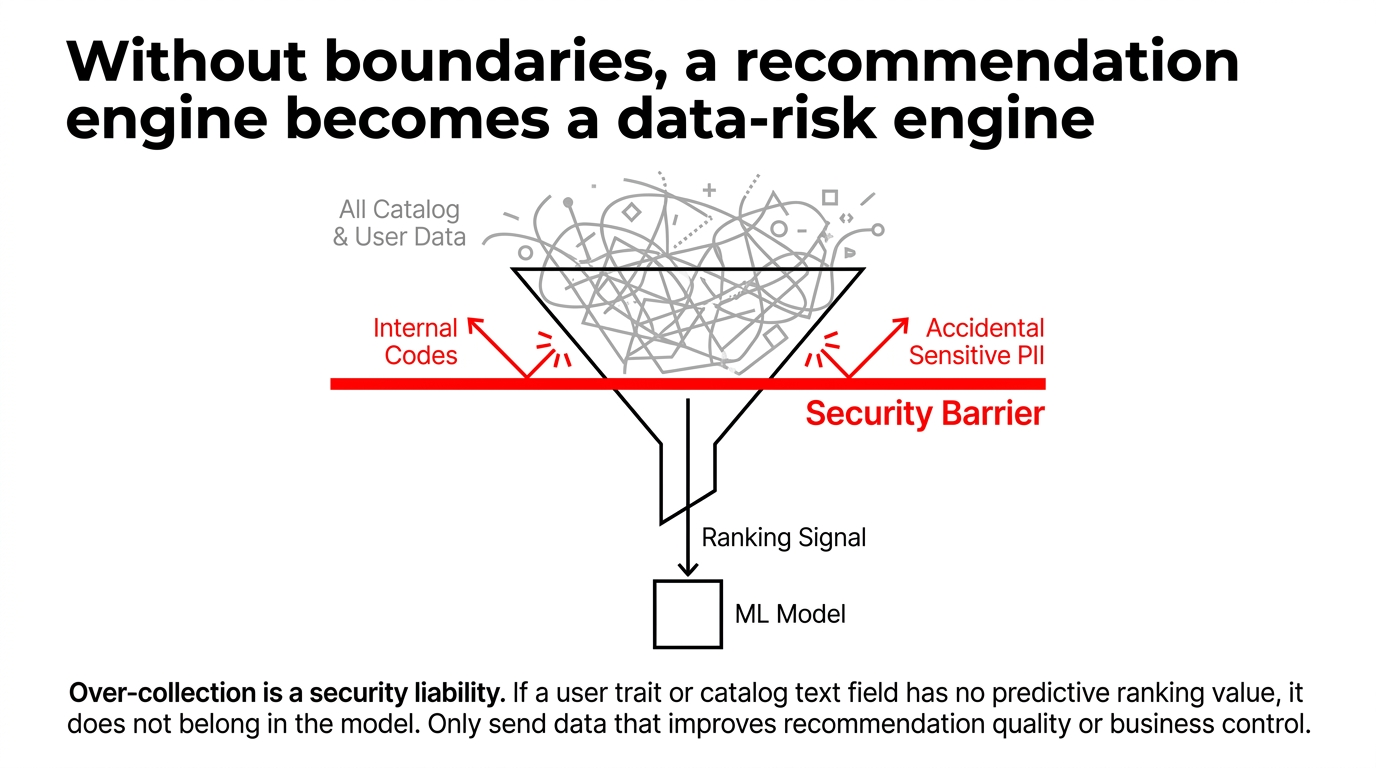
This is the part people avoid because it sounds less exciting than click-through lift. But security teams are usually the ones cleaning up after marketing, product, and data teams over-collect. If your product descriptions contain supplier notes, internal codes, or accidental sensitive text, and you expose that metadata downstream, the recommendation layer inherits the mess.
A Practical Rule
Only send data that improves recommendation quality or business control. Everything else is noise, cost, or liability. That includes event fields nobody uses, user attributes with no ranking value, and catalog text nobody has reviewed.
Over-collection is a security liability
If a user trait or catalog text field has no predictive ranking value, it does not belong in the model.
Business rules matter for security and compliance too. AWS demonstrates promotional filters and recommendation controls in its e-commerce walkthrough, which is the right pattern when some products should not appear in specific contexts. A security-minded e-commerce team should think beyond "promotions" and treat filters as policy enforcement: hide age-restricted products from the wrong audience, block products not available in a region, suppress items with inventory risk, and keep retired SKUs out of the experience.
One more hard truth: "real time" does not excuse weak access design. The more customer touchpoints you wire to recommendations, the more services, APIs, and operators touch event data. AWS says Personalize is used across websites, apps, search, and marketing channels, which means recommendation output can spread fast across your stack. If governance is loose, one bad data decision stops being local and starts being everywhere.
Build It Right: The Smart Rollout
The smart rollout is smaller than most teams think. Start with one high-intent placement, not ten. Product detail pages are usually a better proving ground than the homepage because the shopper's context is clearer and measurement is cleaner. Then add one session-aware placement and one business-controlled placement after the data contract is stable.
The Implementation Pattern
Create Dataset Group
Import interaction, item, and user data into a unified dataset group.
Configure Recommender
Select use case: "Most Viewed," "Recommended for You," or related-item patterns.
Apply Business Rules
Set promotional filters and controls for production behavior.
Enable Real-Time
Support live recommendation delivery updating from recent shopper activity.
The cost model is also worth understanding before anyone promises ROI in week one. AWS says Amazon Personalize pricing is usage-based, with charges tied to data processed and stored, model training compute, and recommendation throughput for serving results. Real-time recommendations are billed in TPS-hours, and enabling item metadata on recommenders adds an extra charge per 1,000 additional recommendations.
The Simple Implication
Do not spray recommendations everywhere just because you can. Put them where intent is strong and margin impact is real. Measure click-through, add-to-cart rate, average order value, revenue per session, and suppression effects from your filters. If a placement is noisy, kill it. The cloud bill does not care about your optimism.
Why Braincuber Approaches This Differently
We have deployed AI recommendation systems on AWS for brands across multiple industries. We do not start with the technology. We start with your revenue leak. Before we write a single line of code, we map exactly where your current recommendation setup fails, which events you are not capturing, and which customer segments you are serving identical content to.
The Teams That Win Are Not the Ones With the Fanciest Dashboards
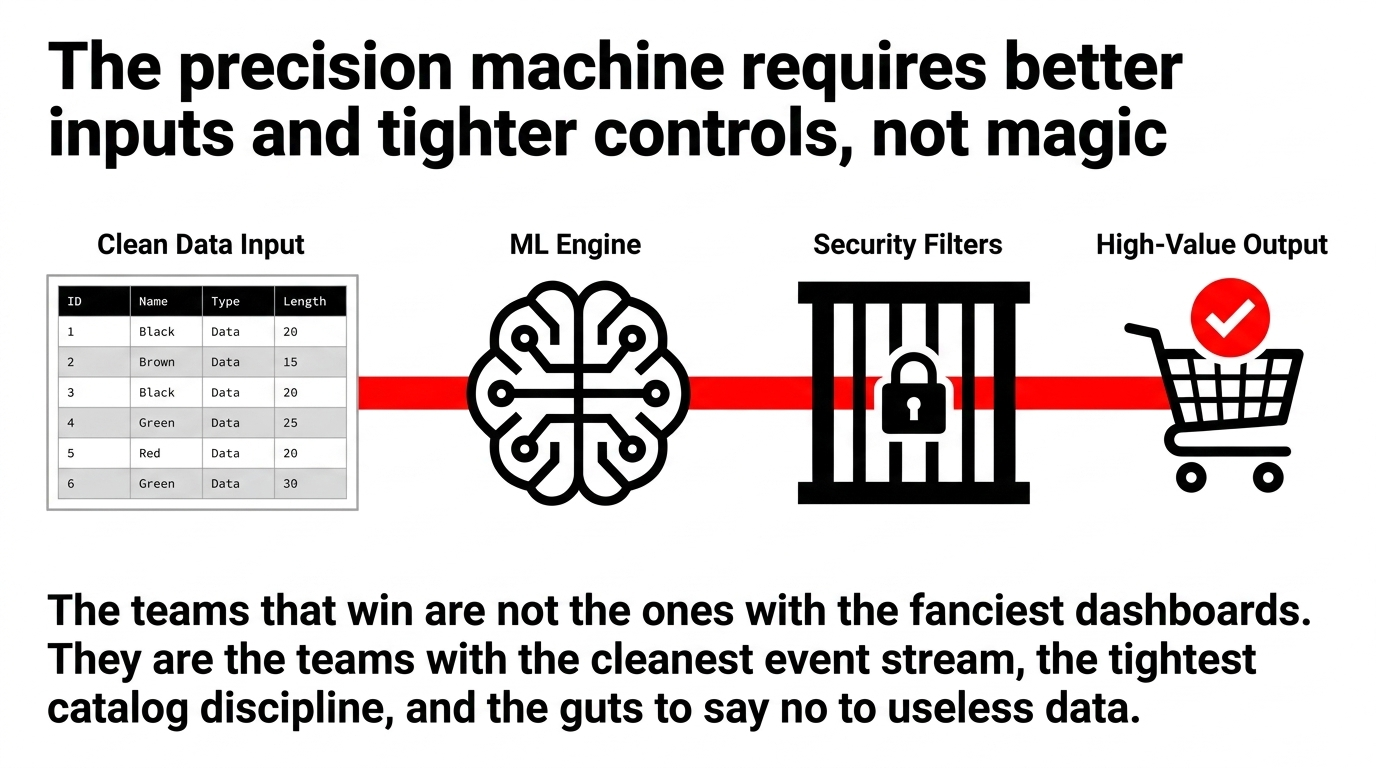
They are the teams with the cleanest event stream, the tightest catalog discipline, and the guts to say no to useless data. That is the story of recommendation systems in e-commerce. Not magic. Not buzzwords. Just better inputs, faster decisions, tighter controls, and fewer self-inflicted mistakes. Book our free 15-Minute AWS Consulting Audit and we will show you exactly where your current stack is leaking revenue. No pitch deck. Just data and actionable insights.
Frequently Asked Questions
Is AWS Personalize only for large e-commerce stores?
No. Amazon Personalize is a managed AWS service for building recommendation engines, so smaller stores can use it too if they have clean interaction and catalog data. The real constraint is not store size but data quality. A $50K/month store with 12 months of clean event data will outperform a $2M store feeding garbage into the model.
What data fields are mandatory to start with AWS Personalize?
For custom item interactions, AWS requires a minimum of three fields: user ID, item ID, and timestamp in Unix epoch format. You can add optional fields like EVENT_TYPE, EVENT_VALUE, IMPRESSION, LOCATION, and DEVICE, but the combined count is capped at five metadata fields maximum excluding reserved fields.
Can recommendations update during a live shopping session?
Yes. Some real-time personalization use cases in Amazon Personalize update recommendations from a shopper's recent activity after new interactions are recorded. A shopper who viewed sneakers five minutes ago and then pivoted to backpacks should not keep seeing sneakers for the next twenty minutes.
Can we block bad or unwanted recommendations from appearing?
Yes. AWS provides promotional filters and business rules to control which items are recommended. This is critical for preventing recommendations of out-of-stock items, low-margin clearance goods, restricted SKUs, or products from brands being phased out.
What drives the cost of running AWS Personalize the most?
Usage drives cost: data handling, training compute, and recommendation serving throughput. Real-time serving is billed in TPS-hours. Enabling item metadata on recommenders adds an extra charge per 1,000 additional recommendations. Do not spray recommendations everywhere just because you can.
Talk to a practice lead
Build this for your business?
We have shipped 50+ production AI agents for US enterprises since 2023 — SOC 2 Type II, audit logs, gated rollouts. Free 30-min architecture call below, no sales sequence.
Founder and CEO of Braincuber. Scopes Odoo, AI, and cloud projects for growing brands in India and abroad. Takes every founder call personally — no SDR layer between buyers and the people building the system.