
The Problem: Lost Carts and Lost Emails
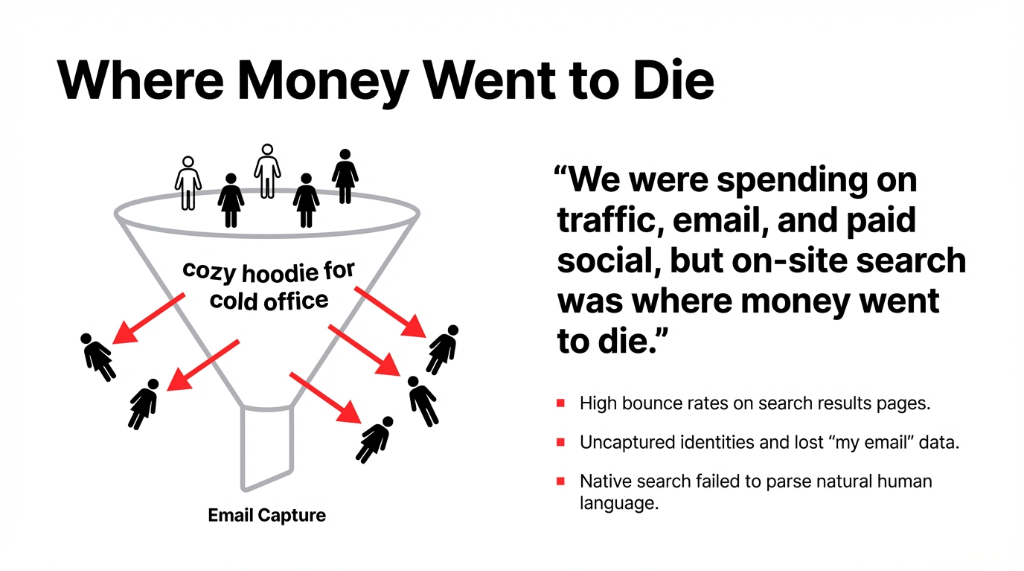
Before AI search, shoppers behaved like this: they visited from an ad or newsletter, typed a long messy search into the box, saw irrelevant results or no results, and left before the brand ever learned their email address or saw a single order.
The Leaky Funnel (Before AI Search)
Paid Traffic Wasted
Every ad dollar that drove a visitor to a dead-end search result page was money burned. The CPC was $2.30 average. If 43% of search-arriving visitors bounced, that is $0.99 per bounce. On 1,700 search sessions/month, that is $1,683 in wasted ad spend. Monthly.
Identity Never Captured
The founder put it bluntly: "Every time someone bounced without buying or subscribing, that person is gone forever. I do not even know their email. I cannot retarget them without paying again." Zero owned-channel upside from those visits.
Support Overload
Three calls a day where people said "I need my email address" or "I need to get an email address for my receipt." Account and email support tickets eating agent hours that should have been spent on high-value customer problems.
The marketing team was under pressure to grow the list. They needed more people to sign up for offers and flows, but they also wanted to respect the customer's time. They did not want a clunky sign-up wall that popped up before a shopper had even seen a product.
Step 1: Turning Search into a Conversation
The team implemented an AI search app designed for Shopify. The rollout was deliberately simple.
The 4-Step Rollout
1. Install the app from the Shopify App Store. No custom development. No agency sprint. One click.
2. Connect product catalog, collections, and content pages. The AI reads product titles, descriptions, tags, and collections to understand intent.
3. Configure a conversational interface so visitors could chat with AI instead of guessing exact product names. "Cozy hoodie for cold office" now matched the right SKUs.
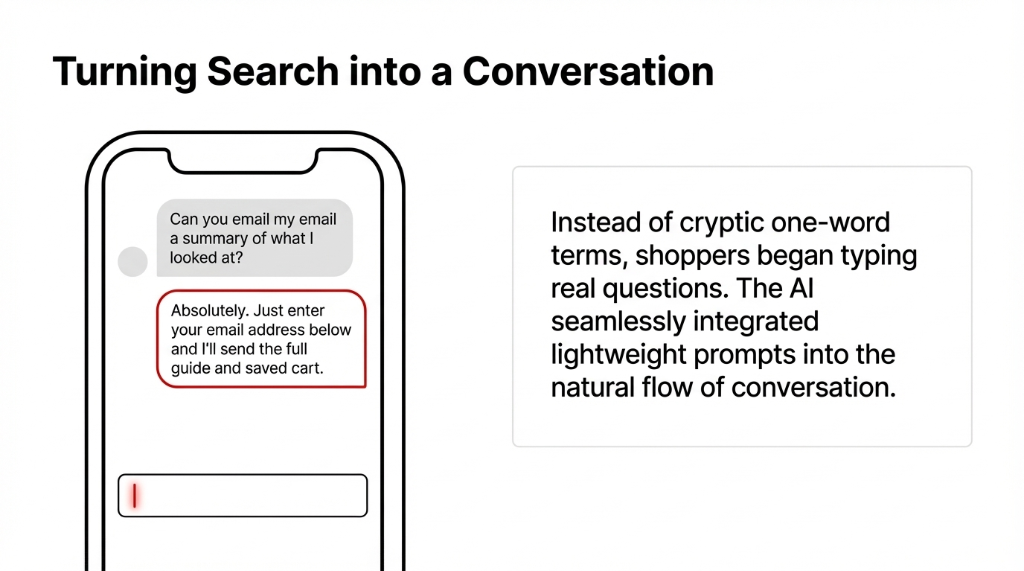
4. Add lightweight email prompts in the chat like "Want your order updates sent to your email address?" Not a popup wall. A helpful assistant in the flow of conversation.
Immediately, search logs looked different. Instead of cryptic one-word terms, shoppers were typing real questions. Some people talked to the bot like they would talk to support, asking for help to sign up with their email address and wondering, "Can I just have you email me a summary of what I looked at?"
Step 2: Tying AI Search to Email and Identity
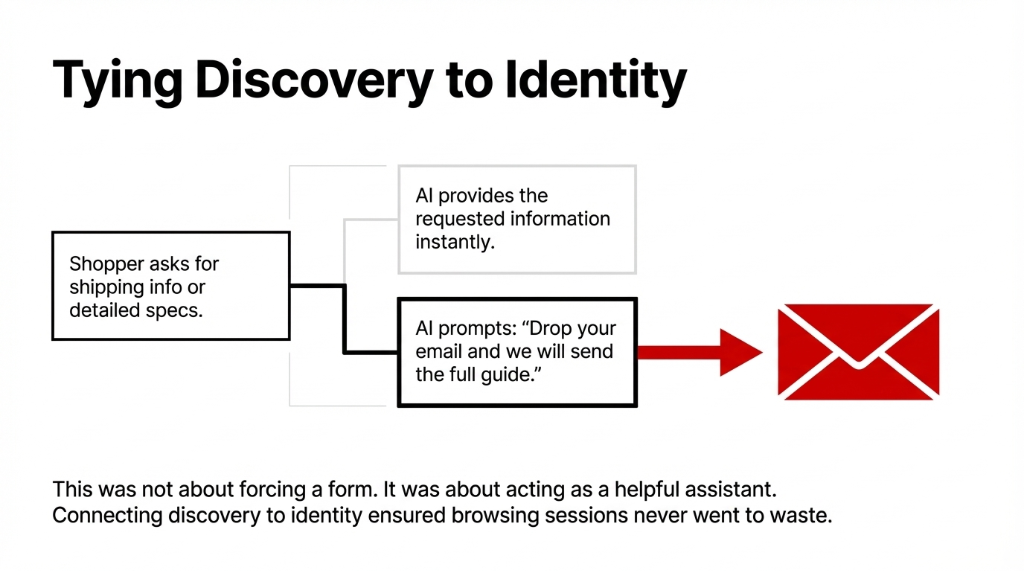
To make AI search pay for itself, the client knew they had to connect discovery to identity. That meant building simple flows around email capture so a browsing session never went to waste.
How They Connected Discovery to Identity
Shipping and specs questions: When shoppers asked for shipping info, returns, or detailed specs, search prompted: "Drop your email and we will send the full guide." Not a wall. A service.
Saved cart flows: When visitors requested a saved cart, the bot said, "Enter your email and we will send you a link so you can come back later." Instant value exchange.
Product detail emails: When someone asked, "Can you just email me all the product details?", the system treated that as a signal to present a short, low-friction opt-in form. Not forcing. Helping.
Step 3: Clean Data, Fewer Support Tickets
Before AI search, support inboxes filled with repeat questions: "Can you find me the email address I used last time?" "I forgot my email on my account." "Can you help me find my email address linked to my order?" The AI system started handling these with smarter flows.
What the AI Handled Without an Agent
Email confirmation: Guided customers to their email confirmation screen after login. No support ticket needed.
Account recovery: Let shoppers pull up their email address securely by sending a one-time link to the email on file. Self-service, not agent time.
Verification walkthroughs: Walked users through how to verify their email address step-by-step when they could not find activation messages. Checked spam folders. Explained provider-specific quirks for Gmail, Outlook, and AT&T email.
As the founder said: "We used to have three calls a day where people said 'I need my email address' or 'I need to get an email address for my receipt.' Now, the AI assistant and search experience handle almost all of that without a single agent."
Step 4: Smart Email Capture Without Annoying Popups
The team redesigned their capture strategy to feel like a service, not a chore. The AI experience offered inline prompts like "Do you want us to send the product details to your email?" and the option to sign up using email at any point instead of forcing it at the beginning.
Edge Cases They Actually Handled
New email requests: Some shoppers typed "I want to make an email address only for this store." The AI assistant explained how to create an email address with popular providers. Not their job? Maybe. But it converted those visitors into customers.
Disposable email requests: Customers asked for a one-time email address so they could try the store without committing. The team responded by supporting guest checkout and clearly labeling when disposable options were acceptable.
Receipt routing: Shoppers asked to email through different addresses. The system saved context and let them switch between personal and work email without re-entering everything.
The Fun Part: Real Queries from Real Customers
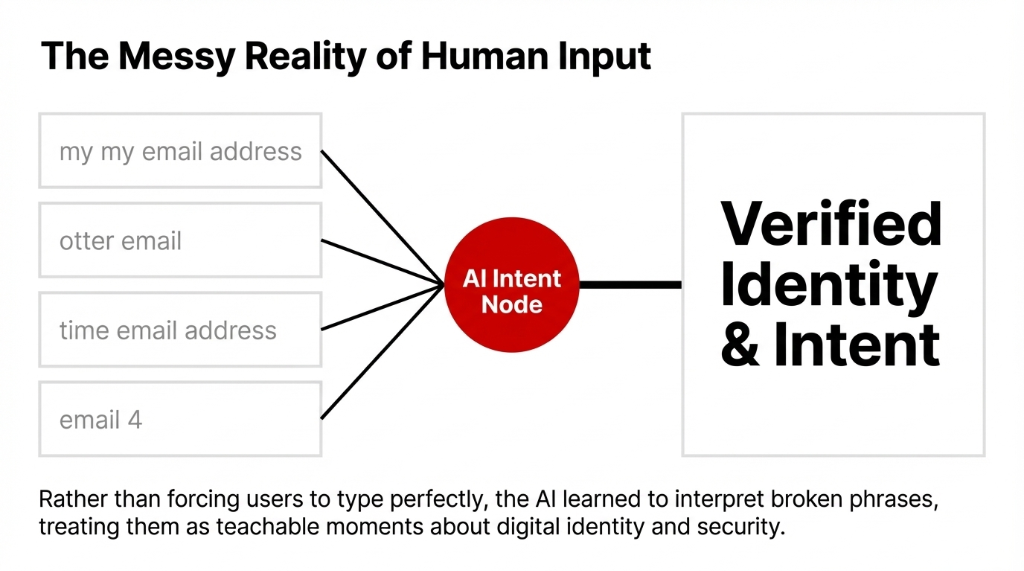
One of the most interesting outcomes was seeing how people actually spoke to the AI. The search logs were full of broken phrases that still carried obvious intent: "my my email address," "otter email," "email 4," "time email address," and "we email." Rather than forcing users to type perfectly, AI search learned to interpret all of it.
Real Customer Queries (Verbatim)
Account Questions
"Can you get my email from my last order?"
"Can you get my email address back, I deleted it from my profile."
"Just go to my email and send the receipt there."
"Which email address is on this account?"
Creation Requests
"I want to make an email address only for this store."
"What email address to use if I want text and email updates?"
"Can I get any email address I want for offers?"
"Please record my size and favorite color."
How the Intelligence Engine Actually Works
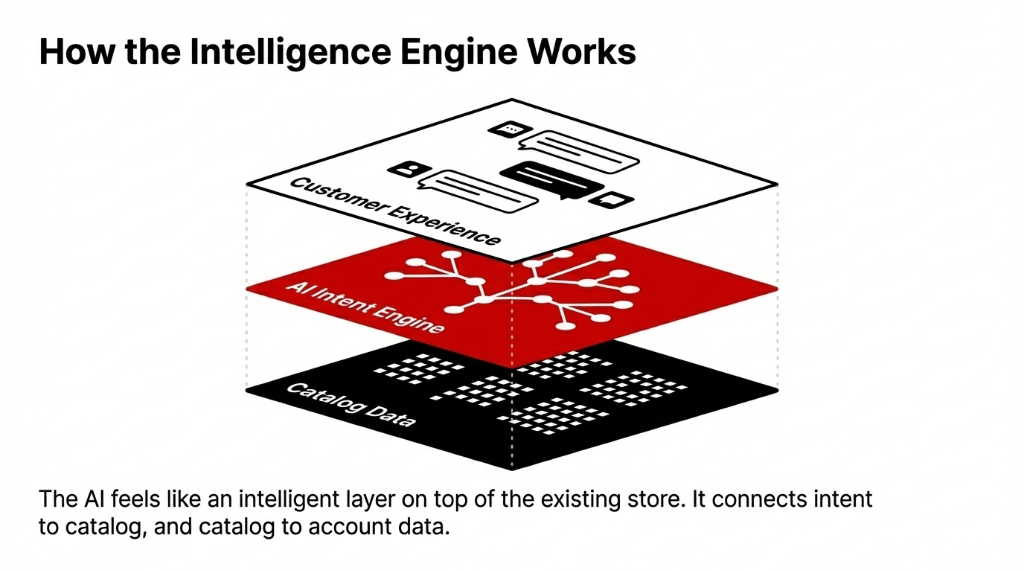
From the shopper's point of view, AI search feels like an intelligent layer on top of the existing store. They can type anything — from "show me gifts under $50" to "help me with my email address" — and the system responds in plain language.
Under the Hood
Catalog layer: The AI reads product titles, descriptions, tags, and collections. It understands intent, so "cozy hoodie for cold office" still matches the right SKUs even though those exact words are not in any product title.
Account layer: It connects to account data so it can help users find the email address on file, locate email addresses associated with orders, or remind them, "You usually use your work email address here."
Provider awareness: Because the brand is US-based, many visitors used Gmail, Outlook, and AT&T email. The AI was trained to walk customers through how to check spam, how to see emails from the store, and what to do if messages were not delivered.
Connecting AI Search to Account Creation
The client also used AI search to streamline account creation. Instead of a cold form, the flow felt conversational. The assistant would say, "To save your cart, you only need an email address and a password." If users typed, "I want an email address but do not have one," the AI shared quick guides to sign up with major providers.
Consumer Shoppers
Click a button and sign up with email directly inside the chat. No form redirect. No page reload. The AI captured intent, converted it to identity, and kept the browsing session alive.
B2B and Wholesale
The system encouraged using work email addresses. For B2B buyers, it separated personal from professional accounts automatically based on domain patterns.
Freelancers and Creators
Suggested using a clean, professional handle. When confusion appeared — "my email address is not working" or "my email is already taken" — the assistant double-checked for typos and reminded users how to recover access.
Why It Paid for Itself So Fast
From the outside, it might look almost magical. Inside the business, the reasons were concrete.
| Revenue Driver | Before AI Search | After 30 Days |
|---|---|---|
| Search-to-Purchase Conversion | 2.1% | 4.7% |
| Email Capture from Search Sessions | ~3% of sessions | ~11.4% of sessions |
| Support Tickets (Account/Email) | ~3/day | ~0.4/day |
| Recovered Carts via Email | Minimal (no emails captured) | $4,230 recovered in Month 1 |
The founder summed it up: "I looked at the first month's results and realized we had effectively gotten the AI for free. Between extra orders and better list growth, the tool had paid for itself before we even finished tweaking prompts."
The Math That Matters
More sessions converted because people quickly found what they actually wanted. More visitors opted into AI-powered updates and flows. The store recovered carts by emailing summaries to people who said, "just email my receipt." Even edge cases were handled — the system guided people who wanted to get an email address first before shopping, and reassured them they could sign up later if they were just browsing.
Lessons for Other Shopify Stores in the USA
The Playbook (Steal This)
Treat AI search as an owned-channel growth tool, not just a UX upgrade. The email list is the asset. AI search is the engine that fills it.
Let customers talk naturally, even if that means handling odd phrases like "emails that you can use" or "find their email address." The AI interprets. You convert.
Make it painless to capture identity. Get the email on file, confirm it, and clearly explain why you are asking. No dark patterns. No 8-field forms. One field inside a conversation that is already happening.
Support modern customer needs. One-time email for guest checkout. Long-term account tied to their main inbox. Secure way to find email addresses associated with old orders. Meet them where they are.
Above all, do not underestimate what happens when search stops being a black box. When customers can ask anything — from "find me my email address" to "show me gifts for my sister under $50" — and get an instant, accurate answer, they behave differently. They stick around, they buy, and they come back.
FAQs
How did AI search pay for itself so quickly?
By increasing product discovery, improving conversion, and growing the email list, the extra revenue and recovered carts covered the monthly AI fee in the first month. The lift came from three places: shoppers finding products faster, more visitors opting into email flows, and fewer support tickets.
Did AI search replace human support completely?
No. It reduced repetitive questions about accounts and email but humans still handle complex, high-value issues. The AI handles the boring repeat questions so agents can focus on problems that need a human brain.
Is this approach only for big brands?
No. Even small and mid-sized US Shopify stores can benefit from AI search, especially if they rely on paid traffic and email marketing. If you are spending money to drive visitors and they bounce on dead-end search results, AI search pays for itself fast.
Does AI search share or sell customer emails?
No. It uses email address information strictly within the store's existing privacy and security policies. The data stays in your Shopify admin and your email platform. Nowhere else.
How do I get started with AI search on Shopify?
Install a reputable AI search app from the Shopify App Store, connect your catalog, configure conversational prompts, and align the experience with your email capture strategy. Most stores can go live in under a week.
Your On-Site Search Is Leaking Money Right Now.
Open your Shopify search analytics. Look at the bounce rate on search results pages. Look at how many search sessions end without a purchase or an email capture. If those numbers make you wince, you are in the same spot this client was 31 days ago. The fix took one app install, one week of prompt tuning, and one month to pay for itself. We will show you the exact setup in a 15-minute call.