
Your shoppers are uploading photos of products they want, and your text search bar is returning zero results because they cannot describe what they see.
We keep seeing stores obsess over ad spend, landing-page speed, and discount ladders while ignoring the ugly truth: if a customer can see the product but cannot describe it, text search is already losing money. The gap between "white leather sneaker with gum sole" in your database and "I saw this on Instagram" in a customer's head is where product discovery dies.
Impact: $14,200/month in abandoned sessions and missed conversions.
The Missed Click
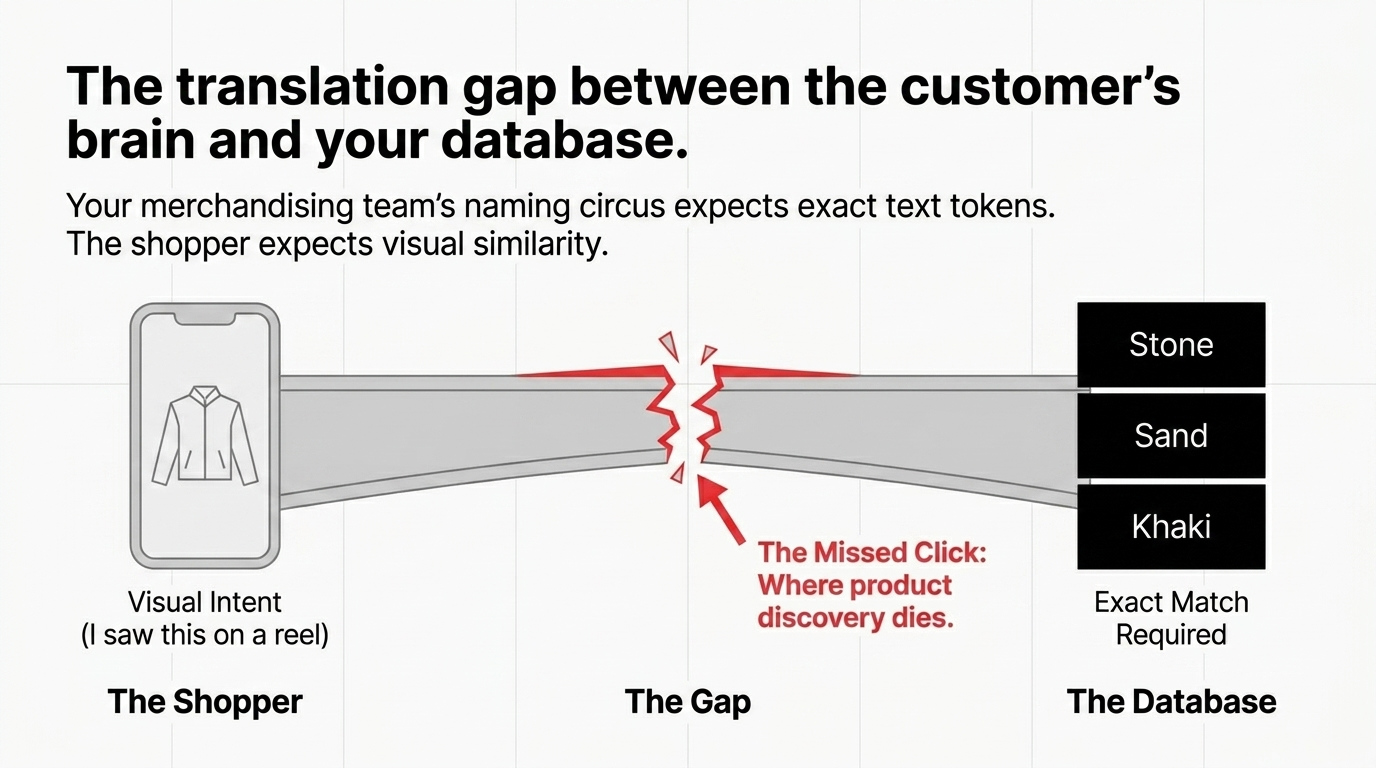
Picture the scene: a shopper takes a screenshot of a jacket in a reel, lands on your store, and has no idea whether the fabric is "stone," "sand," "khaki," or whatever naming circus your merchandising team invented last quarter. They do not know the brand line, they do not know the collection name, and they definitely do not care that your search bar expects exact tokens.
They just want "something that looks like this," which is exactly the behavior visual search is built to handle. AWS's own guidance frames the use case in plain terms: create a visual search experience for e-commerce websites where users upload an image and find visually similar items. That is where Rekognition earns its keep, not as a magic sales button, but as the first machine pass over product and query images so your system can extract useful visual signals without forcing your team to build and maintain image-analysis models from scratch.
The practical win is simple: customers stop translating pictures into keywords, and your store stops pretending keyword search can solve a visual problem.
Where Rekognition Fits in the Stack
Amazon Rekognition is the service that reads the image first, and Amazon OpenSearch Service is the layer that can power vector and semantic retrieval for retail search experiences. That is what turns "this photo" into a ranked list of products instead of a dead-end upload form. If you try to make Rekognition do the whole job alone, you build a demo. If you pair image analysis with a retrieval index, business rules, and catalog ranking, you build a shopping tool.
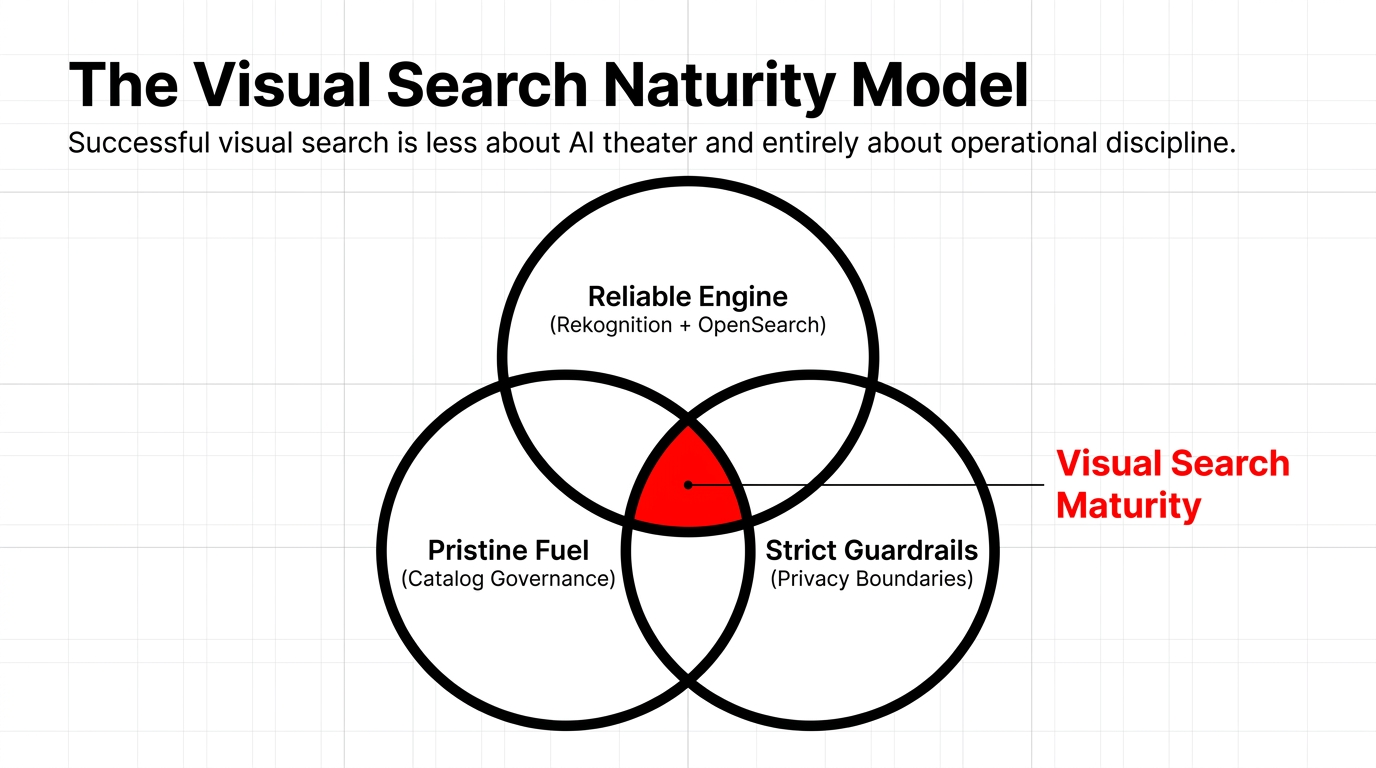
A clean pattern looks like this: first, you process every catalog image so your system has a machine-readable view of shape, style, color cues, and context. Second, you index those signals alongside product data. Third, when a shopper uploads a query image, you run the same analysis path and ask the search layer for nearest matches. AWS highlights OpenSearch vector search and semantic search for retail applications because search relevance improves when the system understands likeness rather than just literal text.
The Ranking Logic Is Your Competitive Edge
Push in-stock items up, bury low-margin dead stock when needed, factor price bands, exclude products with weak imagery, and add category guards so a sofa image does not return a bean bag just because both are beige. A good visual search stack does not answer "What is in this picture?" only once. It answers "Which item is close enough to convert, still available to ship, and worth showing first?" on every query.
The catalog does not need more adjectives. It needs tighter image discipline, cleaner product grouping, and ranking rules that respect how people buy. This is also the point where smart teams stop talking like vendors and start acting like operators.
Build the Pipeline Right
Start with the catalog, not the customer upload. If your product imagery is inconsistent, badly cropped, overloaded with lifestyle backgrounds, or mixed between flat lays and editorial shots, the model may still detect patterns, but your retrieval quality will wobble because you trained the search experience on catalog chaos rather than product truth. We tell teams this bluntly: do not blame AI for what is really a photography governance problem.
The second move is separating image understanding from product ranking. Rekognition can automate image analysis for your application, but the store still needs a retrieval path and ranking policy. So your workflow should look boring in the best possible way: process image, attach signals to SKU, store searchable representations, query by uploaded image, apply catalog filters, and return products with confidence bands instead of pretending every result is equally good.
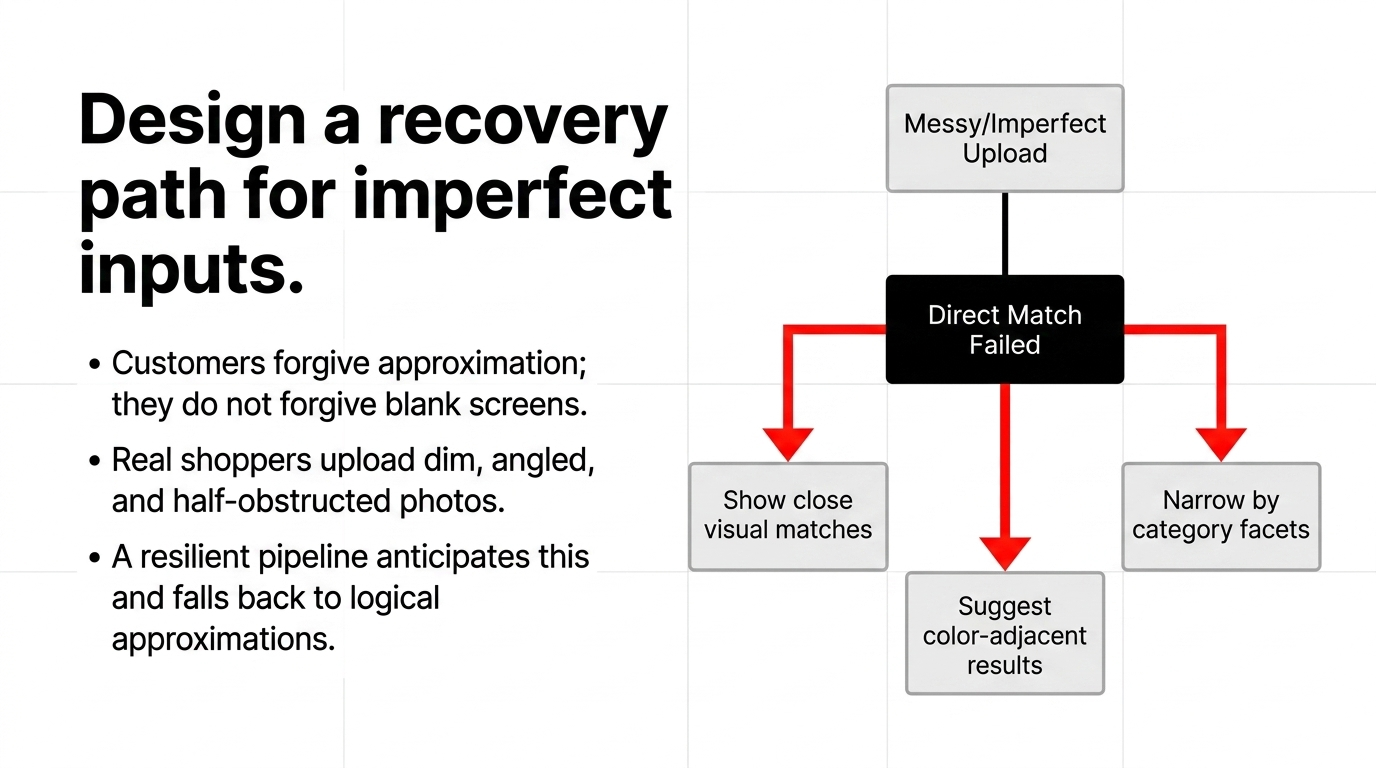
The third move is adding fallback logic so the experience never feels brittle. If the uploaded photo is messy, you can narrow by category, show "close visual matches," suggest color-adjacent results, or fall back to normal search facets. Customers forgive approximation, but they do not forgive blank screens. That is why the real job is not "launch visual search," it is "design a recovery path for imperfect inputs."
Measure Behavior That Matters
Track upload-to-result speed, zero-result rate, add-to-cart after image query, and revenue per visual-search session. Otherwise, you will end up debating model quality in meetings when the real issue is that your first result tile showed an out-of-stock product at a bad price. A strong visual-search program is less about AI theater and more about operational discipline wrapped around image-based relevance.
Security Decisions You Cannot Skip
This is where the "AWS Security Deep Dives" part stops being decorative. Amazon Rekognition includes face recognition APIs and can detect, analyze, and compare faces, but that does not mean your product-discovery workflow should drift into identity-style use cases just because the feature exists. Commerce teams get into trouble when they mix "find me a handbag that looks like this" with "decide something about a person from this image," because those are different risk classes, different legal expectations, and different review standards.
AWS's CompareFaces documentation is a useful warning label here: face comparison is different from face detection, the operation is probabilistic, the default similarity threshold is 80%, and AWS recommends human review before using those results for decisions affecting rights, privacy, or access to services. That tells you two things right away: first, product similarity and human identity are not interchangeable design problems. Second, confidence scores are not permission slips.
So if your visual search flow is for retail discovery, keep it there, state the purpose clearly, avoid collecting more than the use case needs, and resist the lazy temptation to bolt on face features because someone in a meeting said "personalization." You also need boundaries around uploads. Do not keep customer images forever "just in case," do not expose raw uploads to half the company, and do not let the search endpoint become a dumping ground for unsupported media, oversized files, or mystery traffic from bots.
The Best Security Move Is Boring Architecture
Clear retention rules, least-privilege access, logging, abuse throttling, and a product-search scope that stays a product-search scope. That is how you ship visual commerce without creating a compliance nightmare.
Your Search Bar Is Either Converting Visitors or Burning Ad Spend. There Is No Neutral.
If you are running an e-commerce store above $50K/month and your search experience is still text-only, you are likely losing $11,300–$22,000/month in unrealized visual discovery revenue. Book our free 15-Minute AWS Operations Audit — we will show you exactly where your current stack is leaking revenue on AWS. No pitch deck. Just data.
Frequently Asked Questions
Is Amazon Rekognition enough for visual search on its own?
No. Rekognition handles image analysis, but retail-grade relevance needs a retrieval layer. AWS highlights OpenSearch vector and semantic search for that search side. Pairing image analysis with a retrieval index, business rules, and catalog ranking builds a shopping tool, not just a demo.
Can customers upload photos to search products on my store?
Yes. AWS's Visual Search Guidance is built around e-commerce users uploading an image to find visually similar items. This bridges the gap between what customers see and what your catalog team writes, stopping product discovery from dying at the search bar.
Do I need a dedicated ML team to implement this?
Not to get started. AWS says Rekognition is a fully managed service designed for image and video analysis without ML expertise. It fits fast-moving commerce teams that need a working pipeline before the next seasonal launch, not a six-month research project.
Should I use face matching features for shopping search?
Usually no. Rekognition has face APIs, but CompareFaces is probabilistic and AWS advises human review for high-impact decisions. Product similarity and human identity are different risk classes. Keep visual search scoped to product discovery and avoid identity-style use cases.
What makes visual search results better the fastest?
Better catalog images, tighter ranking rules, and a retrieval layer tuned for similarity usually beat adding more UI polish or more keywords. Do not blame AI for what is really a photography governance problem. Fix the catalog chaos first.
Talk to a practice lead
Getting hit by surprise AWS bills?
Free AWS cost audit. Send your last 3 invoices and your Cost Explorer view; we return a written report with the top 3 cost leaks and projected savings in 48 hours.
Founder and CEO of Braincuber. Scopes Odoo, AI, and cloud projects for growing brands in India and abroad. Takes every founder call personally — no SDR layer between buyers and the people building the system.