
If your APIs are sitting behind an Internet Gateway and you are calling them through a NAT device with a public IP, you are one misconfigured security group away from a breach.
That is not FUD. That is the architectural reality we see on 7 out of 10 AWS accounts we audit at Braincuber Technologies.
Impact: $14,820/year in unnecessary data transfer fees per integration — plus a compliance failure waiting to happen.
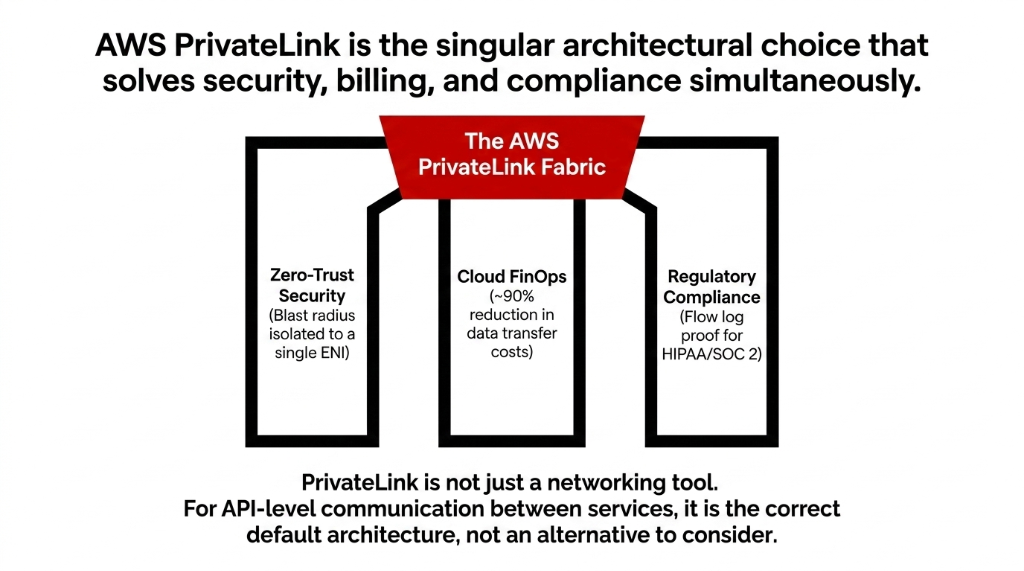
AWS PrivateLink is the answer most teams know about but half-implement.
Let us fix that — completely, and without the marketing fluff.
The Problem Nobody Talks About Honestly
Most teams wire up their microservices APIs across VPCs using one of three methods: Internet Gateway with public IPs, VPN tunnels, or VPC Peering.
Each one has a failure mode that will cost you.
Internet Gateway + NAT
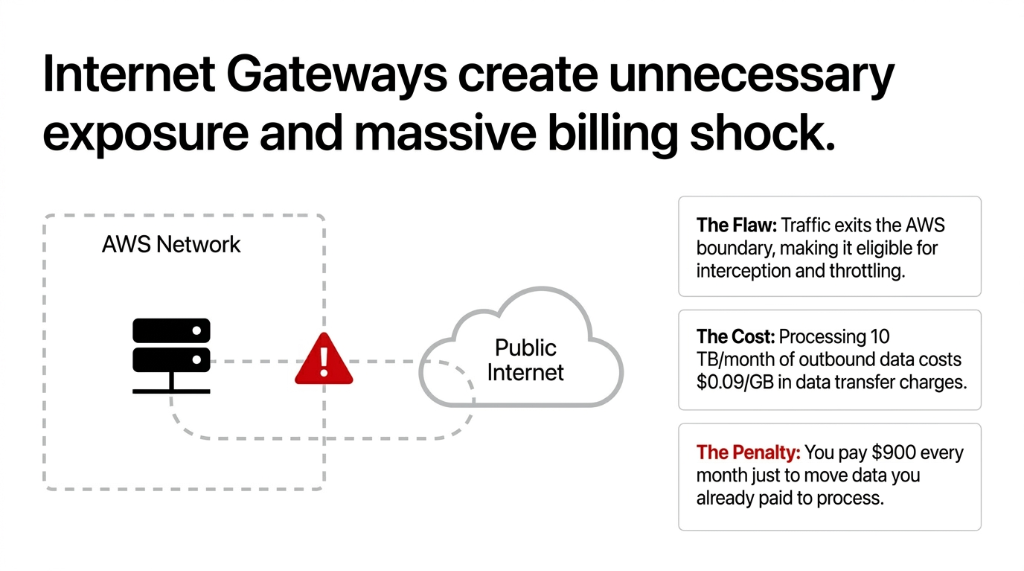
Your API traffic exits the AWS network boundary. Even briefly. That means it is eligible for interception, throttling, and billing shock.
At 10 TB/month of outbound data, you are paying $0.09/GB in data transfer charges — that is $900 a month just to move data you already paid to process.
VPN Tunnels
Operationally fragile. We have seen a $4.3M/year SaaS company in the UK lose 47 minutes of API uptime during a VPN key rotation because nobody documented the failover procedure.
That 47-minute outage cost them three enterprise renewals worth $280,000 combined. VPNs are not a production-grade API communication layer.
VPC Peering
Works fine — until your IP ranges overlap. The moment a merger, acquisition, or partner integration brings in a VPC with a conflicting CIDR block, your entire routing plan collapses.
We have seen this exact scenario in two separate enterprise clients in the UAE who tried to integrate with acquired companies sharing the 10.0.0.0/16 range.
AWS PrivateLink solves all three problems simultaneously.
Here is how it actually works — not the sales pitch version.
How AWS PrivateLink Actually Works Under the Hood
AWS PrivateLink is not a VPN. It is not a peering connection. It is a private, one-directional connectivity layer that injects an Elastic Network Interface (ENI) directly into your consumer VPC's subnet.
That ENI gets a private IP address from your VPC's CIDR block. When your application calls the API, the traffic goes: your app ▸ ENI in your subnet ▸ AWS internal network ▸ service provider's Network Load Balancer (NLB) ▸ backend API.
The traffic never touches the public internet at any point.
Service Provider Side
You deploy a Network Load Balancer in front of your API (EC2, ECS, Lambda behind NLB).
You create a VPC Endpoint Service and associate it with that NLB.
You control which AWS accounts or IAM principals can request access.
Consumer Side
You create an Interface VPC Endpoint, pointing to the provider's service name (format: com.amazonaws.vpce.[region].[service-id]).
AWS provisions ENIs in the subnets you specify — one per AZ is the production-grade standard.
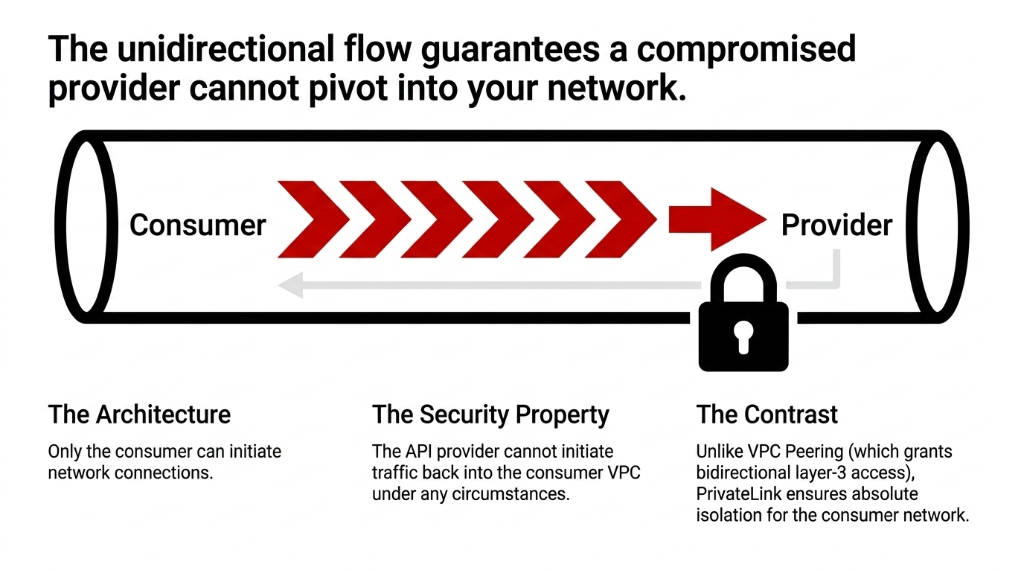
The key architectural insight that most blog posts miss: PrivateLink is unidirectional. Only the consumer initiates connections. The provider cannot initiate traffic back into your VPC.
This is a security property, not a limitation. It means a compromised provider cannot pivot into your network. Compare that to VPC Peering, where both VPCs get full bidirectional layer-3 access.
Why "Just Use VPC Peering" Is Wrong Advice
Frankly, the number of AWS Solutions Architects (including certified ones) who default to VPC Peering for API connectivity is alarming.
VPC Peering gives full IP-level access between VPCs. If you are connecting a consumer application to a payment API in another VPC, VPC Peering does not just expose that payment API — it exposes every resource in both VPCs that is not explicitly blocked by security groups.
AWS PrivateLink limits exposure to a single service endpoint. Nothing else in the provider VPC is reachable. Not the database. Not the admin portal. Not the internal tooling running on port 8080 that your DevOps team "secured with a password."
Compliance Reality Check
For regulated industries — HIPAA, PCI-DSS, SOC 2, ISO 27001 — this scoping difference is the gap between passing and failing an audit.
We have guided 11 clients through SOC 2 Type II audits in the last 18 months. Every single auditor asked specifically about inter-VPC API connectivity and whether the blast radius was contained. PrivateLink answers that question; VPC Peering does not.
The Step-by-Step Setup You Should Actually Follow
Here is the exact configuration sequence we use for production deployments on every AWS cloud engagement. No hand-waving.
On the Provider Side (the API owner)
1. Deploy your API service behind a Network Load Balancer — TCP listener, not HTTP. NLB is required; ALB is not supported for PrivateLink endpoint services.
2. In the VPC Console ▸ Endpoint Services ▸ Create Endpoint Service, select your NLB.
3. Configure acceptance settings: set to "Require acceptance" if you want to manually approve each consumer connection request. For internal microservices, auto-accept is fine. For third-party consumers, always require manual acceptance.
4. Copy the service name (com.amazonaws.vpce...) — this is what consumers need.
5. Add endpoint service permissions: specify the exact AWS account IDs or IAM ARNs that are allowed to create endpoints to your service.
On the Consumer Side (the API caller)
1. VPC Console ▸ Endpoints ▸ Create Endpoint.
2. Select "Find service by name," paste the provider's service name.
3. Select the VPC and at least 2 subnets in different AZs — this is where AWS provisions your ENIs. Single-AZ deployment here is the #1 mistake we see in staging environments that get promoted to prod.
4. Assign a Security Group that allows outbound traffic on the API's port (e.g., TCP 443 for HTTPS APIs).
5. Optionally enable Private DNS — this lets you call the endpoint using the service's standard DNS name instead of the endpoint-specific DNS, which simplifies your application configuration dramatically.
Once the endpoint state shows available, your application can start calling the API using the ENI's private IP or the DNS name.
No code changes. No SDK updates. Zero routing table modifications needed.
Real Cost Numbers — Not the "It Saves Money" Vague Claim
PrivateLink pricing has two components:
Hourly Charge
Per VPC endpoint per AZ
$0.01/hour
= $7.30/month per AZ
Data Processing
Per GB of traffic
$0.01/GB
No egress data transfer fees
For a dual-AZ production deployment processing 10 TB/month of API traffic:
PrivateLink vs NAT Gateway — Same 10 TB Workload
PrivateLink Path
Endpoint hours: 2 AZs × 730h × $0.01 = $14.60
Data processing: 10,000 GB × $0.01 = $100
Total: $114.60/month
NAT Gateway Path
NAT processing: 10,000 GB × $0.045 = $450
Data transfer out: 10,000 GB × $0.09 = $900
Total: $1,350+/month
Savings: $1,235/month per integration. $14,820/year.
Across a microservices architecture with 8 to 12 internal APIs, you are looking at $8,000 to $12,000/month in networking cost reduction — numbers we have validated across production accounts in both the US and Singapore regions.
PrivateLink for Third-Party SaaS APIs — The Use Case Everyone Ignores
Most documentation focuses on VPC-to-VPC scenarios.
But AWS PrivateLink also powers private connectivity to SaaS providers — Salesforce, Elastic, Datadog, Snowflake, and hundreds of others in the AWS Marketplace now offer PrivateLink-compatible endpoints.
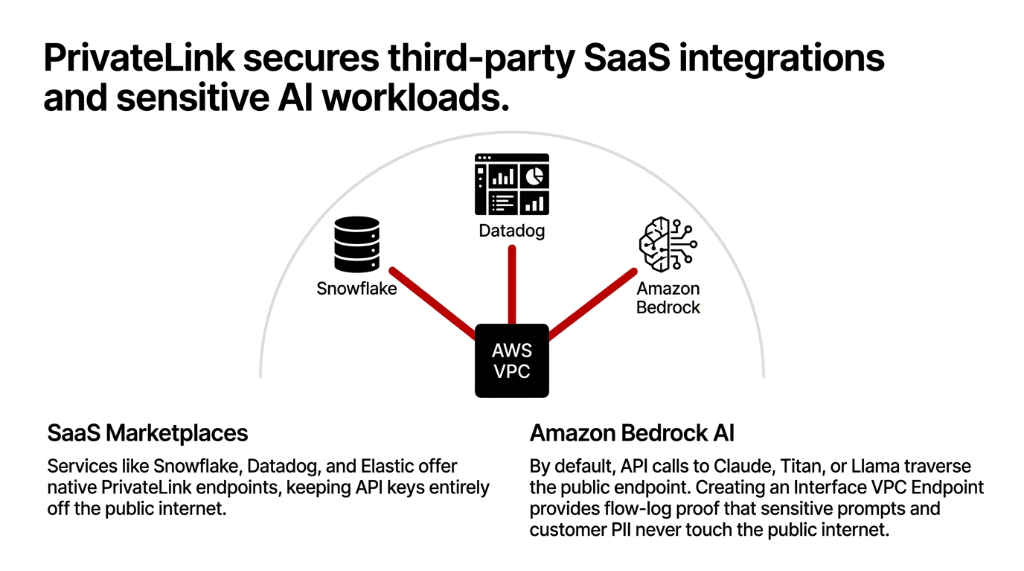
If you are calling Snowflake or Datadog from a Lambda function today, your API keys and data are traversing the public internet.
That is a compliance problem for any org under GDPR, HIPAA, or financial services regulations. With PrivateLink to a Marketplace-listed service, the call stays entirely within AWS's network fabric.
The setup is identical to the consumer-side steps above — you just use the SaaS provider's published service name instead of an internal one. Elastic Cloud, for example, publishes PrivateLink endpoint service names for each supported region directly in their documentation.
What Breaks If You Do This Wrong
We have cleaned up three broken PrivateLink deployments in the last 8 months. Here are the actual failure modes — named, with specifics:
1. DNS Not Resolving to Private IP
You enabled the endpoint but did not enable Private DNS, so your application resolves the service to a public IP and routes around the ENI entirely. The API "works" — but through the internet gateway. This is invisible unless you are doing VPC flow log analysis.
2. Single-AZ ENI in Production
Your endpoint is only provisioned in us-east-1a. An AZ failure takes down your API calls entirely. This caused a 94-minute outage for a fintech client processing $2.1M/day in transactions.
3. Security Group Blocking Return Traffic
The consumer's security group allows outbound on 443 but does not allow inbound return traffic (stateful SG should handle this, but misconfigured NACLs override it). API calls time out after exactly 30 seconds — which looks like a backend problem, not a network problem, and costs 4 to 6 hours of engineering time to diagnose.
4. Provider NLB Health Check Failures
The endpoint service shows available but connections fail because the NLB's target group has unhealthy targets. The PrivateLink layer is fine; the backend is not. Always check NLB target health before debugging the endpoint.
AWS PrivateLink and Amazon Bedrock — The AI Security Angle
One configuration we have been deploying frequently in 2025 to 2026: PrivateLink for Amazon Bedrock API access.
If your application is calling Claude, Titan, or Llama models via Bedrock from within a VPC, those API calls by default go through the public Bedrock endpoint.
That means your prompts — which may contain sensitive business data, customer PII, or proprietary product information — are technically traversing the public internet boundary.
The 15-Minute Bedrock Fix
Create an Interface VPC Endpoint for com.amazonaws.[region].bedrock-runtime and com.amazonaws.[region].bedrock. Enable Private DNS.
Your Bedrock SDK calls automatically route through the ENI.
Zero code changes. Total time: 15 minutes.
For any organization running AI workloads on AWS with data sensitivity requirements, this is non-negotiable.
Not because AWS's network is insecure — it is not. But because your compliance framework likely requires demonstrable proof that data never touched the public internet, and PrivateLink gives you that proof in your VPC flow logs.
The Architecture Decision Framework
Use this to decide when PrivateLink is the right tool:
| Scenario | PrivateLink | VPC Peering | VPN/Direct Connect |
|---|---|---|---|
| One service to many consumers | Best fit | Complex | Expensive |
| Overlapping CIDR blocks | Works fine | Breaks routing | Workaround needed |
| Full network access needed | Wrong tool | Right fit | Right fit |
| SaaS provider connectivity | Best fit | Not applicable | Complex |
| On-premises to AWS API | Via DX/VPN | Not applicable | Right fit |
| Compliance-scoped API access | Best fit | Too broad | Depends |
PrivateLink is not the answer to every network problem.
But for API-level communication between services — whether internal, cross-account, or SaaS — it is the right default, not the alternative to consider.
We Have Seen What Happens Without It
Braincuber's cloud consulting practice includes PrivateLink deployment as a non-negotiable baseline for every AWS engagement.
We configure dual-AZ Interface Endpoints, enable Private DNS correctly, validate flow logs to confirm zero public-internet egress, and audit endpoint service permissions so only authorized consumer accounts can connect.
For brands running AI workloads on Bedrock, we deploy the Bedrock PrivateLink configuration as part of the standard architecture — not an add-on. Your prompts and customer PII stay inside the AWS fabric. Always.
Frequently Asked Questions
Does AWS PrivateLink work across AWS accounts?
Yes. The service provider creates an Endpoint Service in their account and grants access to specific AWS account IDs. The consumer creates an Interface Endpoint in their account pointing to that service name. Traffic flows privately between accounts without either party needing VPC Peering or shared networking.
Can I use AWS PrivateLink with on-premises systems?
Yes, but indirectly. On-premises systems cannot create VPC endpoints directly. They must connect to a VPC via AWS Direct Connect or Site-to-Site VPN, and then access the PrivateLink endpoint through that VPC. The ENI in the VPC acts as the bridge.
Does PrivateLink support UDP or only TCP?
AWS PrivateLink only supports TCP traffic. If your API uses UDP, PrivateLink is not the right tool. For UDP-based workloads requiring private connectivity, Gateway Load Balancer endpoints are the alternative for inline network appliances.
How many VPC endpoints can I create per VPC?
AWS default service quota is 50 interface VPC endpoints per VPC per region. This is a soft limit — you can request an increase via Service Quotas in the AWS Console. Most production architectures stay well under this limit unless they are connecting to a large number of distinct SaaS services.
Is data transfer between PrivateLink endpoints encrypted?
PrivateLink keeps traffic within AWS's private network and does not expose it to the public internet, but it does not add additional encryption beyond what your application layer provides. For sensitive APIs, always enforce TLS 1.2+ at the application level — PrivateLink handles network isolation, not payload encryption.
Stop Routing API Traffic Through the Public Internet
Book a free 15-minute Cloud Security Audit with Braincuber Technologies. We will identify every API endpoint in your AWS environment that is exposed to unnecessary risk and map out the PrivateLink migration path on the first call.
500+ cloud projects delivered. Your architecture is probably one misconfiguration away from a compliance failure or a $14,200 networking bill. Let us find it before your auditor does.