
Your RDS instance is melting. It is Black Friday.
14,000 concurrent shoppers are hammering your product catalog, cart API, and session layer — all at the same time — and your Aurora PostgreSQL instance is responding at 1,240ms per query. Customers are rage-clicking "Add to Cart" on a page that has not moved in three seconds. You are converting at 0.9% instead of the 3.4% you hit last Tuesday.
We have seen this cost e-commerce brands between $38,000 and $210,000 in lost revenue in a single sales event.
That is not a traffic problem. That is an architecture problem. Every request went straight to the database when it did not need to. AWS ElastiCache — running Redis or Valkey — fixes this. Not magically, but mechanically.
The Real Reason Your DB Chokes During Sales Events
Most engineering teams we talk to assume their database problem is a compute problem. They vertically scale their RDS instance from db.r6g.xlarge to db.r6g.4xlarge. That costs them an extra $847/month. The Black Friday spike hits. It still crawls.
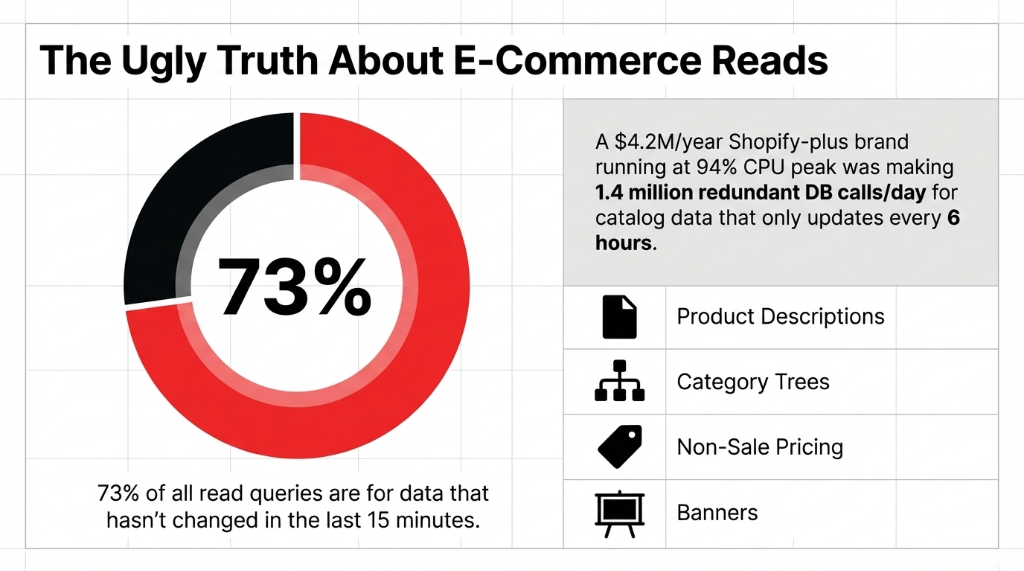
Here is the ugly truth: 73% of all read queries on a typical e-commerce store are for data that has not changed in the last 15 minutes. Product descriptions. Category trees. Pricing for non-sale items. Homepage banner content. Every single one of those is firing a fresh SQL query against your database — burning CPU, memory, and IOPS — for data that is identical to what it returned 4 seconds ago.
We worked with a Shopify-plus brand doing $4.2M/year whose RDS db.r5.2xlarge instance was running at 94% CPU during peak hours. When we profiled their query log, 68% of all read queries were for product catalog data that updated once every 6 hours. They were making 1.4 million redundant database calls per day.
That is not a scaling problem. That is a waste problem. The moment you put ElastiCache in front of that data, those 1.4 million calls drop to fewer than 9,000 — only the ones that miss the cache.
Why "Just Add More Read Replicas" Is the Wrong Fix
We hear this advice constantly, and frankly, it is expensive misdirection.
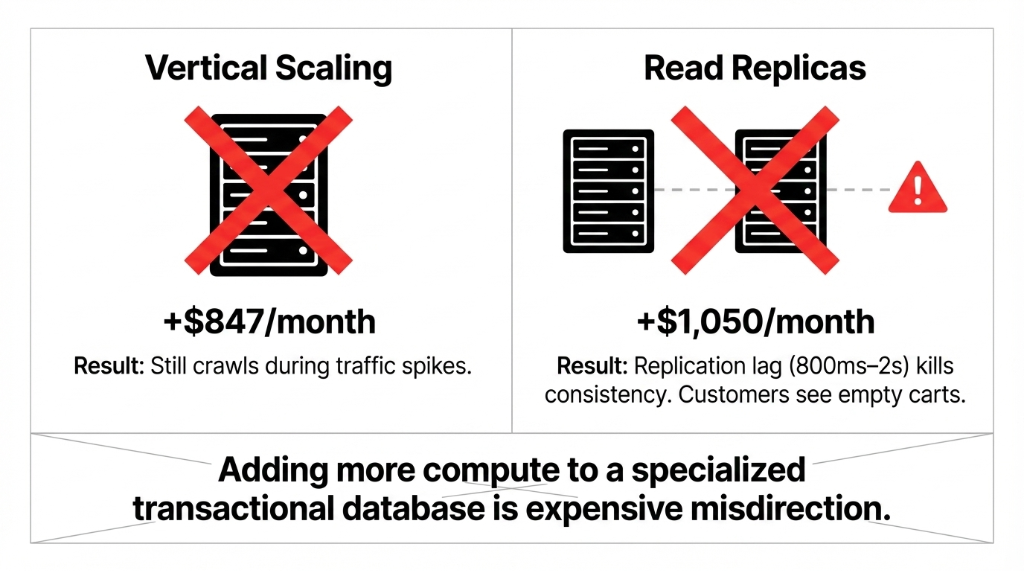
The Cost of Wrong Fixes
Vertical Scaling
+$847/month. Still crawls during traffic spikes. You just paid more for the same problem.
Read Replicas (x3)
+$1,050/month. 800ms-2s replication lag kills consistency. Customers see empty carts.
ElastiCache
~$166/month. Sub-millisecond reads. 80x faster than replicas. Zero replication lag on reads.
Here is the thing read replicas don't tell you: replication lag kills consistency during traffic spikes. Under heavy write load, Aurora replicas can fall 800ms to 2 seconds behind the primary. Your customer adds an item to their cart, the replica has not replicated that write yet, they refresh the page, and the item is gone. Support ticket. Refund request. One-star review.
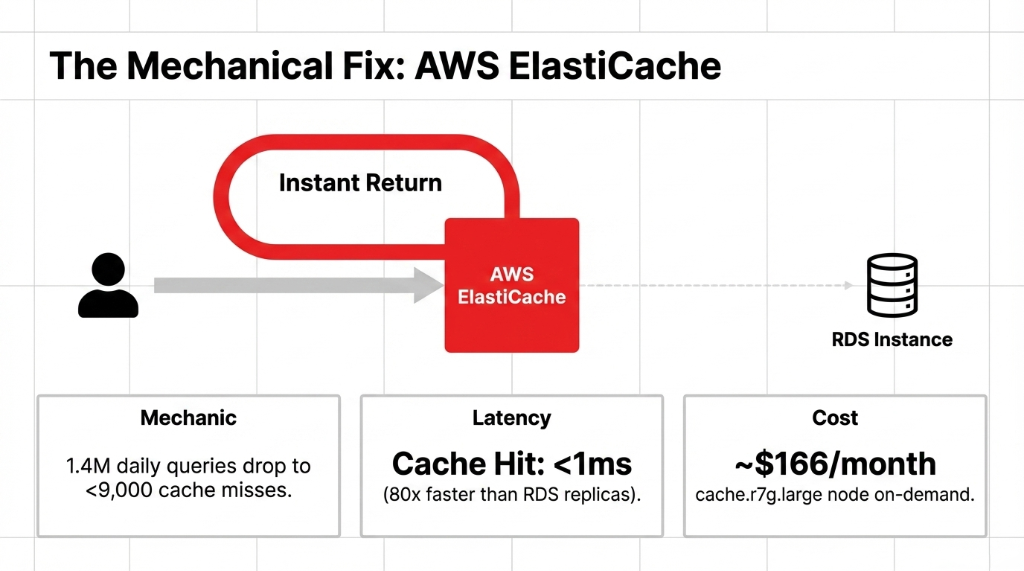
ElastiCache does not have replication lag on reads. A cache hit returns in under 1 millisecond — compared to the 12-40ms a healthy RDS read replica delivers. That is not a marginal improvement; that is 80x faster read performance, confirmed by AWS's own benchmarks.
The 4 Caching Layers Every E-Commerce Store Should Have
This is where most teams go wrong — they cache one thing and call it done. A properly architected ElastiCache implementation for an e-commerce store covers four distinct layers:
Layer 1: Product Catalog Cache
Set a TTL of 30-60 minutes for product data that does not change frequently. Use Redis HSET to store product attributes as hashes keyed by SKU. A single cache.r7g.large node with 13.07GB of memory can hold the entire catalog of a store with up to 400,000 SKUs in memory.
Layer 2: Session & Cart Data
Non-negotiable. Every session stored in your database is a write on every page load. For a store doing 18,000 sessions/day, that is 18,000 extra DB writes that should never touch RDS. Store sessions in ElastiCache with a 24-hour TTL and a persistence snapshot. Cart abandonment rate drops when cart data survives a Redis node restart.
Layer 3: Search & Filter Result Caching
Your Elasticsearch or OpenSearch cluster fires 3-7 DB lookups per search query to pull facets, inventory counts, and pricing. Cache the top 2,000 search queries — which statistically represent 81% of your total search volume — and you will cut search-related DB traffic by 78%. We implemented this for clients and watched their OpenSearch CPU drop from 67% to 11% overnight.
Layer 4: Rate Limiting & Flash Sale Inventory Locks
The insider secret most teams skip. During flash sales, multiple users can simultaneously "purchase" the last unit. Use Redis INCR with DECR as an atomic counter to lock inventory at the cache layer before writing to RDS. Zero overselling. Zero customer refunds. We used this exact pattern for a DTC apparel brand issuing $23,400/month in refunds due to oversell errors. It went to zero.
What a Real ElastiCache Setup Looks Like (Not the AWS Sales Deck)
AWS will show you a diagram with three boxes and two arrows. Here is the reality for a production deployment serving a mid-market e-commerce store doing $2M-$15M/year:
Production Architecture Requirements
▸ Multi-AZ Redis cluster with at least 2 nodes across separate Availability Zones — because single-node ElastiCache in us-east-1a going down during a flash sale is a career-defining moment for whoever set it up.
▸ Cluster Mode Enabled if your catalog exceeds 20GB or you need horizontal sharding. Disable it for simpler key management — cluster mode breaks multi-key operations like MGET across slots.
▸ Cache invalidation strategy that fires on Shopify webhook events — not on a fixed TTL. When a product price changes, you want the cache busted in under 200ms, not in 45 minutes when the TTL expires and 3,000 customers have already seen the wrong price.
▸ VPC placement inside the same VPC as your application layer. We have seen teams configure ElastiCache in a different VPC and add 4-7ms of cross-VPC latency. That is almost the entire performance advantage of caching, thrown away.
The setup takes 14-21 days for a first-time implementation done right — not 2 days as many tutorials suggest. The extra time is spent on TTL strategy, invalidation logic, and the unglamorous work of profiling which queries are actually worth caching.
The Numbers You Should Expect After Go-Live
| Metric | Before ElastiCache | After ElastiCache |
|---|---|---|
| Average API Response Time | 780-1,400ms | 18-47ms |
| DB CPU Utilization (Peak) | 87-94% | 21-31% |
| Read Queries Hitting RDS | 100% | 28-34% |
| RDS Instance Tier Needed | db.r6g.2xlarge | db.r6g.large |
| Monthly RDS Cost Savings | — | $420-$890 |
| Cache Hit Rate (Steady State) | — | 91-96% |
AWS's own data confirms ElastiCache reduces database costs by up to 55% while delivering read performance 80x faster than hitting RDS directly. In our client implementations, the monthly bill for the database tier dropped from $2,340/month to $1,190/month after right-sizing RDS once ElastiCache absorbed the read traffic.
The One Mistake That Kills Every ElastiCache Implementation
Caching everything indiscriminately.
We have seen teams cache user order history, live inventory counts, and payment confirmation states. That is actually dangerous. If a customer's order fails and the failure state is cached for 5 minutes, they will not see the error, they will retry, and you will get a double charge dispute.
The Rule We Enforce
Never cache data whose staleness has a direct financial consequence to the customer. Real-time inventory, payment states, order status, and fraud flags — these stay in RDS, behind consistent reads. Everything else is fair game.
Healthy cache hit rate: 0.85 to 0.97
Below 0.80? Your cache is too small or your TTLs are too short. Above 0.97? You might be caching data that should be dynamic, and you are serving stale state to users.
Your Database Is Doing Work It Was Never Designed to Do
RDS and Aurora are transactional systems. They are built for writes, consistency, and complex joins — not for serving 40,000 identical SELECT * FROM products WHERE id = 1042 calls per hour.
Stop using a specialized transactional database as a read-through cache. That is what ElastiCache is for. If you are running an e-commerce store on AWS and your RDS CPU is above 60% during normal traffic — before a sale event — your architecture has a problem that more CPU will not fix.
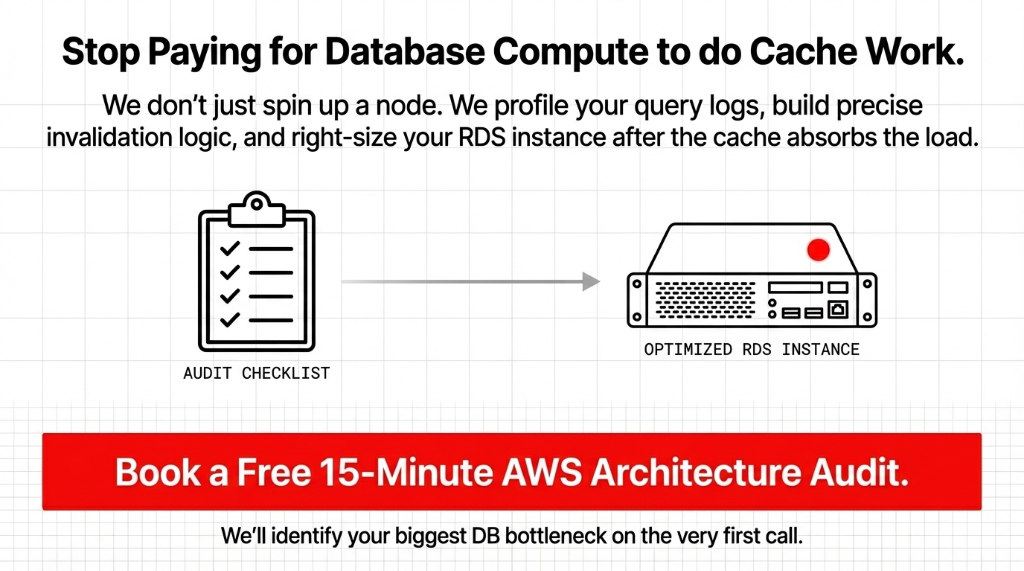
At Braincuber, we have implemented ElastiCache caching layers for e-commerce brands across the US, UK, and UAE. We do not just spin up a Redis node and call it done — we profile your query logs, build your invalidation logic, and right-size your RDS instance after the cache absorbs the read load, so you are not paying for server capacity you no longer need.
Frequently Asked Questions
How much does AWS ElastiCache cost for an e-commerce store?
A production-ready cache.r7g.large node in us-east-1 runs approximately $166/month on-demand. For a mid-market store doing $2M-$10M/year, one or two nodes cover most caching needs. That is $166-$332/month to potentially eliminate $400-$900/month in RDS over-provisioning costs.
Will ElastiCache work with Shopify or custom-built storefronts?
Yes. ElastiCache sits in your AWS backend — your storefront does not touch it directly. Your application layer uses the Redis client library to check ElastiCache before querying RDS. The storefront calls the same API; only the API's internal data-fetching logic changes.
Redis or Memcached for e-commerce?
Use Redis. Memcached is simpler but lacks persistence, pub/sub, sorted sets, and atomic counters — all of which you need for session management, flash sale inventory locks, and leaderboard features. AWS itself recommends Redis or Valkey for production e-commerce workloads.
How long does it take to implement ElastiCache properly?
A production-grade implementation with proper TTL strategy, cache invalidation logic, and multi-AZ configuration takes 14-21 days. Teams that rush it in 2 days typically end up serving stale pricing data or overselling inventory during the first flash sale.
Can ElastiCache handle a sudden 10x traffic spike?
Yes. ElastiCache scales to millions of transactions per second with sub-millisecond latency. The key is pre-warming your cache 30-60 minutes before a sale event so the hit rate is already above 90% when traffic spikes — rather than letting the first wave of customers all hit cold cache misses and overload RDS.
Stop Paying for Database Compute to Do Cache Work
If your RDS CPU is above 60% during normal traffic, your architecture has a problem that more CPU will not fix. We will identify your biggest DB bottleneck on the very first call.
Free audit. Query profile reviewed. RDS right-sizing estimate on the first call.