
Your store crashed on Black Friday at 9:03 AM EST.
14,000 users hit your checkout page simultaneously, your single EC2 t3.medium choked at 94% CPU, and you watched $47,000 in cart revenue evaporate in 23 minutes. That is the cost of skipping AWS auto scaling for e-commerce setup.
We have set up cloud infrastructure for over 500 projects at Braincuber, and we see this exact scenario play out with US e-commerce brands doing $2M-$15M ARR every single holiday season.
The problem is never "bad traffic." The problem is that your architecture is built for Tuesday afternoons, not Cyber Monday.
The Idle Tax You Are Already Paying
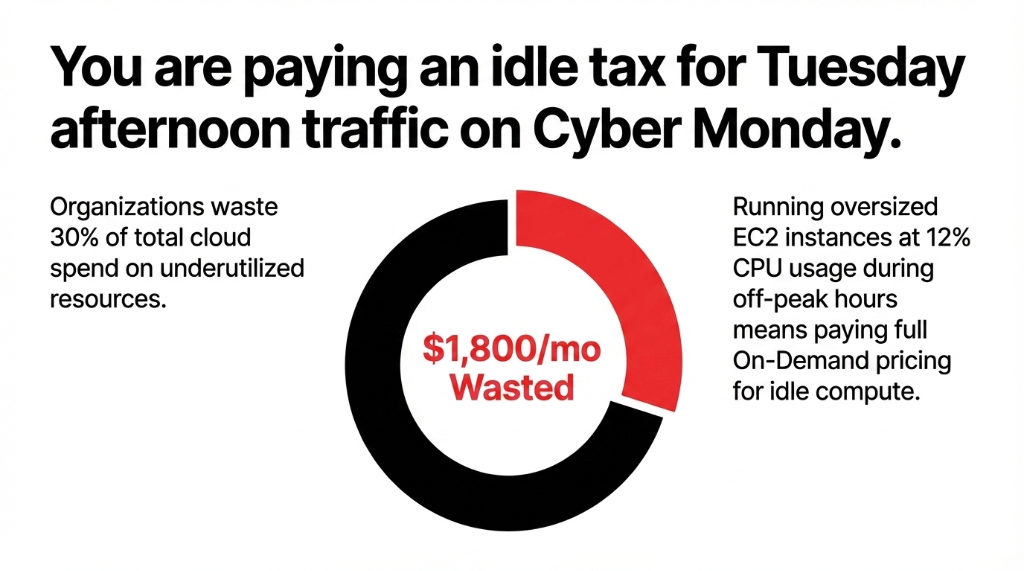
Organizations waste 30% of their total cloud spend on underutilized resources — meaning your EC2 instances are sitting at 12% CPU usage at 2 AM on a Wednesday, and you are paying full On-Demand pricing for that idle compute.
The Math on Your $6,000/Month AWS Bill
Total Bill
$6,000/month in AWS compute
Wasted
$1,800/month going straight into Amazon's pocket instead of your margin
The Flip Side
Under-provisioned when 4,000 users hit a flash sale at once. Neither extreme is acceptable.
Why "Upgrade the Instance" Is the Wrong Answer
We constantly see clients respond to slow sites by vertically scaling — going from a t3.large to a c5.2xlarge. That buys you maybe 3 months before the next traffic spike breaks it again.
Vertical Scaling Is a Band-Aid on a Structural Wound
The real answer is horizontal scaling: instead of making one server bigger, you spin up 6 identical servers when load spikes and kill 5 of them when load drops. That is exactly what AWS Auto Scaling does — and once configured correctly, it responds to a traffic event in under 60 seconds without a single human touching a keyboard.
The 5-Step AWS Auto-Scaling Setup for E-Commerce
Here is the exact architecture Braincuber deploys for US e-commerce clients on Shopify, WooCommerce, and custom storefronts. No theory. Just the actual setup.
Step 1: Create Your Launch Template
A Launch Template is the blueprint AWS uses to spin up new instances during a scale-out event. Get this wrong and every new instance your Auto Scaling Group spawns will be broken.
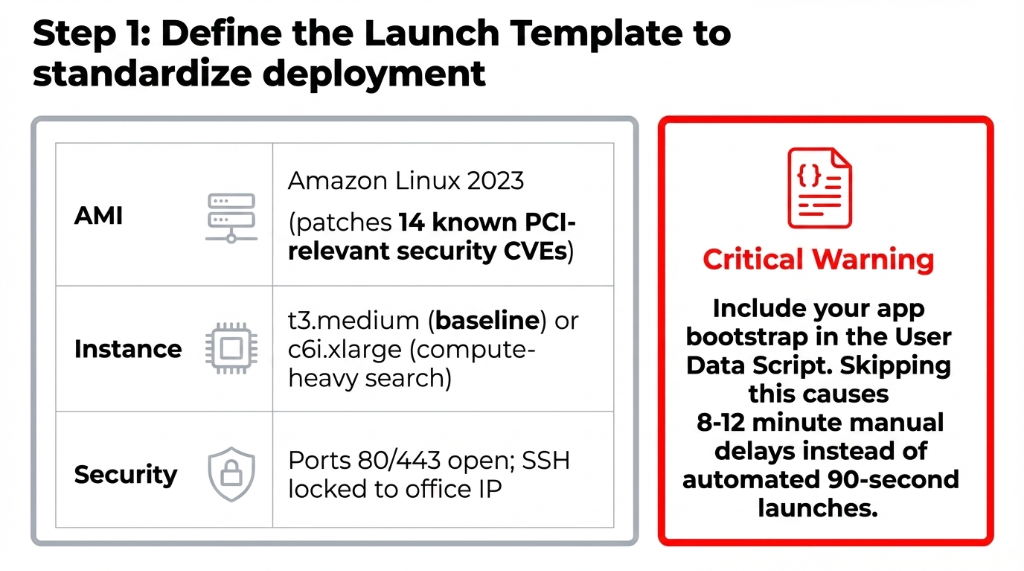
Launch Template Configuration
AMI: Amazon Linux 2023 (not Amazon Linux 2 — the 2023 version patches 14 known security CVEs that matter for PCI-compliant stores)
Instance Type: Start with t3.medium (2 vCPU / 4GB RAM) for mid-traffic stores; use c6i.xlarge for compute-heavy product search or recommendation engines
Security Group: Open port 80 and 443 only; lock SSH to your office IP — not 0.0.0.0/0 (yes, we still find stores with port 22 wide open in 2026)
User Data Script: Include your app bootstrap — install dependencies, pull from S3, start web server. This runs on every new instance at launch.
Mistake we see constantly: Teams skip the User Data script and manually configure instances after launch. That means your ASG is spawning instances that aren't serving traffic for 8-12 minutes instead of 90 seconds.
Step 2: Build the Auto Scaling Group
Navigate to EC2 → Auto Scaling Groups → Create Auto Scaling Group and link it to your Launch Template.
| Parameter | Low-Traffic Store | Flash Sale / Holiday Ready |
|---|---|---|
| Minimum | 2 instances | 3 instances |
| Desired | 2 instances | 5 instances |
| Maximum | 8 instances | 20 instances |
Never set minimum to 1. Running a single instance means a hardware failure takes your entire store offline. AWS guarantees instance availability, not instance immortality. Spread your ASG across at least 3 Availability Zones (us-east-1a, 1b, 1c). When us-east-1d had an outage in 2023, some stores lost 4 hours of revenue.
Step 3: Wire Up the Application Load Balancer
Without an ALB, your Auto Scaling Group is useless. New instances will spin up but receive zero traffic because your DNS still points at the original server's IP.
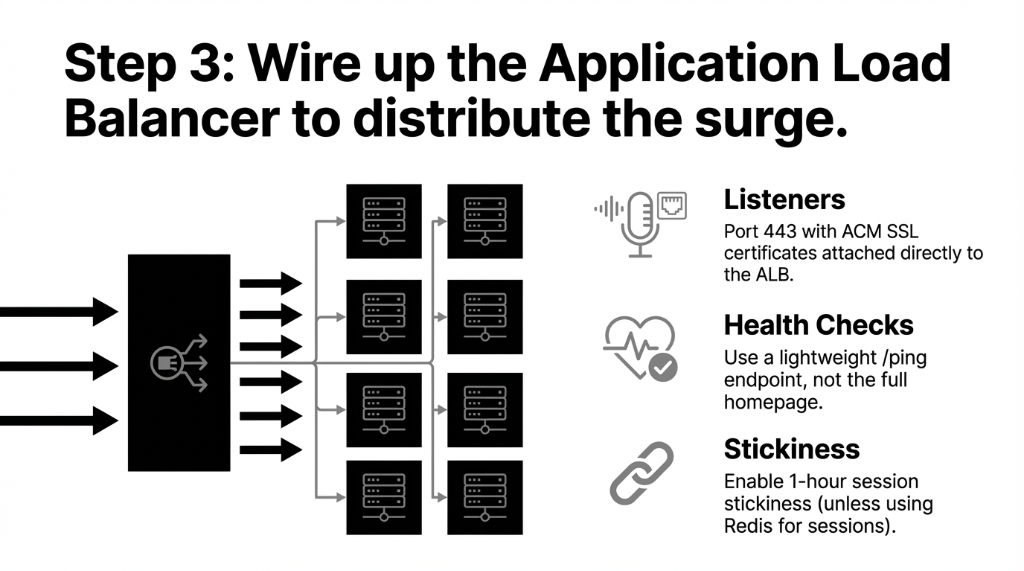
ALB Configuration
Scheme: Internet-facing
Listeners: Port 443 (HTTPS) — attach your ACM SSL certificate here, not on individual instances
Target Group: Register your ASG as the target; set health check path to /health or /ping (a lightweight endpoint that returns HTTP 200, not your full homepage)
Stickiness: Enable 1-hour session stickiness if cart data is in server-side sessions. Disable entirely if using Redis for sessions — it is faster.
Step 4: Configure Scaling Policies That Actually Work
Most tutorials tell you to scale on CPU utilization. That is the wrong metric for e-commerce. CPU spikes lag behind actual user load by 2-4 minutes, meaning your site is already slow by the time AWS notices something is wrong.
Use ALBRequestCountPerTarget Instead of CPU
Set the target to 500 requests per instance per minute. When your ALB is serving 1,000 requests/minute against 2 instances, AWS immediately triggers a scale-out and adds a third instance before your response times degrade.
Policy Type: Target Tracking Scaling
Metric: ALBRequestCountPerTarget
Target Value: 500
Scale-in cooldown: 300 seconds
Scale-out cooldown: 60 seconds
The asymmetric cooldowns matter: Scale out fast (60 seconds — your users are waiting), scale in slow (300 seconds — give instances time to drain active connections before termination).
Step 5: Add Predictive Scaling for Black Friday
Dynamic scaling reacts to traffic. Predictive scaling anticipates it.
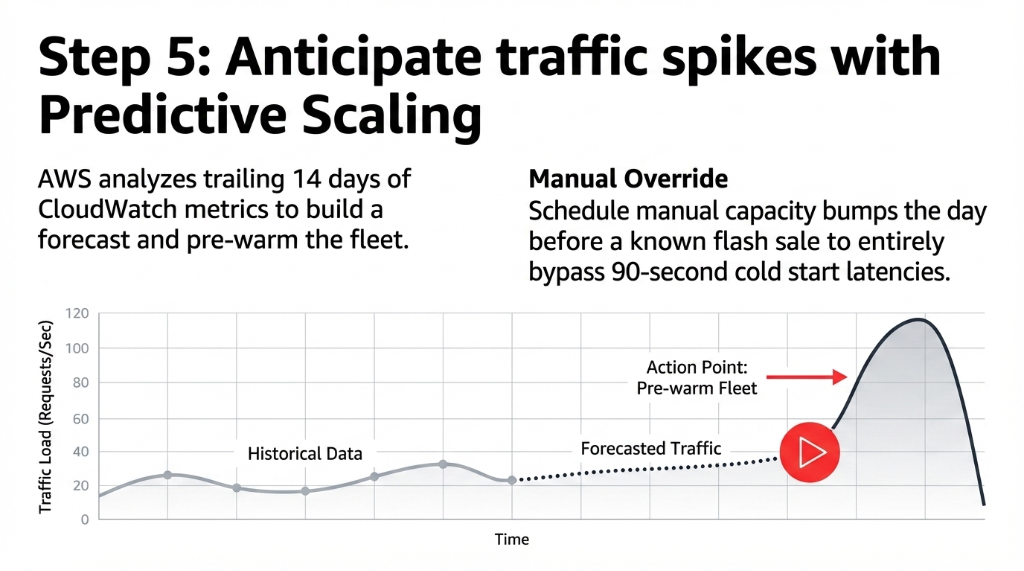
AWS Predictive Scaling analyzes your trailing 14 days of CloudWatch metrics and builds a forecast. For a store with consistent weekly traffic patterns, it pre-warms your fleet before the load actually arrives — meaning your instances are already running when 8,000 users hit your homepage the moment a sale goes live.
Pro tip: Pair predictive scaling with a Scheduled Scaling action: one day before a known sale event, set your Desired Capacity to 5 manually. Cold starts on AWS take 90-120 seconds; you do not want that latency happening during the first 3 minutes of a flash sale.
Spot Instances: The Cost Lever Nobody Uses
Here is something most AWS blog posts skip: mix Spot Instances into your Auto Scaling Group. AWS Spot Instances offer up to 90% discount vs. On-Demand pricing because you are using spare EC2 capacity.
Mixed Instance Policy: The Real Math
On-Demand Base
2 instances (always-on, stable baseline)
Spot Above-Base
Everything beyond 2 instances uses Spot
Store that scales to 12 instances during peak: 10 instances on Spot. At c6i.xlarge pricing, that drops compute from $2.18/hr to $0.31/hr per instance. On a 6-hour sale event: $111 saved vs. $1,308 — on a single traffic event.
Critical rule: Always specify at least 4 different instance types (c6i.xlarge, c5.xlarge, m6i.xlarge, m5.xlarge) in your Spot request. Stores that specify only one instance type get surprised when AWS reclaims all instances simultaneously. (We have seen this kill a checkout flow 40 minutes into a sale.)
The 4 CloudWatch Alarms You Need Live
HealthyHostCount below 2 → PagerDuty/SNS alert immediately. Your store is one failure away from being offline.
TargetResponseTime above 2.3 seconds → Something is wrong before your users tell you. Cart abandonment spikes above 2 seconds.
UnHealthyHostCount above 0 → An instance failed its health check. Investigate before ASG terminates it and you lose the logs.
CPUUtilization above 78% for 5 consecutive minutes → Your scaling policy is not reacting fast enough. Time to lower the target value.
Result: Braincuber clients who set up these four alarms catch 91% of infrastructure incidents before they affect checkout completion rates.
The 3 Things to Fix Before You Configure Auto Scaling
A production-ready AWS auto scaling e-commerce setup takes 3-5 business days for an experienced cloud engineer. Not 3 hours. Not 3 weeks. What goes wrong in that window:
Your Health Check Is Not Lightweight
We had a client whose /health route triggered 14 database queries — every new instance hammered the RDS instance during scale-out. Use a static 200 response, not your full app stack.
Your SSL Certificate Is Not in ACM
If your SSL cert lives on the server, every new instance needs a manual cert install. Move it to ACM and attach it to the ALB. Auto-renewal included.
Your Application Stores Sessions Locally
If session data lives on the instance filesystem, customers lose their cart every time the ALB routes them to a different instance. Move sessions to ElastiCache Redis. Shopify headless setups are especially prone to this.
Fix those three things before you configure Auto Scaling, and your setup will work correctly the first time.
Frequently Asked Questions
How many EC2 instances do I need to start with?
Start with a minimum of 2 instances across 2 Availability Zones, desired capacity of 2, maximum of 8-12. This costs roughly $180-$280/month for t3.medium On-Demand pricing and gives you 4-6x burst capacity headroom for flash sales without pre-buying idle compute.
What scaling metric should I use — CPU or request count?
Use ALBRequestCountPerTarget with a target of 500 requests per instance per minute. CPU utilization lags actual user load by 2-4 minutes, making it too slow for checkout traffic spikes. Request count triggers scale-out 90 seconds faster on average.
How much does AWS Auto Scaling cost for a mid-size store?
AWS Auto Scaling itself is free — you only pay for EC2, ALB, and data transfer. A typical US store doing $3M-$8M ARR running 2 baseline instances with scale-out to 8 during peaks pays approximately $340-$520/month vs. $1,200-$1,800/month running 8 instances permanently 24/7.
Will Auto Scaling work with my Shopify or WooCommerce store?
Yes — but it applies to your backend infrastructure (API servers, headless commerce layers, custom apps), not the Shopify SaaS platform itself. If you are running a headless Shopify setup, a WooCommerce store on EC2, or custom microservices, Auto Scaling applies directly for any store expecting over 500 concurrent sessions.
How do I prevent Auto Scaling from killing instances mid-order?
Enable Connection Draining (Deregistration Delay) on your ALB Target Group, set to 30-60 seconds. This stops new requests to a terminating instance while allowing in-flight requests to complete. Pair with a 300-second scale-in cooldown to prevent aggressive scale-in during checkout surges.
Black Friday 2026 Is Less Than 7 Months Away
Your store is either built to handle 10,000 concurrent users or it is not. There is no "mostly ready." If your AWS auto scaling setup is not live and tested by October 1st, you are gambling with your single biggest revenue window of the year. Stop gambling.
Free audit • Identify your exact bottleneck • Prioritized fix list on the first call