
We've watched companies burn through $47,000 in a single month running a half-baked SageMaker endpoint with no auto-scaling, no cost controls, and zero monitoring. That's not a cautionary tale. That's last quarter for three of our clients.
This checklist is the exact aws path we walk clients through when moving from POC to a production-grade ai in aws deployment. No hand-waving.
Your POC Is Lying to You
Here's what nobody in the aws builder series tells you: your POC environment and your production environment share almost nothing in common.
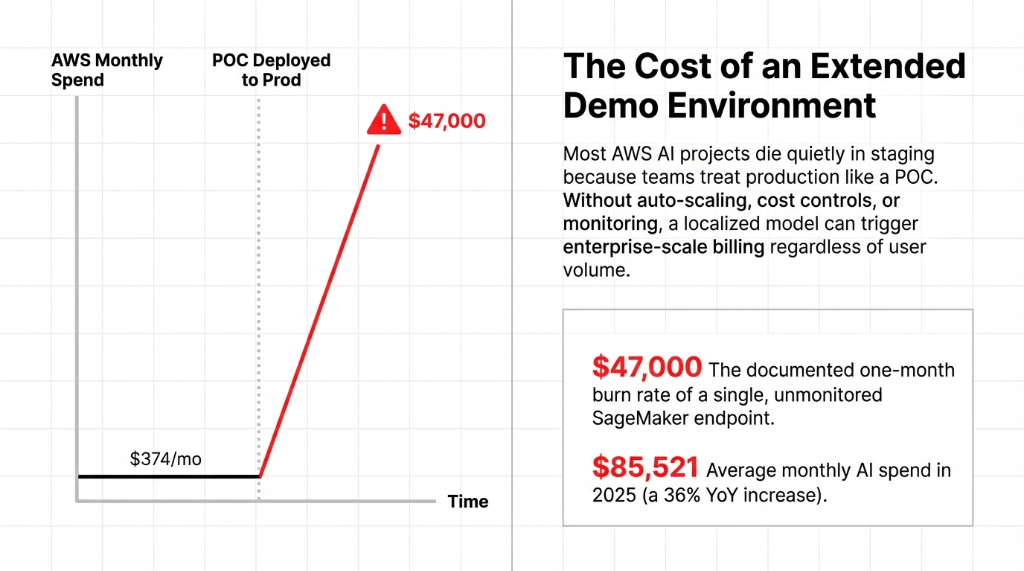
In a POC, you hit the amazon console manually. You use hardcoded IAM admin roles. Your data lives in a single S3 bucket. And latency looks great because you're testing with 3 users, not 3,000.
The transition from POC to aws production is not a deployment. It's a rebuild. Accept that now and save 6 weeks of re-work.
The Checklist: Phase 1 — Infrastructure Lock-Down
Before you write production code, your aws and ai infrastructure needs locking down.
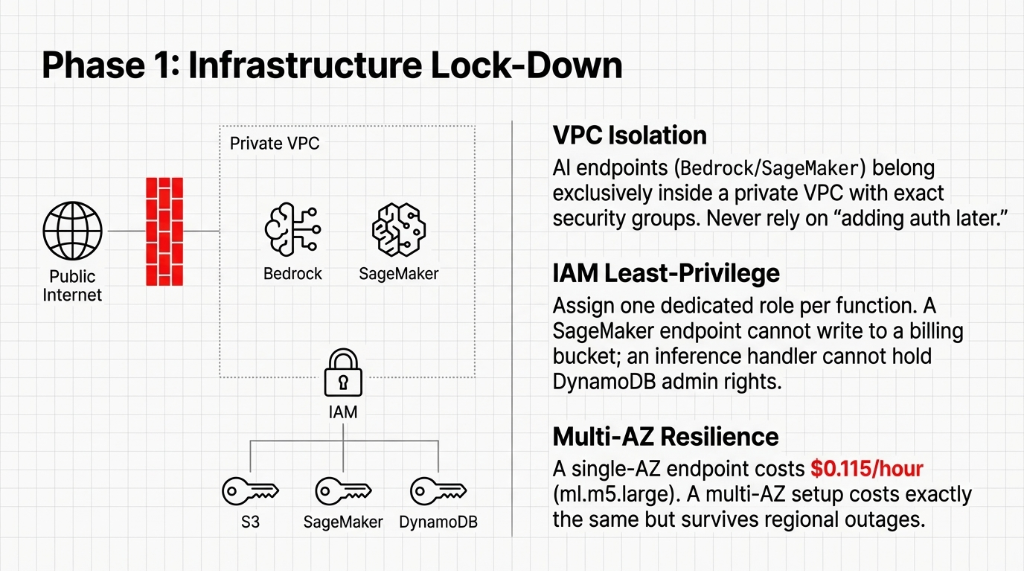
IAM Roles: In aws for ai production, every service gets its own least-privilege role. Fix this first or fix it in a post-mortem.
VPC Isolation: We see teams leave endpoints public because "we'll add auth later." Every AI endpoint belongs inside a private VPC.
Multi-AZ: A single-AZ SageMaker endpoint costs $0.115/hour. A multi-AZ setup costs exactly the same but survives regional outages.
Tagging: Without cost allocation tags, your FinOps team will spend 31 hours tracking aws cpm and aws ctr data.
The Checklist: Phase 2 — The MLOps Pipeline
This is the path aws engineers skip most often. Humans shouldn't physically push models to endpoints.
CI/CD via SageMaker Pipelines: Validate data → train → evaluate → register → deploy. If accuracy drops from 94% to 91%, the pipeline stops.
Model Registry: Without version numbers and metadata cards on models, you are asking for a regulatory violation.
Canary Deployments: Shift 10% of traffic. Monitor for 4 hours. Better to degrade 10% of users than 100%.
The Checklist: Phase 3 — Observability and Cost Controls
73% of teams cut corners here and call us six weeks later wondering why their aws prod spend tripled.
CloudWatch Isn't Enough: You need AWS X-Ray for distributed tracing to understand why inference latency spiked.
Hard Budget Alerts: Set limits. Send SNS alerts to the engineering lead AND the aws cmo to avoid $23,000 surprises.
Token Monitoring: Bedrock agent tool reasoning loops multiply token usage aggressively.
SageMaker Auto-Scaling: If traffic spikes, your endpoints will queue requests into timeouts. Use Application Auto Scaling.
The Checklist: Phase 4 — Security and Compliance
Handling PII in aws ai requires immediate hardening.
AWS Macie: Macie costs ~$1.00/GB scanned and will catch HIPAA violations sitting in your raw training dataset.
Bedrock Guardrails: Must be defined before the agent is exposed to users via the aws center for safety guidelines.
Quarterly Key Rotation: Default annual KMS rotation isn't enough for regulated us banking operations.
The Checklist: Phase 5 — Go-Live and the First 30 Days
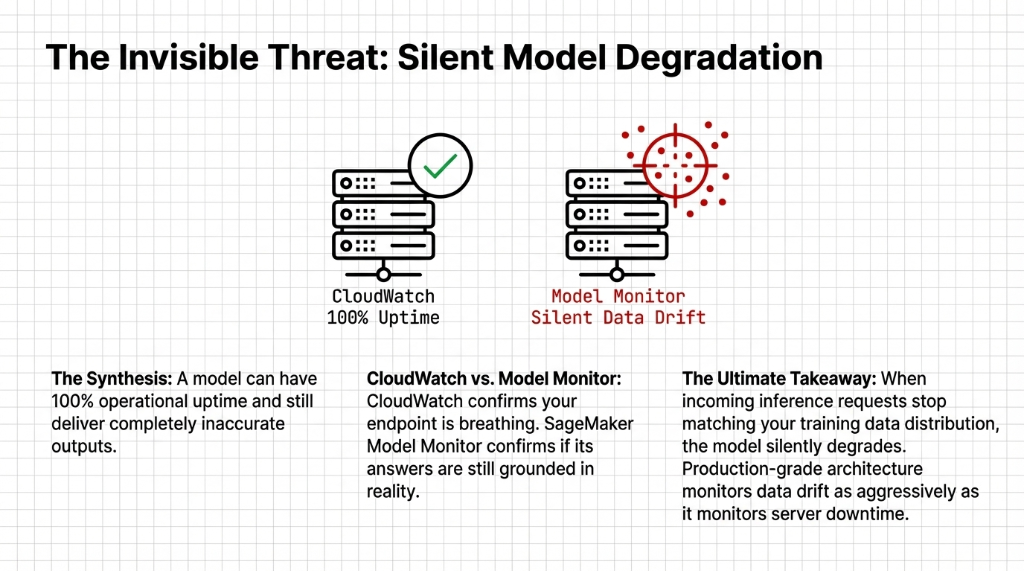
Launch day is not the finish line. In Week 4, check for data drift using SageMaker Model Monitor. A model can have 100% CloudWatch uptime while returning complete garbage to your users.
By Day 30, the aws om (operational maturity) of your deployment is established. You either have a machine running or a maintenance nightmare.
5 FAQs: AWS AI Deployment POC to Production
How long does it actually take to move an AWS AI model from POC to production?
6–10 weeks if building MLOps securely from scratch for a mid-tier U.S. team.
What is the biggest cost risk in AWS AI production deployments?
Unmonitored idle SageMaker endpoint instances scaling 24/7. Use AWS Budget alerts immediately.
Do we need AWS Bedrock Guardrails if we're only doing internal AI tools?
Yes. Internal tools become external fast. Build the real-time policy filters on day one.
How is SageMaker Model Monitor different from just watching CloudWatch metrics?
CloudWatch tells you your endpoint is responding. Model Monitor detects data drift — when inference requests stop matching the training data distribution.
Can Braincuber take over an existing AWS AI deployment that's already in production?
Yes. Typical 5-day onboarding recovers $8,000–$14,000 in monthly idle spend quickly.
Ready for Production? No, You Aren't. But You Can Be.
Book a free 15-Minute AWS AI Production Audit with Braincuber. We'll identify the top 3 production blockers in your current architecture and hand you a fix list. No fluff.